 SysMon
: see what your QNAP is doing
Processes, disks, network and sensors in a terminal.
SysMon adds the programs that show what the NAS is doing right now: htop, btop, atop, Glances, iotop, iftop, ncdu, mtr and more, all reachable from an SSH login.
Every program is compiled from source with Bucket & Code Server IDE. Install the package as it is, or change its recipe list and build your own.
command -v hdparm
/usr/app/SysMon/first/hdparm
hdparm -V
hdparm v9.65
iostat -V | head -1
sysstat version 12.8.0
iperf3 --version | head -1
iperf 3.21 (cJSON 1.7.15)
nmap --version | head -1
Nmap version 7.991 ( https://nmap.org )
btop --version
btop version: 1.3.2
What is inside
The recipe list names these programs, and the build adds the libraries they need.
Processes, processor and memory
- htop
- the interactive process list
- btop
- processor, memory, disks, network and processes on one screen
- atop
- processes with long-term logging, and atopsar
- glances
- a system monitor in Python
- procps
- ps, top, free, vmstat, watch, pgrep, pkill, pmap, slabtop
- sysstat
- iostat, mpstat, pidstat, sar
- psmisc
- pstree, fuser, killall, prtstat
- nmon
- Nigel's performance monitor
Disks and files
- iotop
- disk use per process and thread
- ncdu
- what fills a folder, sorted by size
- lsof
- open files and the processes that hold them
- progress
- how far cp, mv, dd and tar have got
- pv
- progress, rate and time left of data through a pipe
- smartmontools
- smartctl and smartd for S.M.A.R.T. data
- hdparm
- reads and sets ATA/SATA disk parameters, measures read speed
- sdparm
- reads and changes the mode pages of SCSI and SATA disks
- nvme
- nvme-cli: NVMe drive information, SMART and error logs
- ioping
- disk latency request by request, like ping
- fio
- flexible I/O tester
- duf
- disk use of mounted file systems as a table
Network
- iftop
- bandwidth per connection
- nload
- incoming and outgoing traffic as graphs
- nethogs
- bandwidth per process
- bmon
- bandwidth monitor
- vnstat
- a traffic log per interface, with the vnstatd daemon
- mtr
- traceroute and ping in one, hop by hop
- iptraf-ng
- IP traffic and LAN statistics in a text interface
- tcpdump
- captures and decodes packets
- ethtool
- shows and changes network interface settings
- iperf3
- measures network throughput
- nmap
- network discovery and port scanning, with ncat and nping
- iproute2
- ip, ss and tc: addresses, routes and sockets
- fping
- pings many hosts at once
- arp-scan
- finds the hosts of the local network by ARP
- traceroute
- shows the routers on the way to a host
Hardware and system calls
- sensors
- lm-sensors: temperatures, fan speeds and voltages
- dmidecode
- the firmware's tables: board, BIOS, memory modules
- lspci
- PCI devices with their names
- lsusb
- USB buses and devices with their names
- ipmitool
- talks to a server's BMC over the network
- strace
- the system calls and signals of a program
- tmux
- panes for the project's dashboard
How it looks
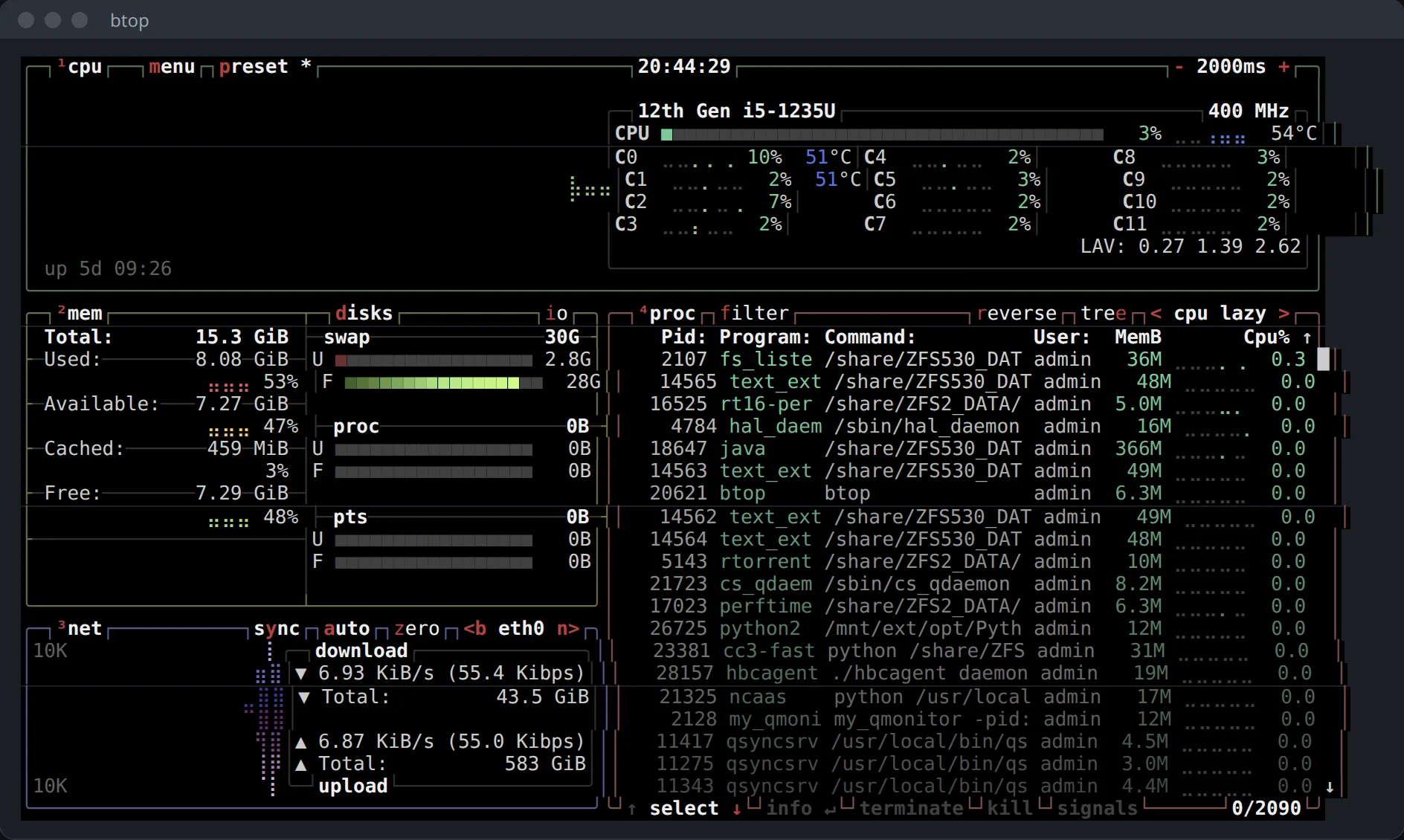
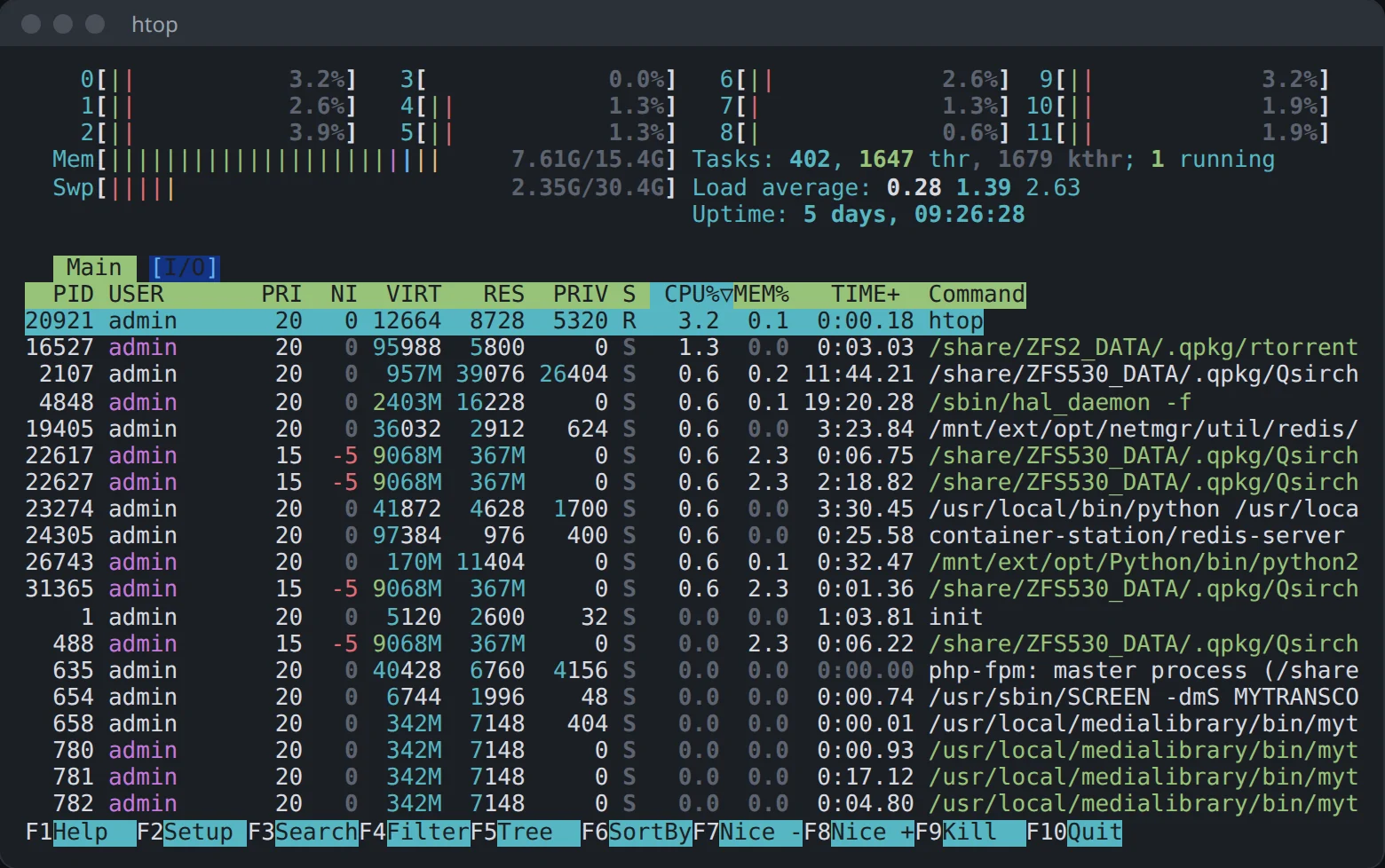
Real screens from a QNAP NAS with the package from App Center.
Who it helps
The NAS feels slow
btop and htop show which process takes the processor and the memory. iotop shows which one keeps the disks busy.
A volume fills up
ncdu walks a folder and sorts what is in it by size, so you can see what took the space.
You want to see the traffic
iftop, nload and NetHogs show traffic by connection, by interface and by process. mtr follows a route hop by hop.
Install it
- Add this site's repository to App Center once: the three steps.
- In the repository's list find (example) SysMon and press Install.
- Turn on SSH in Control Panel › Network & File Services › Telnet / SSH.
Start it
SysMon has no window of its own: you run it from a terminal. Sign in over SSH as admin and call a program by its name.
ssh admin@192.0.2.10     # your NAS's address
htop                     # processes
btop                     # everything on one screen
ncdu /share/Public       # what fills this folder
Good to know
- In a shell you type into, the package's hdparm, iostat, lspci and free run before QTS's copies, which do not do what people use them for:
hdparm -I,iostat -m, device names inlspciandfree -h. - iotop, iftop, nethogs, iptraf-ng, tcpdump, mtr and smartctl read what only root may read. An admin login on the NAS can run them.
- sensors lists only the chips a loaded kernel driver exposes, for example
coretempwith the processor temperatures of Intel models. - vnStat logs traffic only while its daemon runs.
vnstatd -dstarts it, and it stops when the NAS restarts. - iotop's SWAPIN and IO% columns stay empty until you turn on the kernel's delay accounting:
echo 1 > /proc/sys/kernel/task_delayacct. That lasts until the NAS restarts. - Other names QTS has stay QTS's, such as top, ps, lsof, pv and ethtool. The package's copy runs by its full path, such as
/usr/app/SysMon/bin/top. - Scripts, cron and a command given straight to ssh keep QTS's commands.
- On a QNAP NAS
ncis QNAP's Notification Center tool. Usencat. - ipmitool talks to a server's BMC over the network, and most NAS models have no BMC of their own.
Change it and build it again, whenever you want
SysMon is an example from Bucket & Code Server IDE, our free development environment for QNAP. It compiles each program from source on your own NAS and packs the result as a QPKG.
From the panel
- In Bucket & Code open Apps, then the Examples tab. Add Ubuntu 24.04 builder (full) if you have no builder environment yet.
- Press Use this example on SysMon (geek set 2). The app appears with its recipes, and nothing is built yet.
- Press Build, then Activate. Export makes a QPKG once a QDK toolchain is installed.
From a terminal
The Editor project SysMon holds the same list in recipes.txt. Take a line out or add a recipe from the library, then run this in the Editor's terminal:
make app        # makes the app from recipes.txt
make build      # builds it and follows the job
make activate   # /usr/app/SysMon now points to the build
make qpkg       # exports a QPKG (needs a QDK toolchain)
The project also has a dashboard: make dashboard shows btop, iotop, iftop and nload in four tmux panes. It runs after make activate.
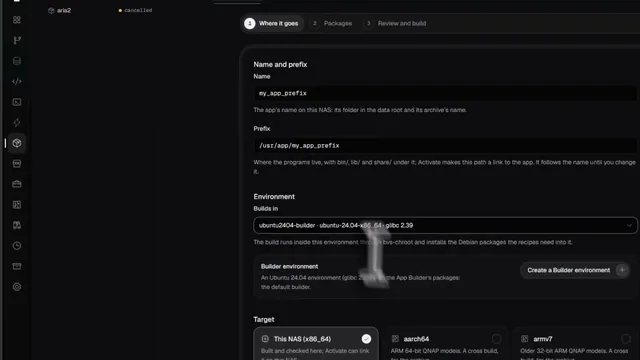 See it done in Bucket & Code
Compile Any App You Need Without Linux Skills: Build QPKG & Deploy Easily (Freeware)
8 min on YouTube