Build a kernel module for your NAS: the CH341 USB-serial driver
Many USB-serial adapters with a CH340 or CH341 chip need the kernel's ch341
driver. The QTS 6.1 NAS shown here does not ship it. The kernel workshop of Bucket & Code Server IDE builds such a module for
the kernel the NAS runs, checks it against that kernel and loads it.
- Profilewhat the kernel is
- Workspacea tree configured to match
- Builddrivers/usb/serial
- Checkvermagic, layout, symbols
- Loadan admin's, at your risk
The pictures come from a NAS with QTS 6.1 and kernel 6.6.129-qnap, with each field filled in as this guide describes.
01What the workshop does
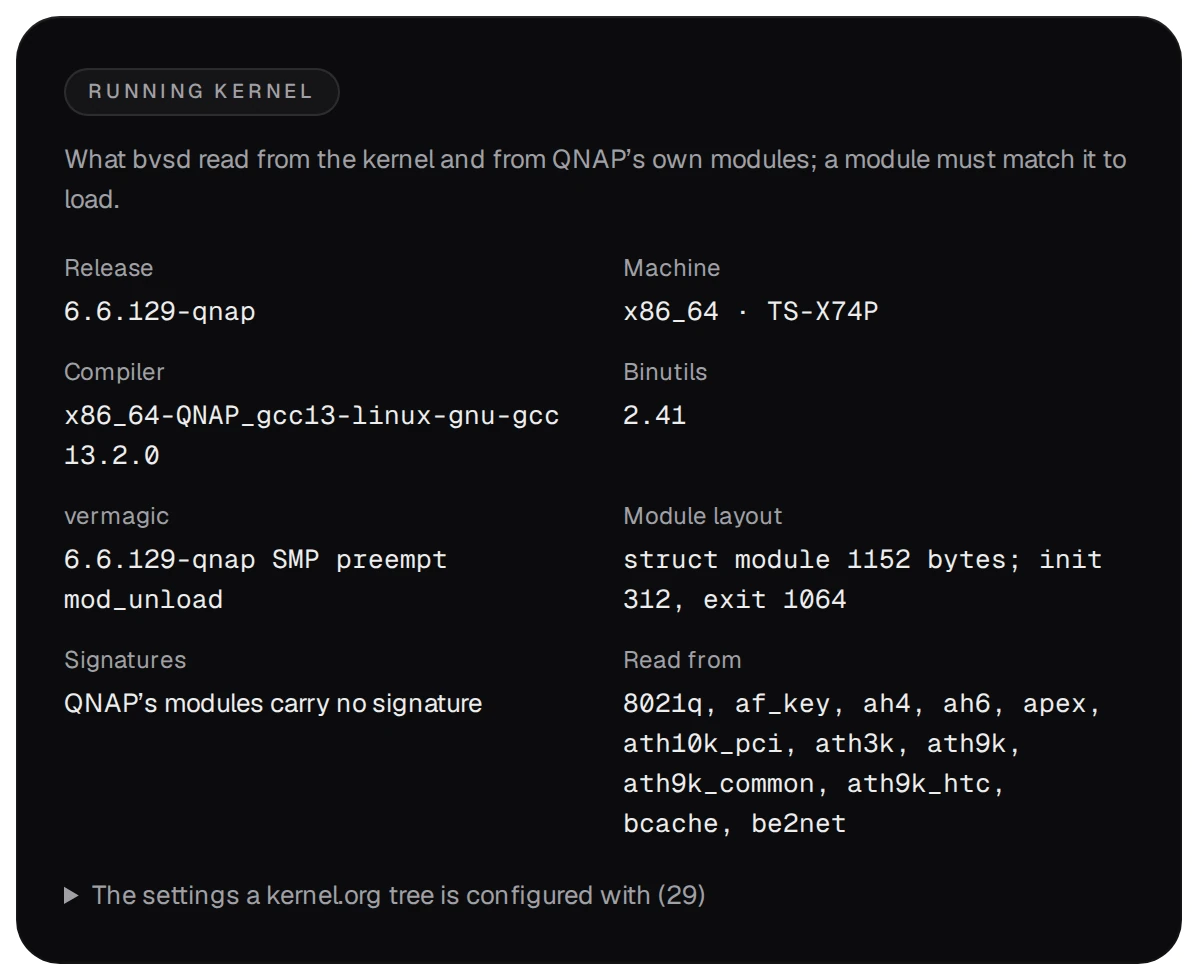
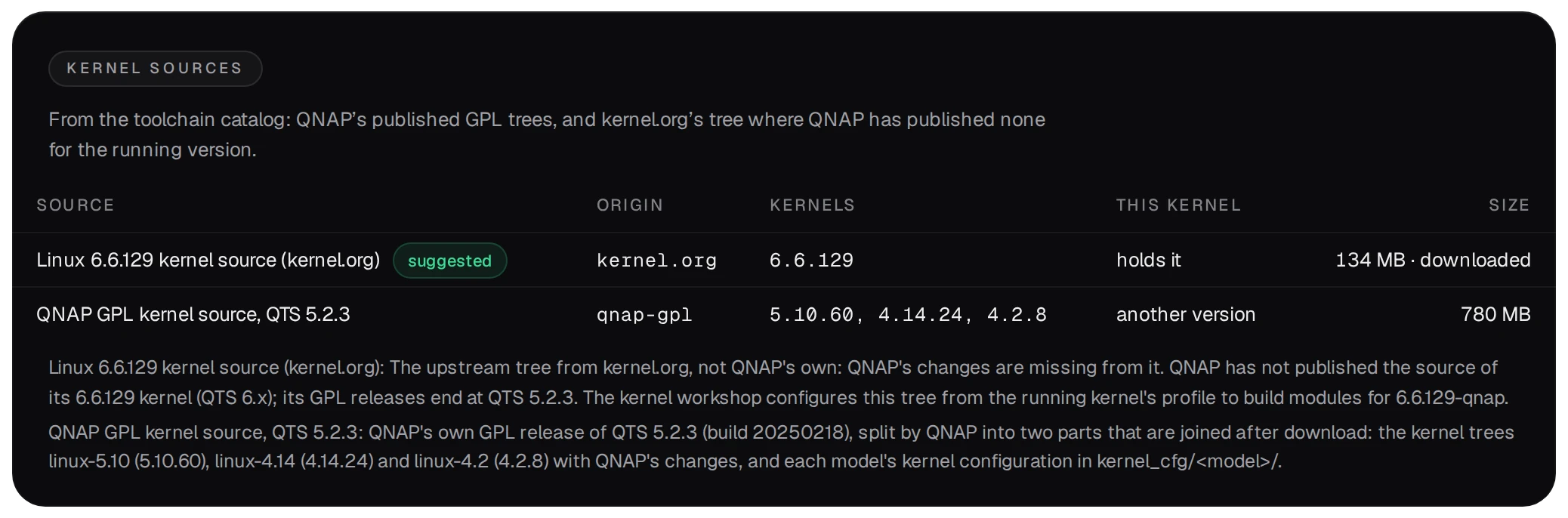
QNAP's public GPL archive lists kernel source through QTS 5.2.3, without the kernel running on this QTS 6.1 NAS. The workshop
therefore reads what the running kernel shows about itself and configures a kernel tree from kernel.org to
match it. The Kernels page shows that profile: the release, the compiler QNAP used, the
vermagic and the layout of struct module in QNAP's own modules, and whether modules must be
signed.
- You need the Kernel builder environment from the Examples gallery (Apps → Examples): Ubuntu 24.04 with GCC 13 and the kernel build tools. The workshop requires the same GCC major version as the running kernel and checks it before preparing the workspace.
- Preparing, building and loading are an admin's; checking is a developer's. In the editor's terminal, which is
root, the same steps are
bvs kernelcommands.
02Prepare the workspace
The workspace is a kernel tree for exactly the running kernel, in kernels/<release> of the
data folder. On the Kernels page press Prepare the workspace:
- Source: leave the suggested one. For 6.6.129 it is the tree from kernel.org, since QNAP's
own trees hold only older kernels.
- Environment:
kernel-builder. Extra settings, one per line:USB_SERIAL=mandUSB_SERIAL_CH341=m, the USB-serial core and the CH341 driver. Leave Build the whole kernel off, then press Prepare.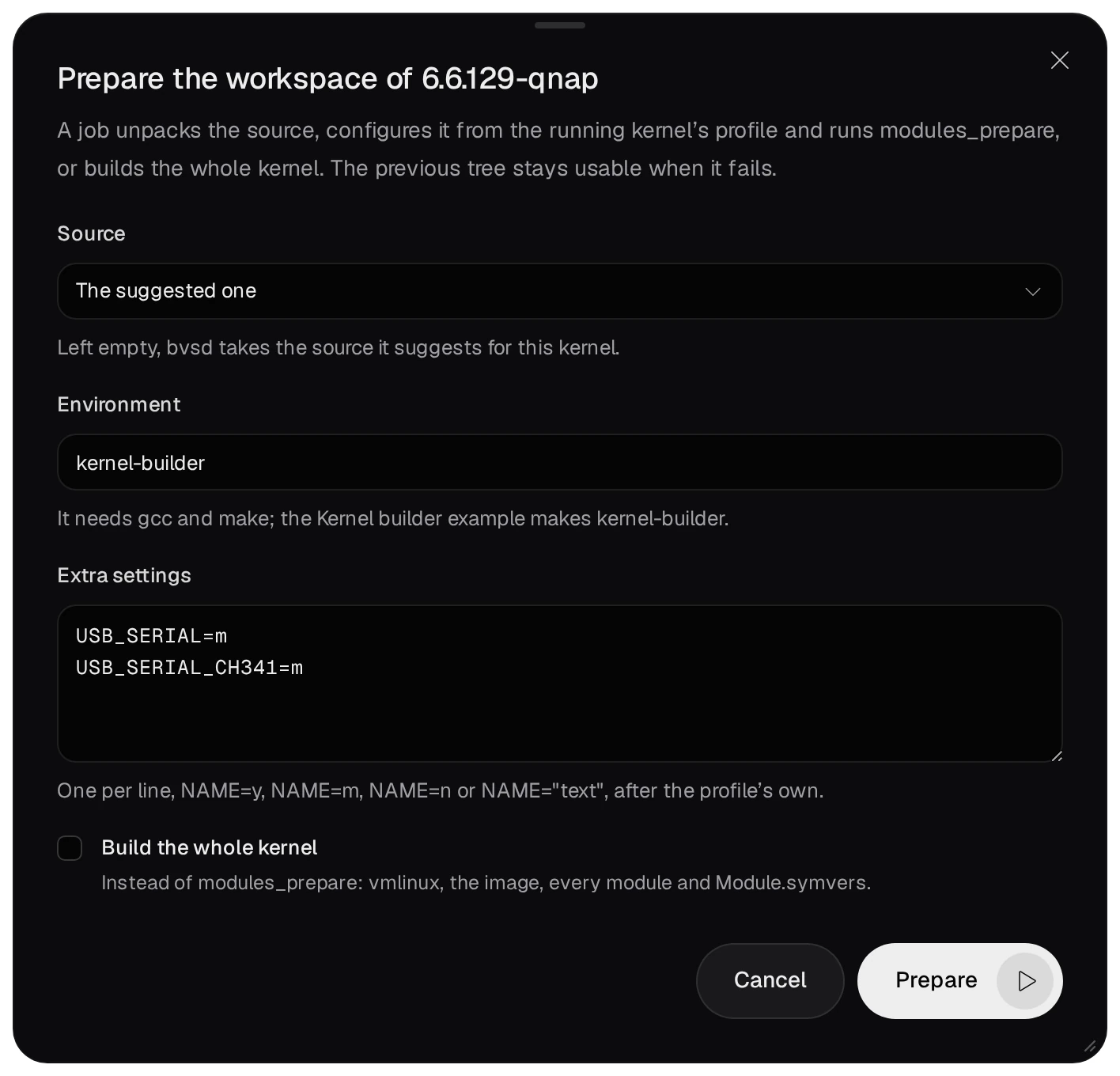
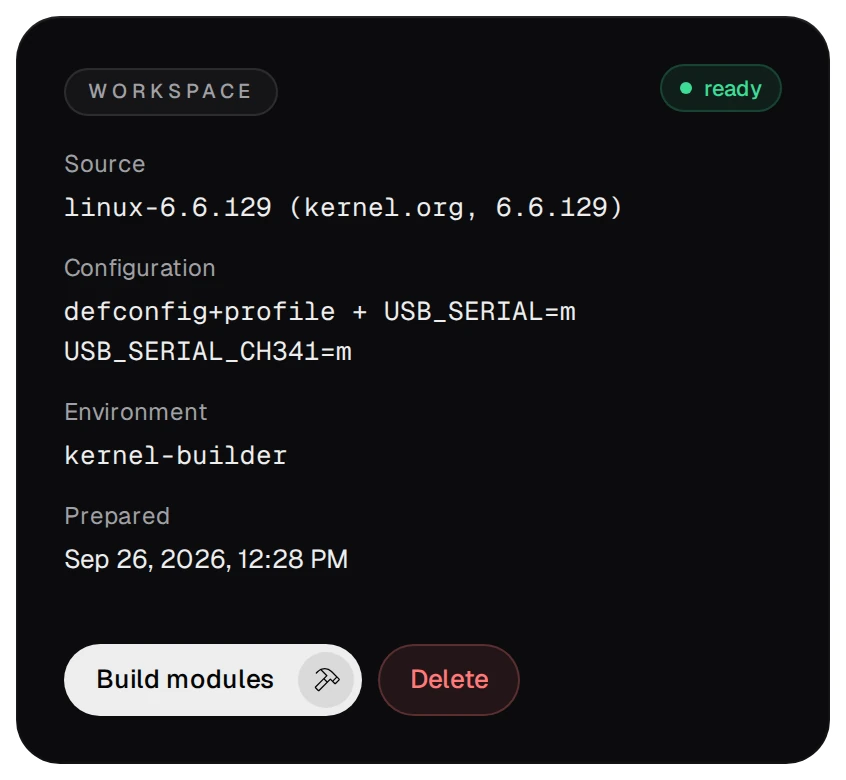
- A job unpacks the source, configures it from the profile and your settings, prepares it for module
builds and checks that the tree builds for exactly the running release. The Workspace card says
ready. A failed prepare keeps the previous tree.
03The project
New project has two templates under Kernel: a hello module of your own, and the ch341 driver. Choose USB serial driver ch341.

The project holds a Makefile whose targets are the workshop's commands, and a workflow for the NAS's runner:
# the project's Makefile, run as root in the editor's terminal
make prepare   # bvs kernel prepare --option USB_SERIAL=m --option USB_SERIAL_CH341=m
make           # bvs kernel make --dir drivers/usb/serial
make check     # bvs kernel check ch341
make load      # bvs kernel load ch341
make unload    # bvs kernel unload ch341
At every push the workflow builds the driver with --build-only and checks it. That build's
ch341.ko goes to the run's artifact modules, never into the workspace, so the module
make load loads stays the one you built.
04Build the driver
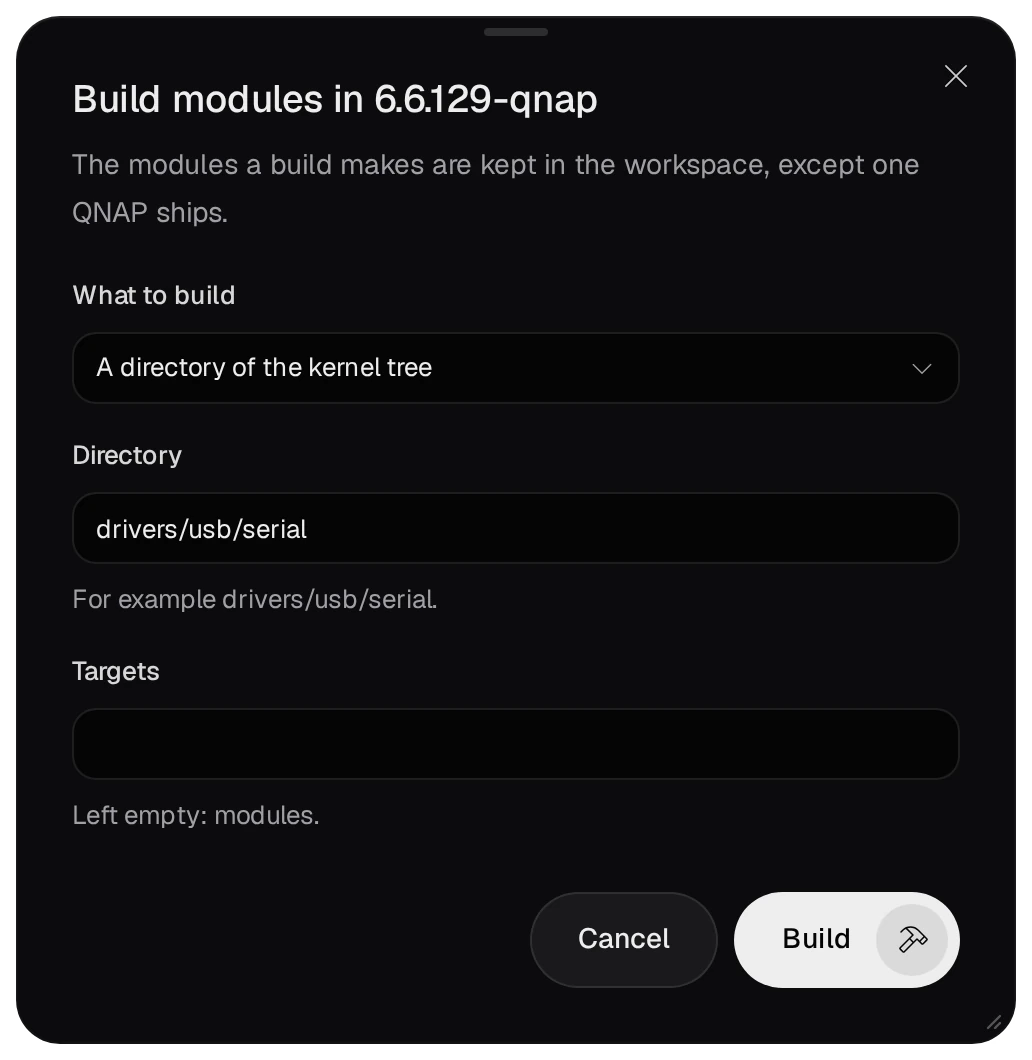
On the Kernels page, Build modules builds a project's folder or a directory of the
kernel tree. The ch341 driver is part of the tree: choose A directory of the kernel tree and type
drivers/usb/serial. make in the project does the same.
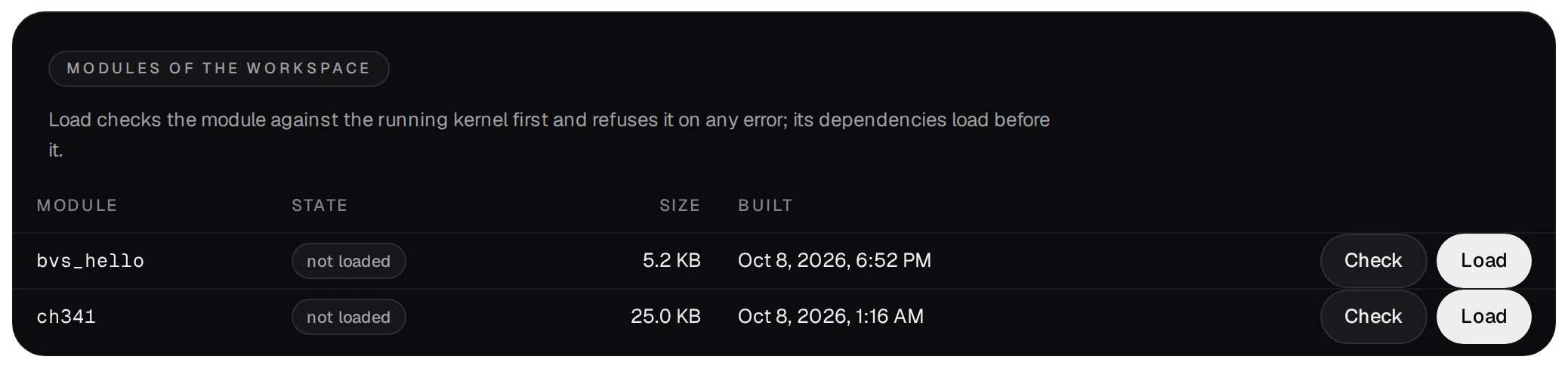
The build makes ch341.ko and usbserial.ko. The workspace keeps
ch341.ko in its modules/. It does not keep usbserial.ko, because QNAP
ships that one and QNAP's copy is the one that loads.
05Check it against the running kernel
Check compares the module with the running kernel: the vermagic, the size of
struct module and where init and exit sit in it, whether a signature is required, the modules
it depends on, and every symbol it needs. Each finding says what does not match and what to do.

QNAP's kernel does not list its data symbols, so the check names symbols such as jiffies as
warnings. On the command line, bvs kernel check ch341 ends with exit status 3 when the module must
not be loaded.
06Load it, and what that means
A module runs inside the kernel with every right the kernel has. A faulty one can stop the NAS. Load only what you built for a reason, and only on a NAS you can restart.
- Load (admin), or
make load, runs the check again and loads the module, the modules it depends on first: here QNAP'susbserial. A module with an error in the check is never loaded. Unload removes it; a module in use stays loaded. Every load and unload is written tolog/kernel-modules.log. - A module you load by hand is gone after a restart. To have it at every start, name it in an App Builder app's kernel modules: activating the app loads it, and every start of the package loads it again.
- If the NAS stopped without the package's ordered stop (a crash, a power cut, a hard reset) in a boot in which the package loaded modules, the next start leaves those modules out, since one of them may have caused the crash, and a notice names them. Loading one by hand, or activating its app again, lets the start load it again.
- After a QTS update to another kernel, prepare that kernel's workspace and build the module again. A
backup does not hold
kernels/.