Build Transmission from scratch on your NAS
The film below is a real run of Bucket & Code Server IDE 1.0.0-55 on a NAS with nothing set up yet. It starts at the first-run screen and ends with the QTS package Transmission signed, installed and answering in the browser, and an arm_64 build of the same package downloaded. This guide goes through the film chapter by chapter: what the person does, what the screen shows and what the run checks.
- Set upmodules, builder, runtimes
- ProjectPackage from source
- Recipesfive, the gate, the service
- Buildtwo apps, make qpkg
- Installsignature, Test deploy, arm_64
The pictures are frames of the run, from the panel and the editor; only the Overview’s tiles come from version 1.0.0-62. The NAS's address and name
are masked in every frame and show as nas.local and NAS.
01What the film shows, what you need
The run took 25 min 7 s; the film lasts 6:26. It cuts the middle out of every wait longer than 10 seconds and marks the cut with the wait's real length, and it plays a stretch of more than 10 seconds without a click at four times the speed, marked 4×.
A script drives the browser: it clicks through the panel, types each file of the finished project into the editor and checks every step against the panel's API before it goes on. The panel, the editor, the build and the packages are the real ones. The finished project is the example Transmission (BitTorrent client, own recipes) under Editor projects on the Examples tab of the Apps page; View the code shows its files.
- A NAS with Bucket & Code Server IDE 1.0.0-55 or later on an x86_64 processor. The arm_64 package is a cross build on that NAS.
- An administrator account in the panel. On a new installation the first-run screen makes it.
- Internet access for the NAS: it downloads the builder's root filesystem, the toolchains and the sources of the recipes, and checks each download against its sha256.
- For the signed package, a code-signing certificate that QNAP issued to you (section 07).
02First-run setup
Film 0:00 · in the run 4 s
A new installation has no account, so the panel opens on one screen, Set the administrator password,
for the account administrator. Type a password of at least 10 characters twice and press
Set the password and sign in. The screen takes the password for 60 minutes after the package starts, and
only from the local network.
The run checks that the panel has signed in as administrator and no longer asks for a first
administrator.
03Modules, builder, Go, Python and QDK
Film 0:06 · in the run 59 s
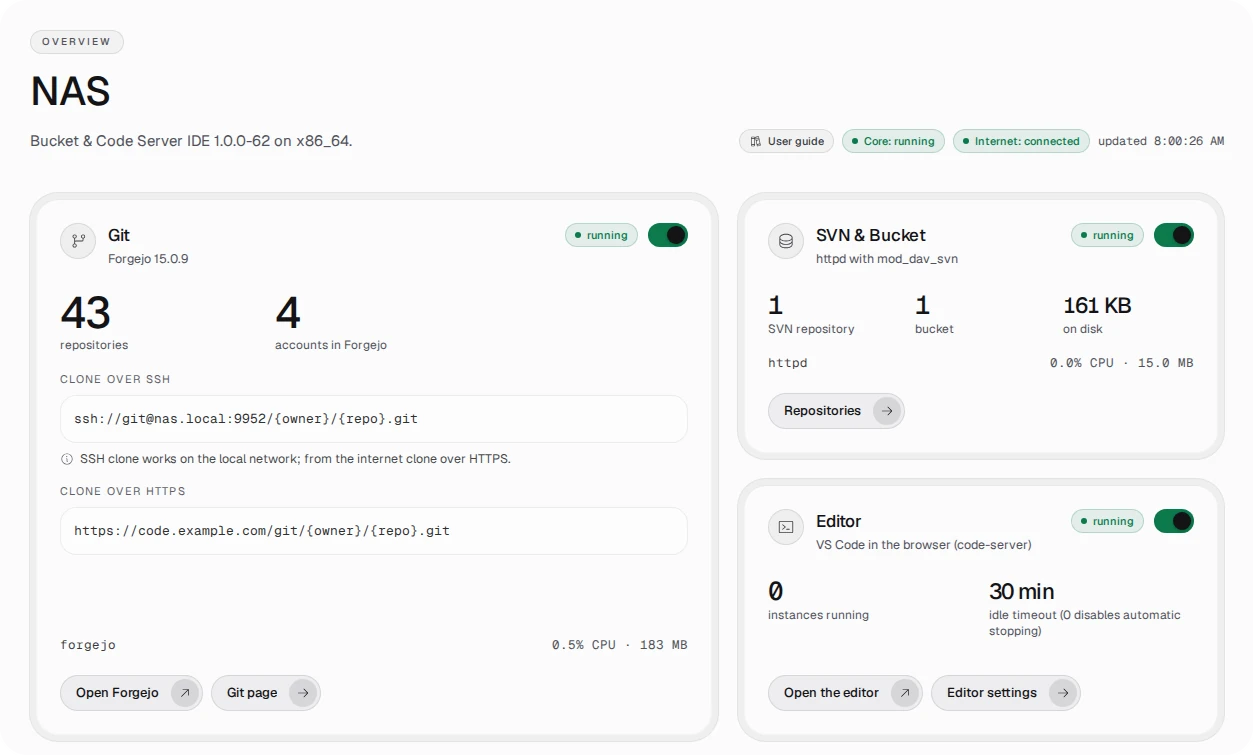
The Overview page shows each module as a tile, and a new installation runs only the core. Turn on Git (Forgejo)
and the Editor (VS Code in the browser) with their switches until both tiles say running. Every panel
account has a Forgejo account of the same name, so the New project wizard now offers
administrator as the owner of a repository.
On the Toolchains page the list of environments is empty and offers the Ubuntu 24.04 builder with one button,
Create this environment. The environment ubuntu2404-builder is there after 22 seconds. In the
catalog below it, Install adds Go 1.27 and Python 3.13 (the Runtimes tab) and QNAP QDK 2.5.0 (the QNAP
tab). Go builds the project's gate, Python runs the tool that writes the web interface's vendor list, and QDK
packs the QTS packages.
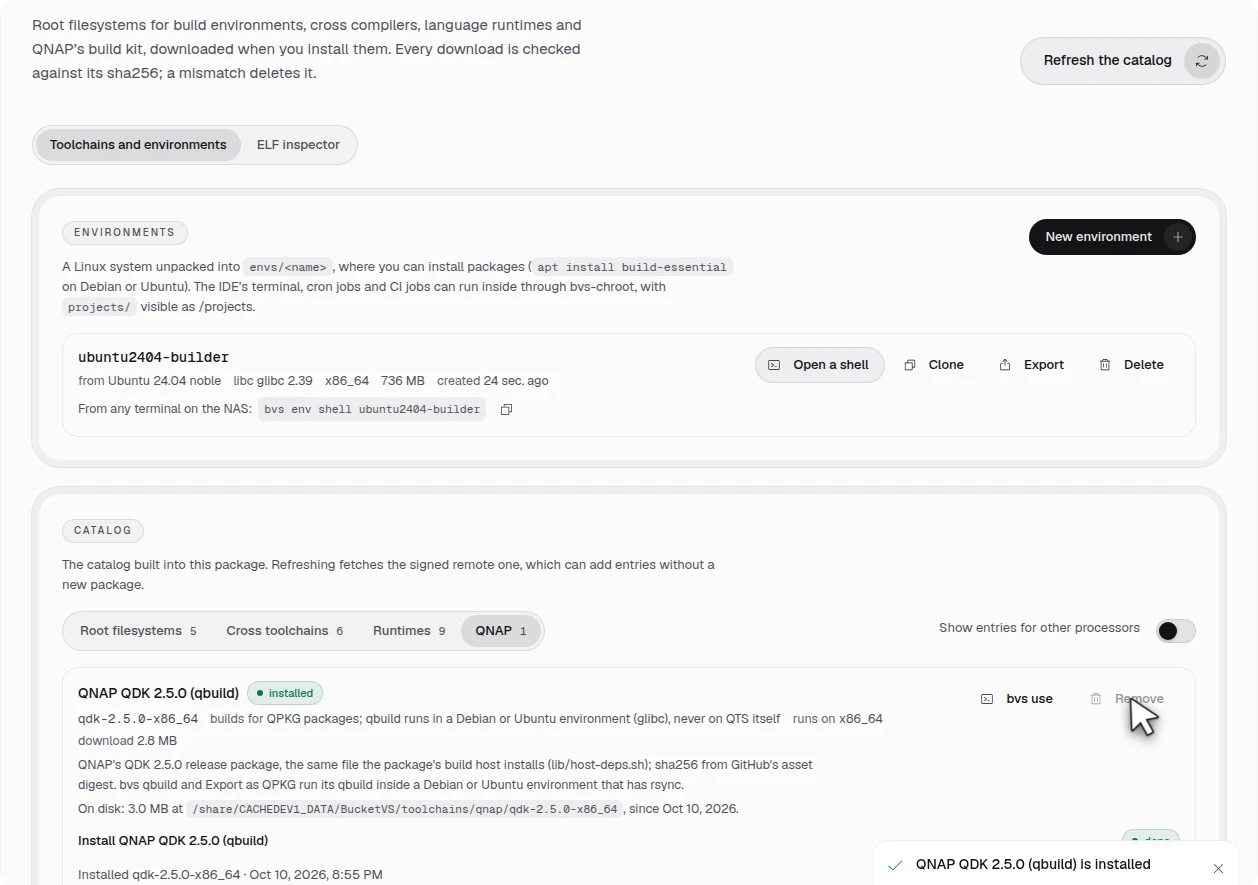
The run checks that Git and the Editor are running, that ubuntu2404-builder is in the list of
environments and that go-1.27-x86_64, python-3.13-x86_64 and
qdk-2.5.0-x86_64 are installed.
04New project
Film 0:52 · in the run 24 s
On the Projects page, New project asks for the template first. Choose Package from
source and name the project Transmission; the name becomes the package's name. In the
Service step choose Web app: a background service with its web port and App Center's Open button. The
Build step asks for no environment: the ENV line of the project's Makefile gives both apps the Ubuntu
24.04 builder. Leave Build right after creating off, because the starter recipe still names a placeholder
source and a first build would fail. Create project makes the Forgejo repository with its first commit.
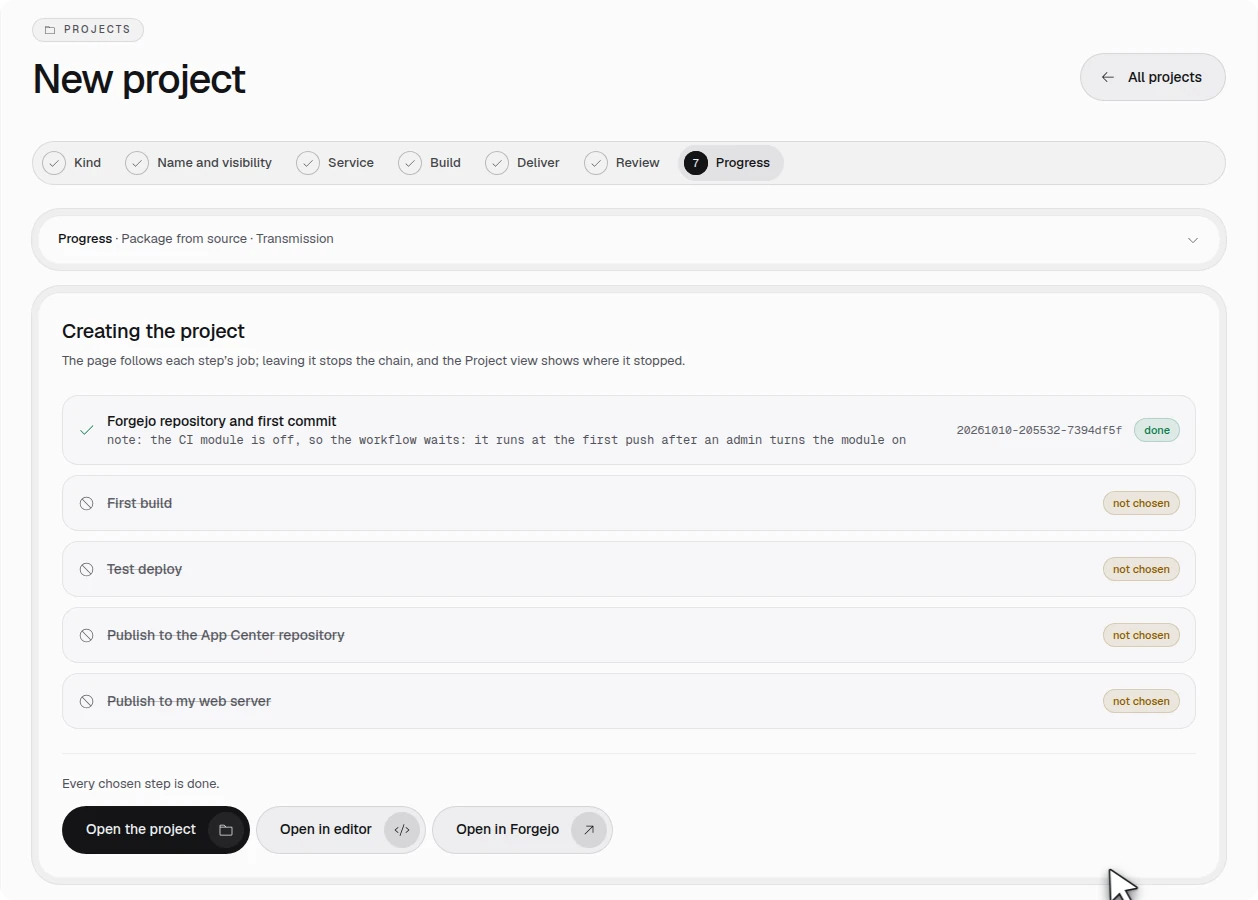
Open in editor opens the project in the editor. Its folder holds recipes/transmission/ (the
starter recipe), recipes.txt, a Makefile for two apps, licenses.txt, qpkg/
and scripts/. The run checks that the project's pipeline lists the apps transmission and
transmission-arm64 and that the Explorer shows recipes.
05The recipes
Film 1:18 · in the run 12 min 12 s
The library has no recipe for Transmission or its web interface, so the project carries five of its own in
recipes/, a folder each with recipe.json and build.sh: those two and
libnatpmp, miniupnpc and libdeflate, which the library also has; in the project's apps the project's copies take
the place of the library's. curl, OpenSSL, zlib and libevent come from the library. Your
first own recipe explains the two files.
The starter recipe · 14 s
recipes/transmission/recipe.json gets Transmission 4.1.3's release archive with its sha256, the
recipes it needs (curl, OpenSSL, zlib, libevent, libnatpmp, miniupnpc and libdeflate), the static link and a
check. build.sh runs CMake for the daemon and for transmission-remote, transmission-create,
transmission-edit and transmission-show, with the tests, translations and documentation off.
Four more recipes · 1 min 17 s
In the Command Palette, Bucket: New recipe asks for a name and writes both files from the starter. The
run makes libnatpmp 20230423, miniupnpc 2.3.3, libdeflate 1.26 and
transmission-web 4.1.3 this way and fills in each one's source, sha256 and build steps. Transmission
links the three libraries as static archives. The web interface is HTML, CSS and JavaScript, built from
web/ of the same release archive.
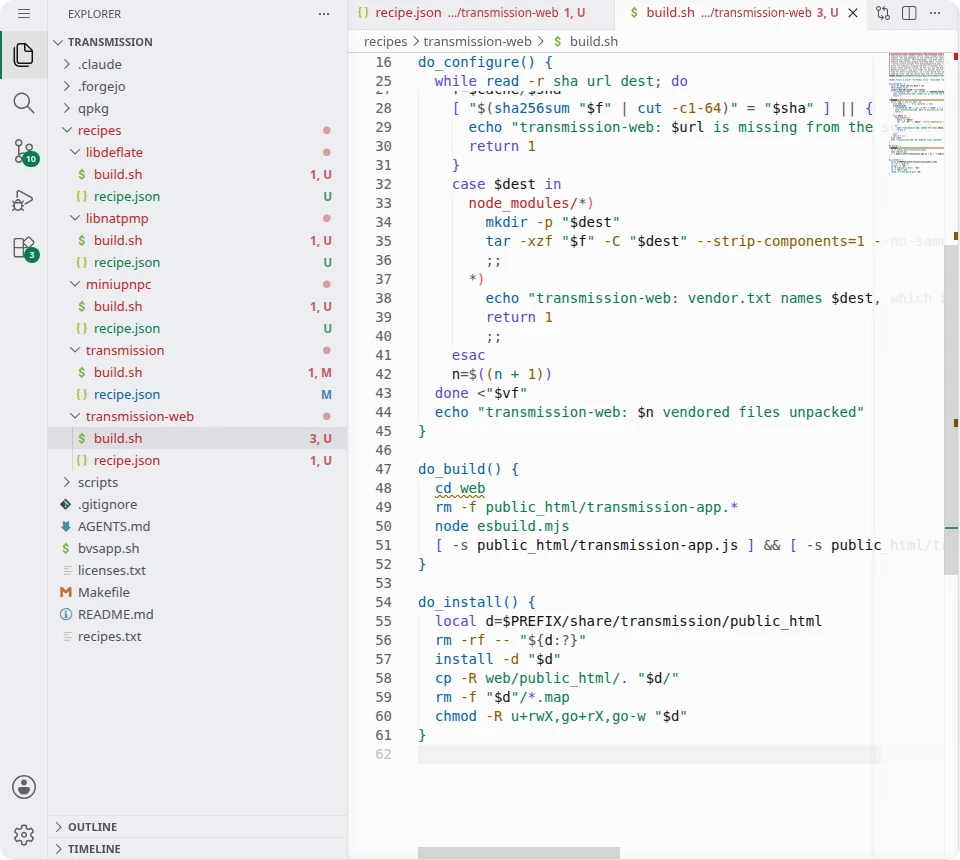
The vendor list · 1 min 7 s
esbuild and Sass build the web interface, and recipes/transmission-web/vendor.txt pins their npm
packages, one line of sha256, address and destination each. The editor's terminal writes the file from the release's
package-lock.json, and the tool reports 30 files: 30 checked against the lockfile's sha512.
The finished file has 41 lines, 11 of them comments.
eval "$(bvs use python-3.13-x86_64)"
python3 /usr/bin/bucketvs/share/bucketvs/tools/npm-vendor.py package-lock.json CACHE-DIR \
  --dev --roots esbuild esbuild-sass-plugin fast-deep-equal \
  --platform linux-x64-glibc --platform linux-arm64-glibc --allow-install-scripts \
  > recipes/transmission-web/vendor.txt
build.sh holds the sha256 of the whole file, and the build checks each package again before it
unpacks it. npm never runs, and no install script runs.
The list of recipes, the gate, the scripts, the licenses and the icons · 6 min 38 s
recipes.txt names what the two apps build: transmission,
transmission-web and cacert, the CA bundle that curl checks HTTPS trackers against. The
App Builder adds what each of them needs.
gate/ holds trgate, a Go program with no outside modules. Transmission's own defaults
have no password and take RPC calls from the NAS only, and opened to the network without a password it would serve
anyone who reaches port 9091. So the package starts transmission-daemon only once you have chosen a password:
trgate holds the port with a setup page, writes the password in the salted form Transmission stores
and then starts the daemon on the same port. The package generates no password, so none is written to a file or
to System Logs.
scripts/make-qpkg.sh is the template's packer with three places filled in: KEEP, the
paths the package takes from each app; own_programs, which builds trgate for each
architecture; and own_licences, which adds the license texts licenses.txt cannot give.
licenses.txt lists the license of every recipe the package carries, and LICENSE is the
license of the project's own code. The run types these ten files in. The three icons in
qpkg/icons/ go in with Upload... on that folder in the Explorer.
The service · 40 s
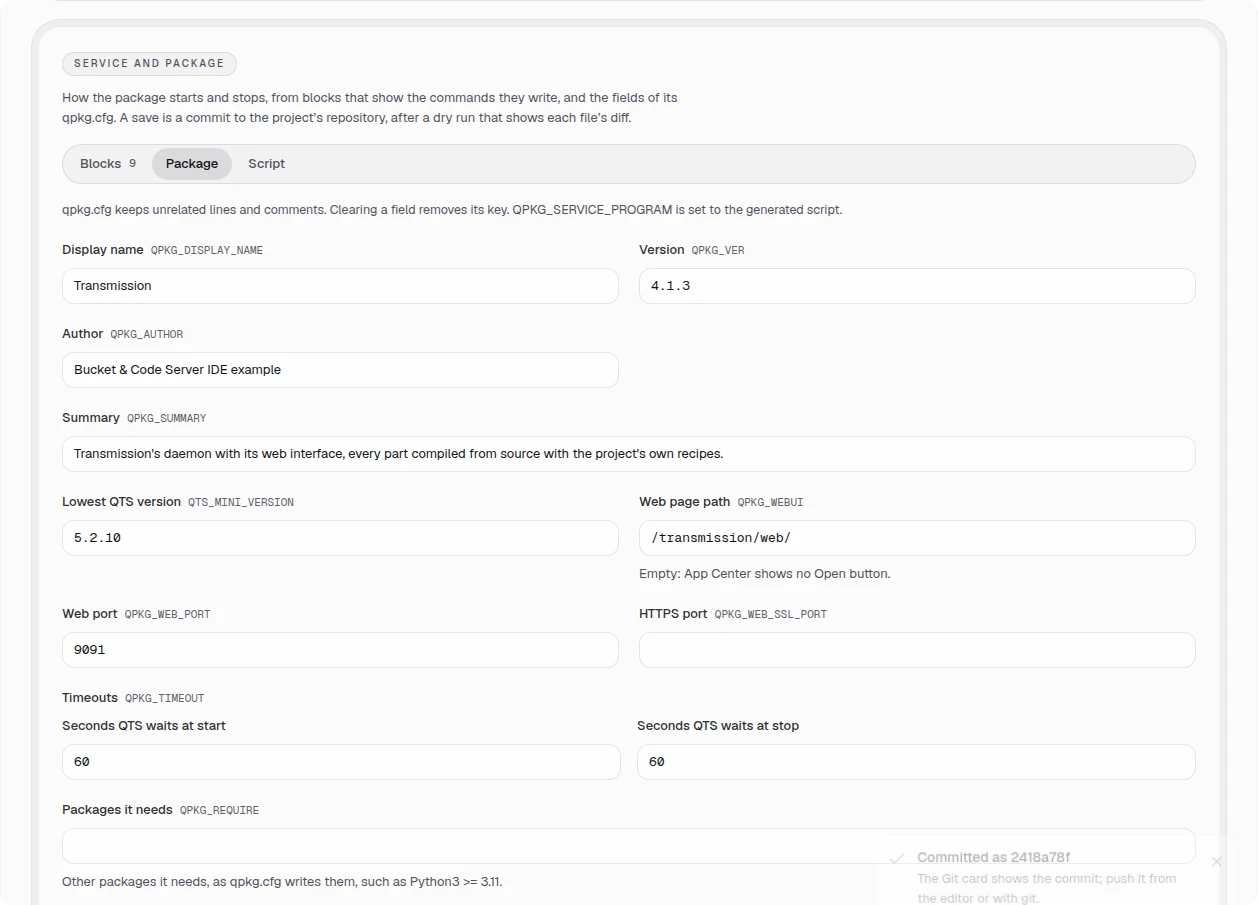
On the Project view, the Service and package card holds the blocks that write the package's
start and stop script and the keys of qpkg.cfg. Starting from the Web app preset, the run arrives at
nine blocks: the data folder Transmission on the volume; the account transmission in the
group arr, which owns that folder (mode 700); the web port 9091; trgate as the
account's daemon, with 40 seconds to stop; a wait for port 9091; a log line; and the status checks
running and port_open. The Package tab sets the display name Transmission, version 4.1.3, web
page path /transmission/web/, web port 9091 and 60 seconds for QTS to wait at start and at stop.
Save shows the plan with each file's diff, and Commit commits it.
The check · 30 s
Every save checks the project's recipes and lists the findings in the Problems view. The run
waits for No problems have been detected in the workspace, and the project's report then lists five
recipes and no error. make lint gives the same findings in the terminal.
Commit and push · 1 min 42 s
In Source Control the run stages all changes, commits them as Transmission from source and pushes. The project's remote is its Forgejo repository over HTTPS, so the editor asks for the account's name and password, which Forgejo shares with the panel. The run waits until nothing is uncommitted and nothing is ahead of the remote, then reads the three icons back from Forgejo and compares them byte for byte with the project's.
06Build and make qpkg
Film 5:13 · in the run 10 min 1 s
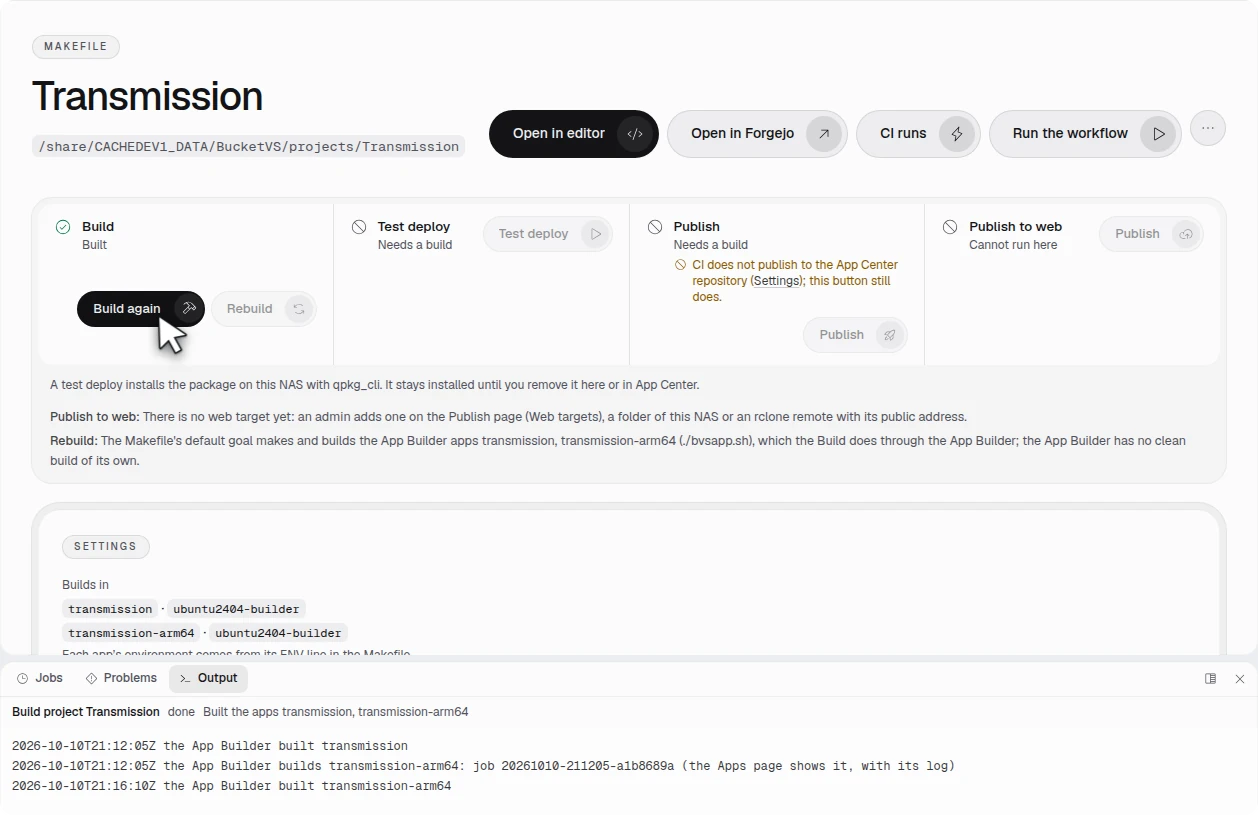
Build in the Project view runs the project's Makefile. It builds the two apps one after the other in the
Ubuntu 24.04 builder, both static: transmission for this NAS's x86_64 processor and
transmission-arm64 for aarch64, a cross build. Each app builds 13 recipes in dependency order: cacert,
OpenSSL, zlib, nghttp2, zstd, c-ares, curl and libevent from the library, then libnatpmp, miniupnpc, libdeflate,
transmission and transmission-web from the project. This took 8 min 1 s. The cross build's checks run only where
qemu-user is registered; elsewhere the build records them as not run. The run checks that both apps' last builds
are done and name the project Transmission.
The packages come from the editor's terminal, in the project's folder (2 min 0 s). Go has to be on the path, because
make qpkg builds trgate for each architecture:
eval "$(bvs use go-1.27-x86_64)"
make qpkg
make qpkg packs the newest successful build of each app with QDK and writes
Transmission_4.1.3_x86_64.qpkg and Transmission_4.1.3_arm_64.qpkg into
build/qpkg/build/, about 30 MB each. A package holds Transmission's five programs, trgate,
the web interface, the CA bundle, the BusyBox that the build adds to every package, and
share/licenses/ with a NOTICE and the license texts of each component.
07The signature
Not in the film · in the run 3 s
This is the one step outside the panel. Test deploy installs only signed packages and never skips App Center's
signature check, and the NAS of the run holds no code-signing files, so make qpkg built both packages
unsigned. The run copies them to a computer that holds a code-signing certificate QNAP issued to the author of this
guide, signs them there with QDK's qbuild, checks the signatures and copies the packages back to
build/qpkg/build/. The certificate and its private key never go to the NAS. The Versions list then
marks both packages as signed.

You sign with a certificate of your own. Put certificate and private_key, and
ca_certs for the chain, beside qpkg/qpkg.cfg or in the folder QPKG_CERT_DIR
names, and make qpkg signs the packages itself; the template's .gitignore keeps the files
out of git. Without them the packages are unsigned and Test deploy refuses them. What a NAS does with an unsigned
package is its owner's decision in App Center, and this guide does not recommend installing unsigned packages.
08Test deploy and the first sign-in
Film 5:53 · in the run 32 s
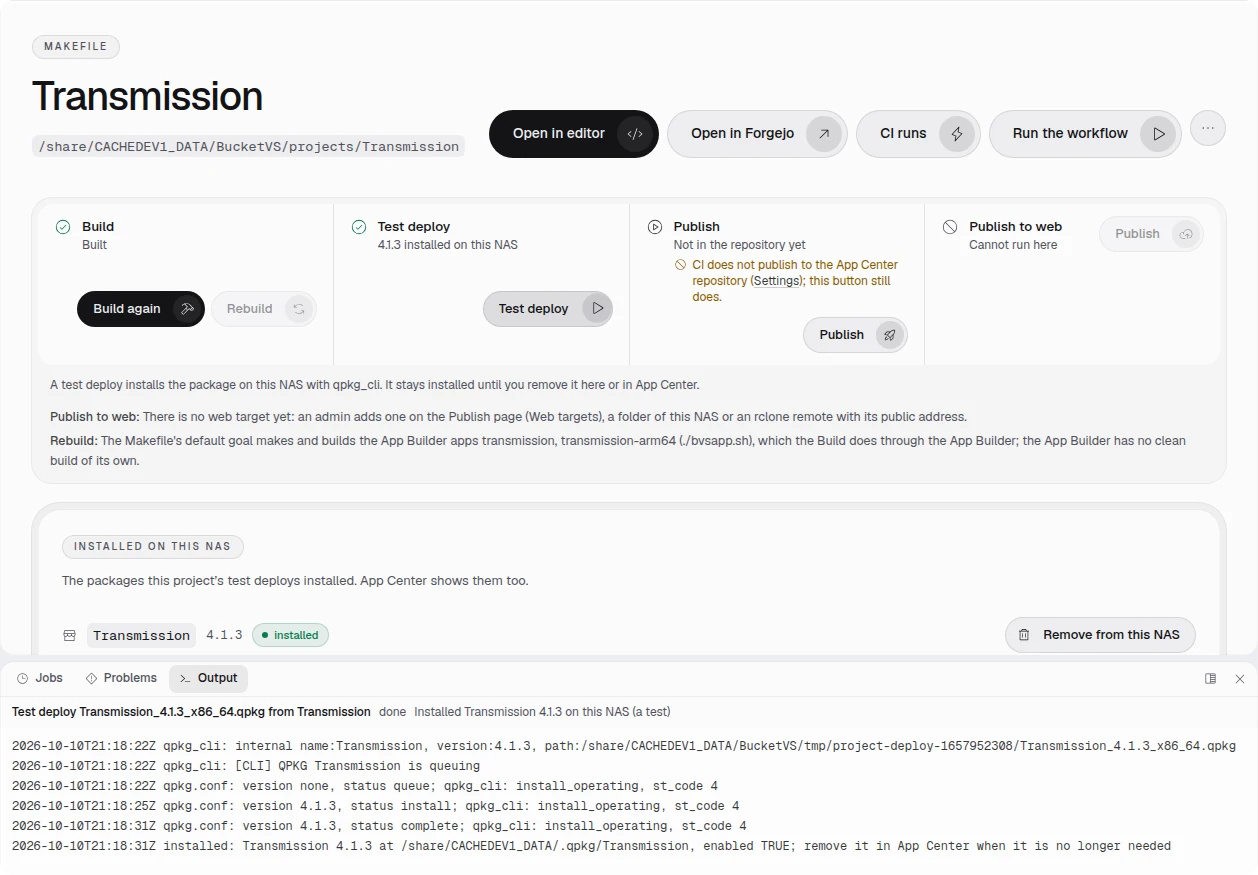
On the project's page, Test deploy (an admin's) installs the x86_64 package on this NAS with
qpkg_cli, the way App Center installs a file, and the job waits until App Center confirms. The package
stays installed until you remove it with Remove from this NAS or in App Center. The job took 18 s.
Open http://<NAS>:9091/, or press Open in App Center. The gate's page, Choose the web
interface password, asks for a user name (admin unless you change it) and the password twice, at
least 8 characters. Press Start Transmission. The page says Transmission is starting, then
transmission-daemon takes the port and the browser asks for the user name and password you chose. The page takes
them for 60 minutes after the package starts, from a computer on the NAS's own network, at the NAS's IP address
or its own name.
Signed in, the browser shows Transmission's web interface with no transfers. The run checks that the page's title is Transmission Web Interface and that the RPC reports version 4.1.3 (838877323f).
09The arm_64 package
Film 6:20 · in the run 23 s
A right click on the arm_64 row of the Versions list opens its menu, and Download saves
Transmission_4.1.3_arm_64.qpkg (30,290,058 bytes). The run compares the file's size with the list's.
An x86_64 NAS cannot run that package, so the run checks it under emulation. scripts/qemu-test.sh
unpacks the download on a Linux computer where qemu-user is registered and runs it there. All 22 checks pass in
19 s:
- the programs are static AArch64 executables, and BusyBox and transmission-daemon run;
- the gate serves the setup page, transmission-daemon does not run before the password is set, and a POST without the page's header is refused (403);
- after the setup the RPC answers,
session-getreports version 4.1.3, a wrong password is refused (401), the web interface answers, and neither the output norsettings.jsonholds the password; - transmission-daemon fetches Debian's netinst
.torrentover HTTPS, which needs the package's CA bundle, and the torrent is removed again; - a TERM to the gate ends transmission-daemon and the gate exits 0.
No ARM NAS ran the package in this run.
10Related guides
- Your first own recipe goes through the starter recipe, the check and
make qpkgwith a small program, cmatrix. - A custom app from your own recipes builds an App Builder app that takes a project's recipes beside the library's.
- Transmission in App Center is the published example. Its x86_64 package comes from an earlier run of the same script on 1.0.0-55; its SHA-256 is on that page.
- The user guide of Bucket & Code Server IDE describes New project, the Project view, Toolchains, the App Builder and the code signing of a package.