A custom app from your own recipes and the library's
An App Builder app can take the recipes of one project beside the library's. This guide makes
the app termtools on the Apps page, with cmatrix from the project of
Your first own recipe and tmux and htop from the library, then
activates it on the NAS and exports it.
- Projectrecipes of your own
- New appRecipes from a project
- Recipesthe project's and the library's
- Buildone job
- UseActivate, Export
The pictures come from the panel of Bucket & Code Server IDE, with each step done as this guide describes.
01What an app takes from a project
Besides the library's recipes, an app can take the recipes of one project. Any project on the
Projects page qualifies once its recipes/ folder holds a recipe, whatever kind
of project it is. A project recipe with the same name as a library recipe replaces it, but only in the apps
that take this project.
02New app with a project's recipes
On the Apps page, New app asks first for the name and the prefix, the environment,
the target, where the programs run and the link mode. Call the app termtools; its prefix becomes
/usr/app/termtools. Choose the Ubuntu 24.04 builder as the environment, keep this NAS as the
target and the link mode on dynamic, then go on with Choose recipes.
Above the recipes, Recipes from a project lists the projects that hold recipes, and
None: the library only. Choose cmatrix. The list then shows the project's recipes first,
under the project's name and marked project, and the library's under Recipe library. A project
recipe that replaces a library recipe says replaces the library’s with that recipe's version.
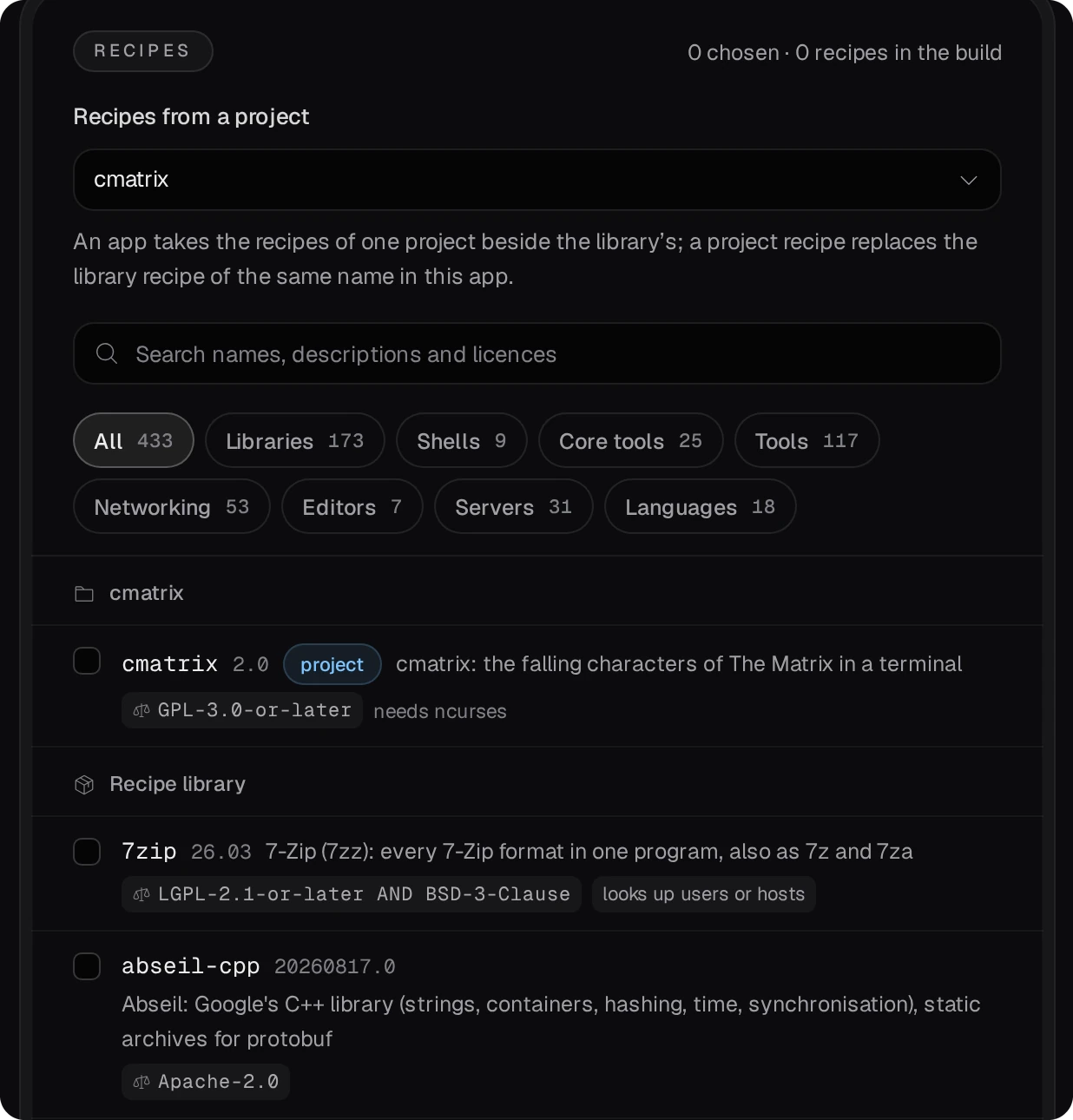
Tick cmatrix in the project's group, and tmux and htop in the
library's; the search box finds them. The Build order adds the recipes they need and marks each with
the recipe that needs it. Review lists every choice, Recipes from a project among
them, and Create and build makes the app and starts its build.
03The build
The app's page follows the build recipe by recipe. Under the app's name it says Recipes from the project cmatrix, which a developer sees as a link to the project. The build job reads the project's recipes once, when it starts, and its log says what it read:
recipes of the project cmatrix, read at the job's start: 1 (cmatrix)
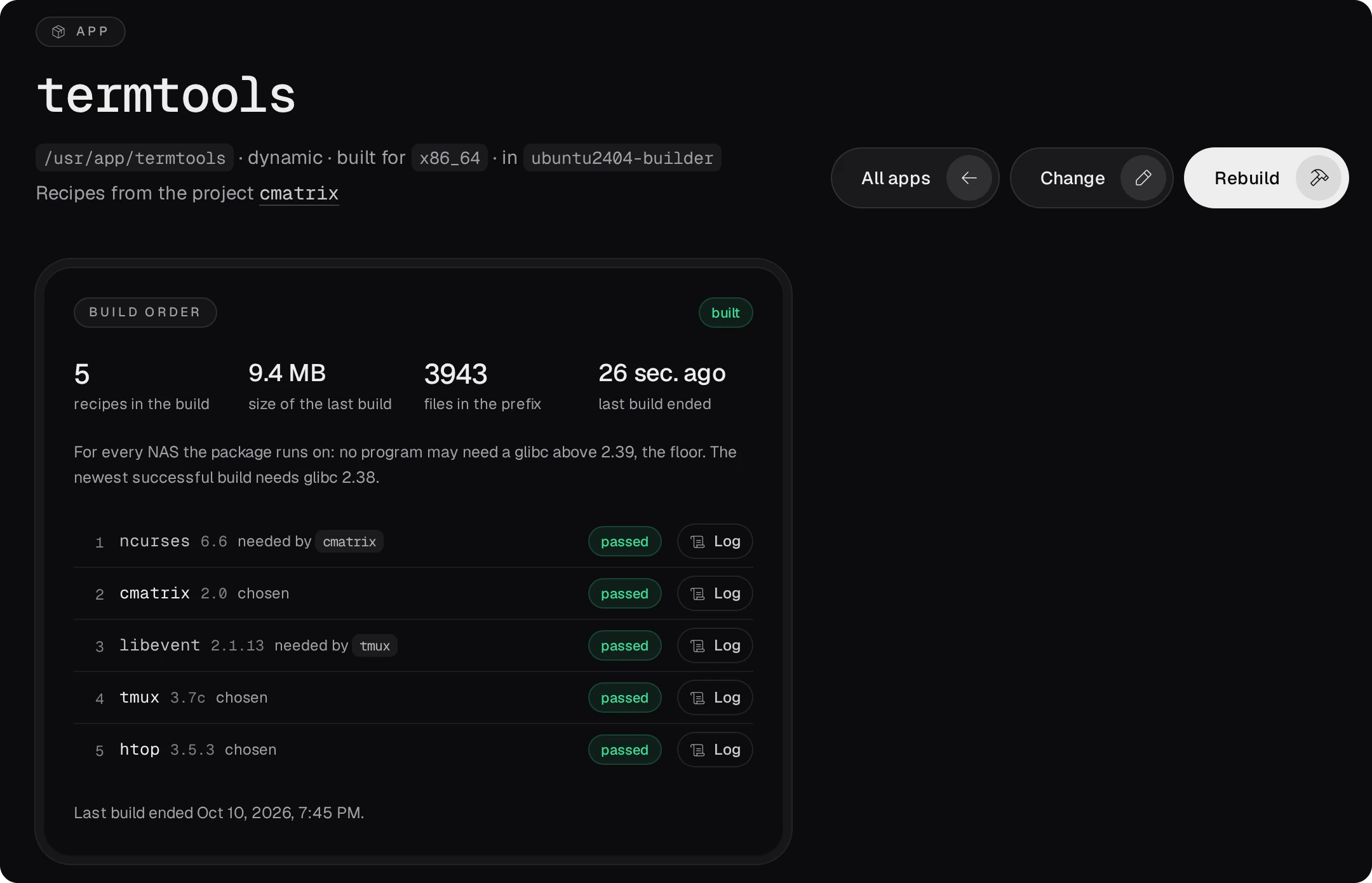
A project file saved after that waits for the next build (Rebuild on the app's page).
04Activate it, take it elsewhere
Activate (an admin's) makes /usr/app/termtools a link to the newest build that passed,
and the programs run on the NAS from there:
/usr/app/termtools/bin/cmatrix
/usr/app/termtools/bin/tmux -V
Download gives the build as an archive, to unpack at the same prefix on a NAS of the same architecture. Export as QPKG, an admin's once QDK is installed (Toolchains, QNAP tab), packs it as a QTS package without a code signature; an app built for this NAS only is not exported. App Center from your own repository shows how a package gets signed and offered. Transmission from scratch follows one program the whole way, from a NAS with nothing set up to a signed QTS package installed and answering in the browser.
05Another project, or none
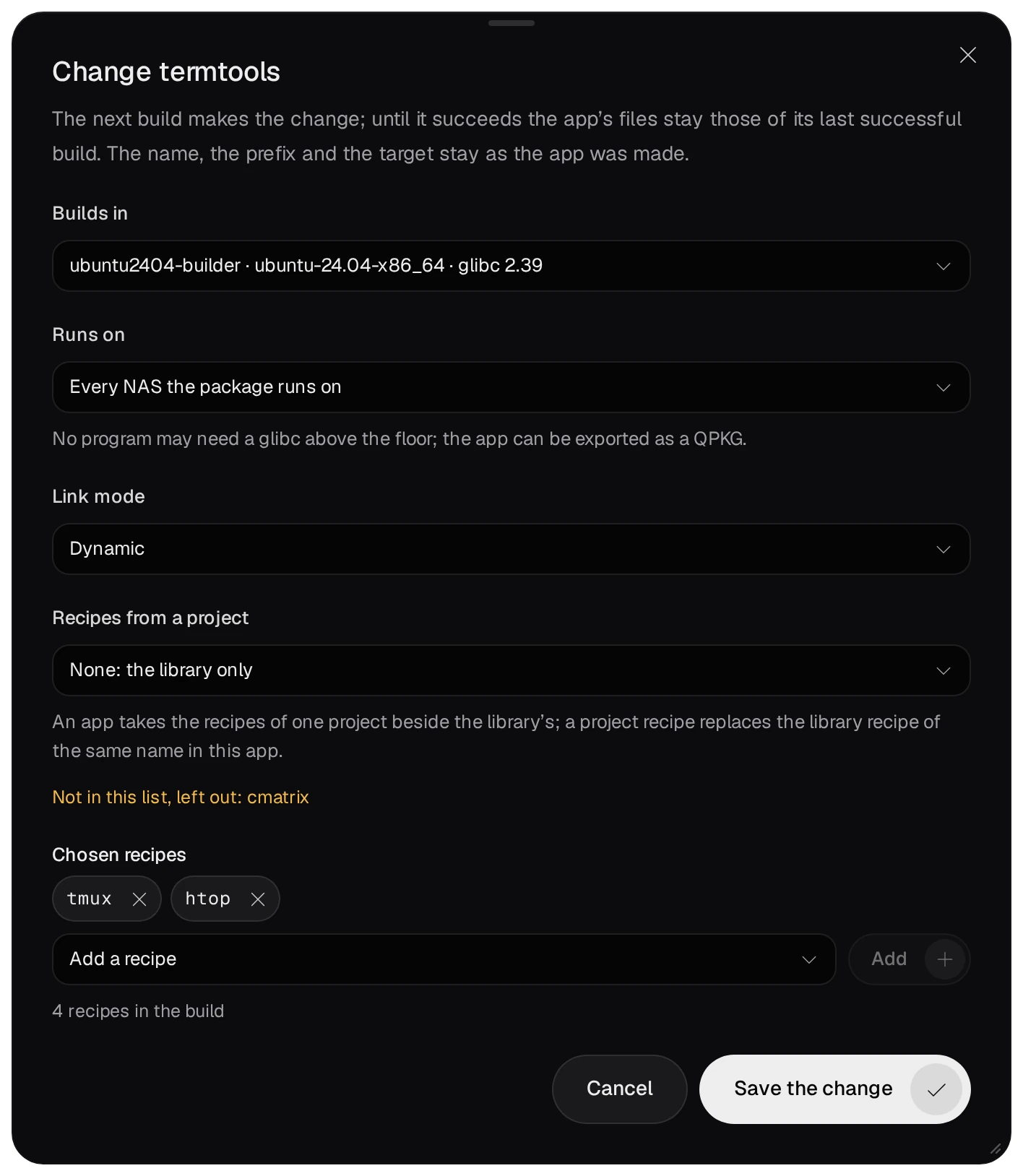
Change on the app's page sets Recipes from a project anew: another project, or None: the library only. A chosen recipe the new list lacks is named under the field, as in Not in this list, left out: cmatrix, and stays out of the app while that choice holds. Save the change leaves the app's files as they are; the change takes effect with the next build.
06Rules
- An app finds its project by the folder's name. Once the folder is renamed or removed, a build of the app is refused with No project named cmatrix., and so is a change that keeps that name: Change takes the folder's new name or None: the library only.
- A project recipe with a problem is left out, and the field says why. The library's recipe of the same name does not stand in for it.
- Only a developer sees a project's recipes. A viewer sees the app and its builds; the app's page tells a viewer that the build order is not shown.
- Making an app needs the developer role. Activate, Deactivate and Export as QPKG are an admin's.