Compilers, runtimes and build environments on your NAS
QTS has no compiler. Bucket & Code Server IDE downloads language runtimes, cross compilers and whole Linux systems to build in, checks each download against its sha256, and keeps them in its data folder. This guide installs nothing new: it uses what a builder environment and the Go runtime give, compiles a small program and checks that it runs on the NAS.
- Catalogruntimes, compilers, systems
- Runtimeeval "$(bvs use …)"
- Environmenta Linux system to build in
- Buildbvs env run
- Checkthe ELF inspector
The pictures come from the panel of Bucket & Code Server IDE on a test NAS whose
data folder is /share/CACHEDEV1_DATA/BucketVS.
01What the Toolchains page offers
The Toolchains page lists a catalog in tabs:
| Type | What it is | Examples |
|---|---|---|
| Root filesystem | a Linux system to unpack into an environment | Debian 12 and 13, Ubuntu 22.04 and 24.04, Alpine 3.22 |
| Cross toolchain | a compiler that builds for another processor | Bootlin toolchains for aarch64, x86-64 and armv7, with glibc or musl |
| Runtime | a language or a build tool | Python, Go, Node.js, Zig, Rust, CMake, Ninja, Java |
| QNAP | QNAP's own build kit | QDK 2.5.0, for bvs qbuild and Export as QPKG |
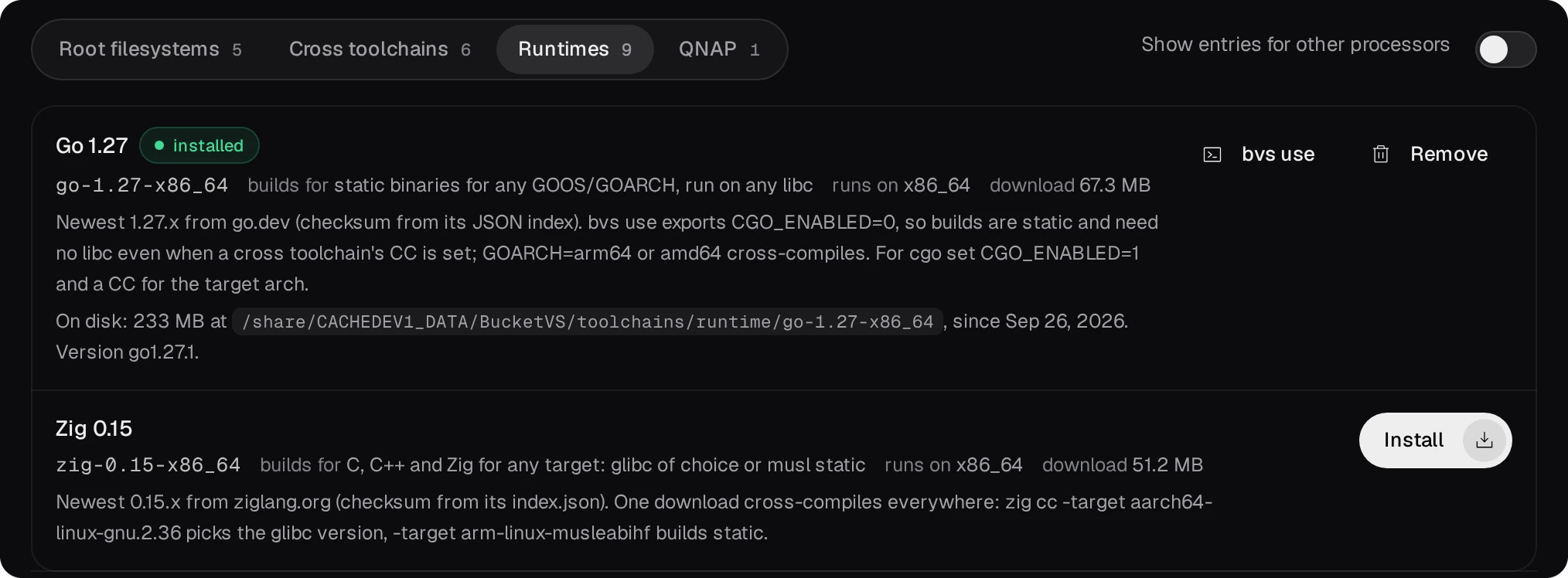
- Install is an admin's. The job downloads the archive into
toolchains/cache/of the data folder, checks its sha256 against the catalog (a mismatch deletes the file) and unpacks a runtime or a cross toolchain intotoolchains/<kind>/<id>. Its progress is on the Jobs page, and an interrupted download resumes when the install starts again. - Entries for another processor are hidden. The Bootlin cross toolchains run on x86_64, so an ARM NAS has none.
- The catalog comes with the package. A signed catalog from pub.qnaputilities.com can add entries without a new package; Refresh the catalog fetches it at once, and a built-in cron job every day.

02A runtime in your shell
bvs use on an installed entry shows the lines that put it to use in a shell, such as the editor's terminal or a cron job.
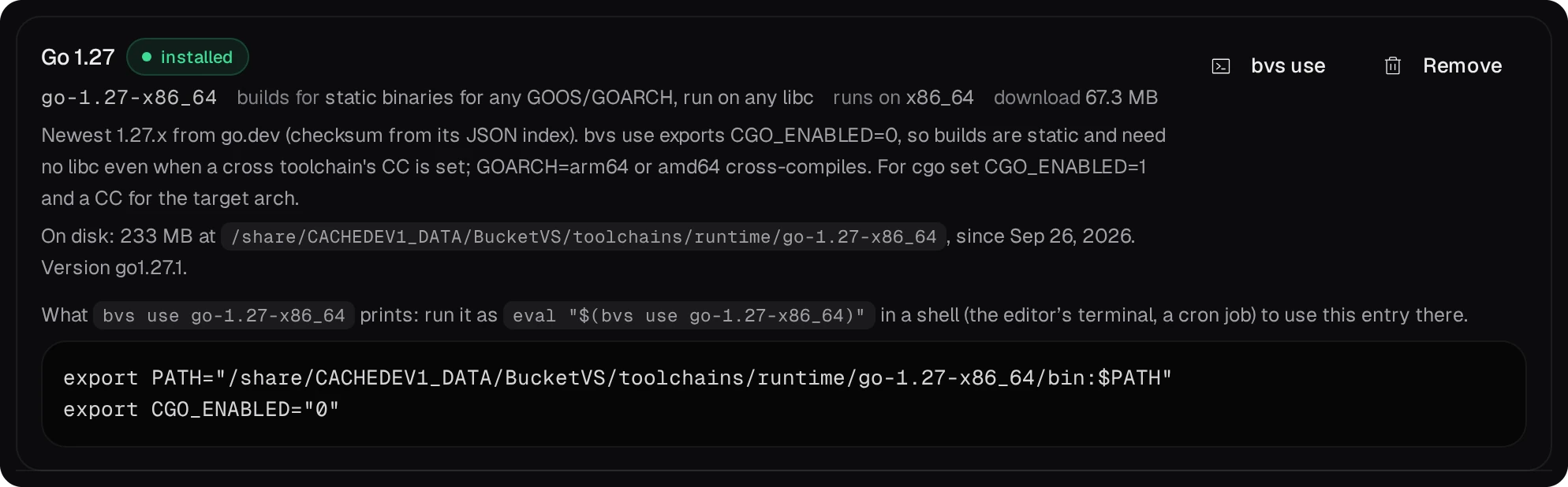
# in the editor's terminal (Open the editor on the Editor settings page)
eval "$(bvs use go-1.27-x86_64)"
go version
go build -o hello-go hello.go
./hello-go
The Go runtime sets CGO_ENABLED=0, so its programs are static and run on any NAS of the same
processor. A cross toolchain works the same way: eval "$(bvs use bootlin-aarch64-glibc-stable)"
gives a compiler for ARM 64-bit units.
03Build environments
An environment is a Linux system unpacked into envs/<name> of the data folder. You can
install packages in it (apt install build-essential on Debian or Ubuntu), and what you install
stays there. The projects folder of the data folder is /projects inside it.
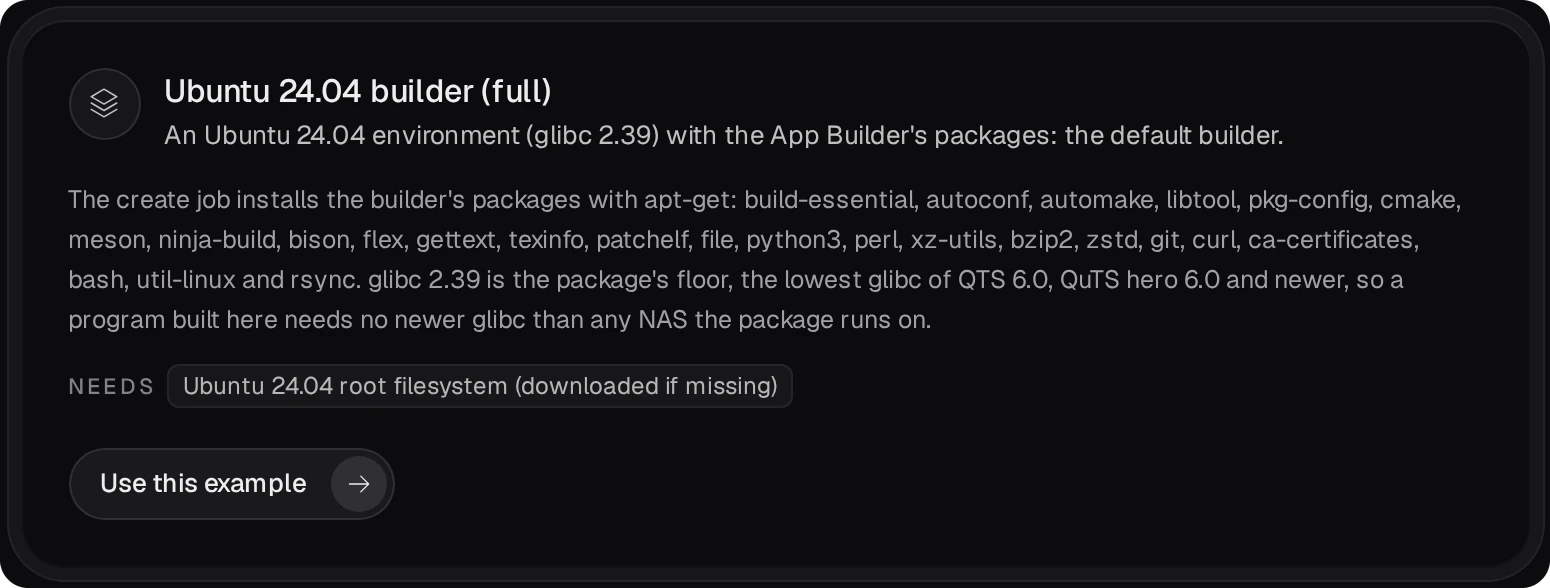
- The quickest one with everything for building is a preset of the Apps page's
Examples (an admin's): the Ubuntu 24.04 builder installs the build tools with apt-get before it
appears. Its glibc is 2.39, the lowest of every NAS the package runs on, so what it builds runs on all of
them.
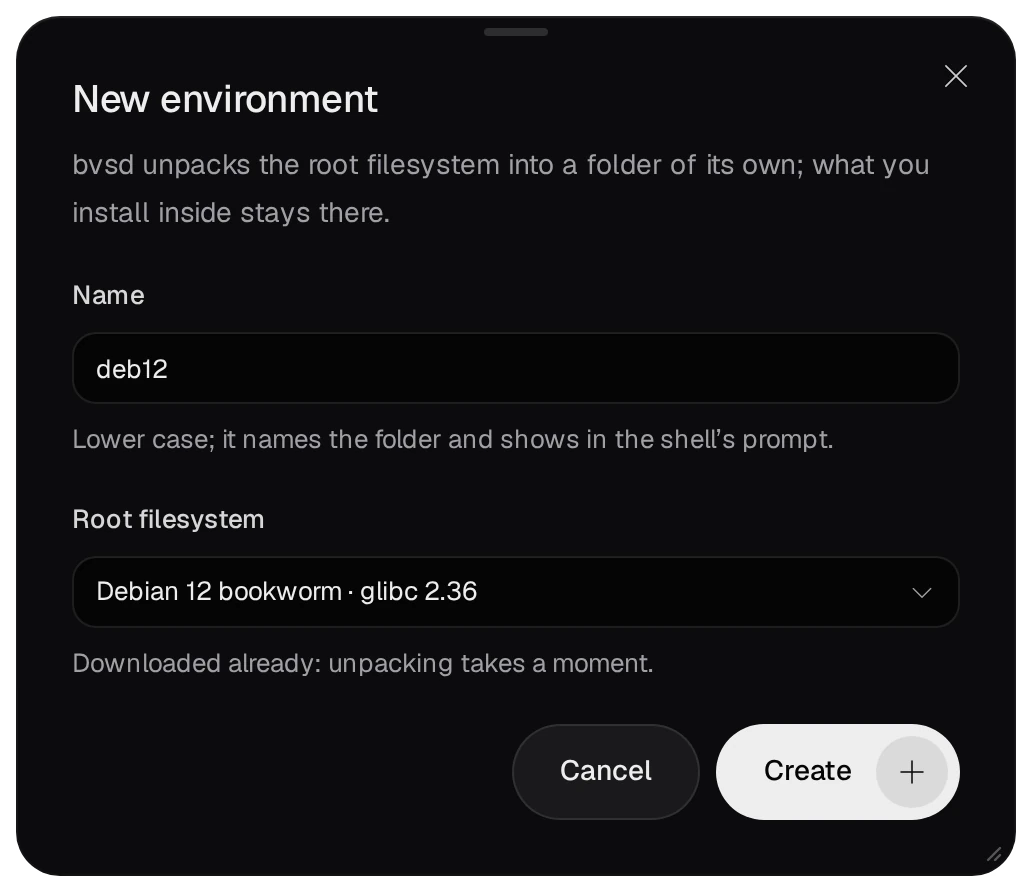
- New environment (an admin's) unpacks a plain root filesystem under a name you choose, and
downloads it first when it is not installed.
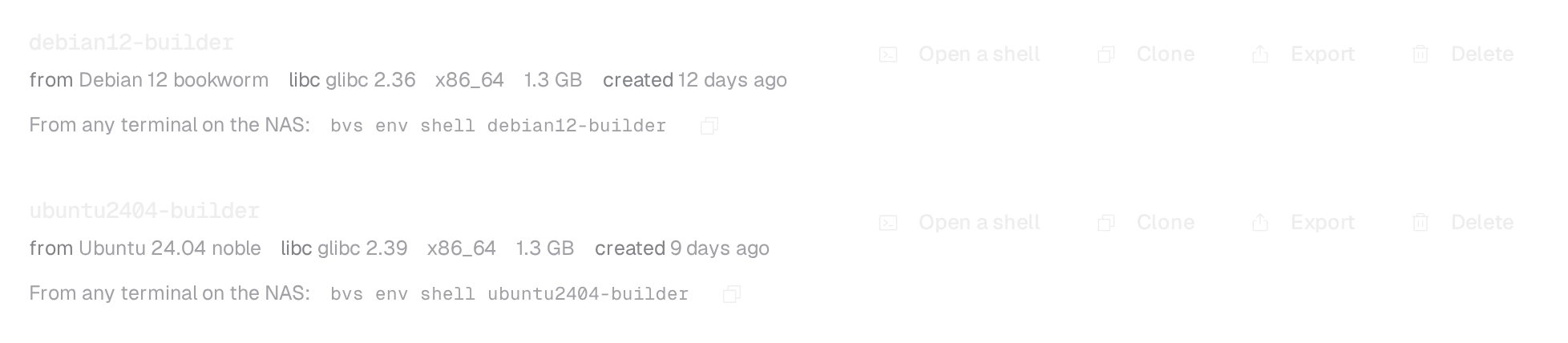
- Each environment has Open a shell, which opens the editor with a terminal already inside it,
Clone, Export and Delete.
04Compile a program in an environment
From any terminal on the NAS, bvs env shell <name> enters an environment and
bvs env run <name> -- <command> runs one command in it. Both start in the folder you
run them from: a folder under the projects folder is the same folder under /projects inside.
# hello.cpp in a folder of projects/, in the editor's terminal
bvs env run ubuntu2404-builder -- g++ -O2 -o hello hello.cpp
./hello
The compiler and its libraries come from the environment; the program runs on the NAS itself. Whether it finds what it needs there is the next step.
05Check it with the ELF inspector
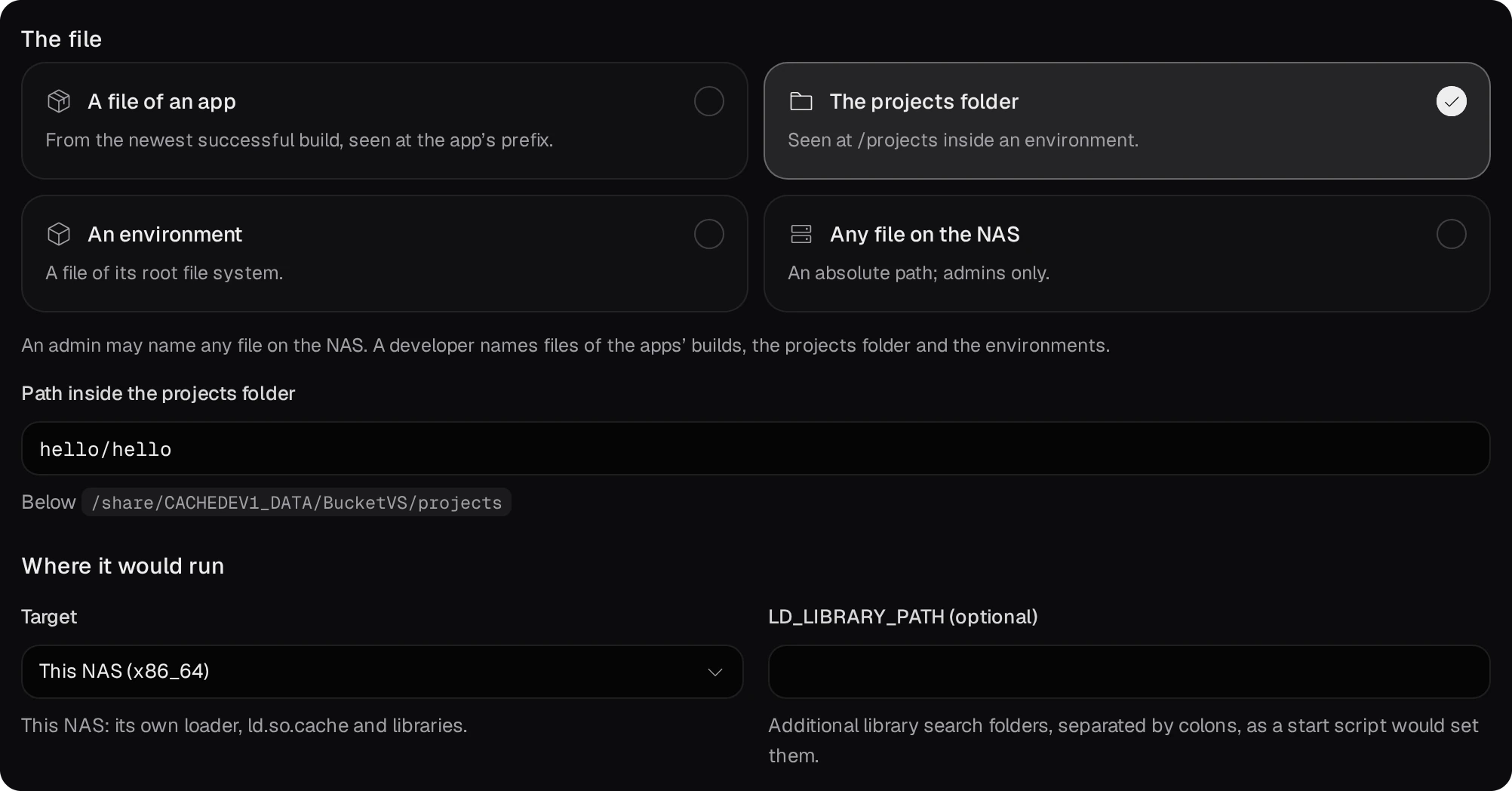
The Toolchains page's ELF inspector tab (developer role) reads a program or library and the target's own loader data, without running anything, and says whether this NAS or an environment gives it what it needs. Choose where the file is (an app's build, the projects folder, an environment, or for an admin any file on the NAS), the target, and press Inspect.

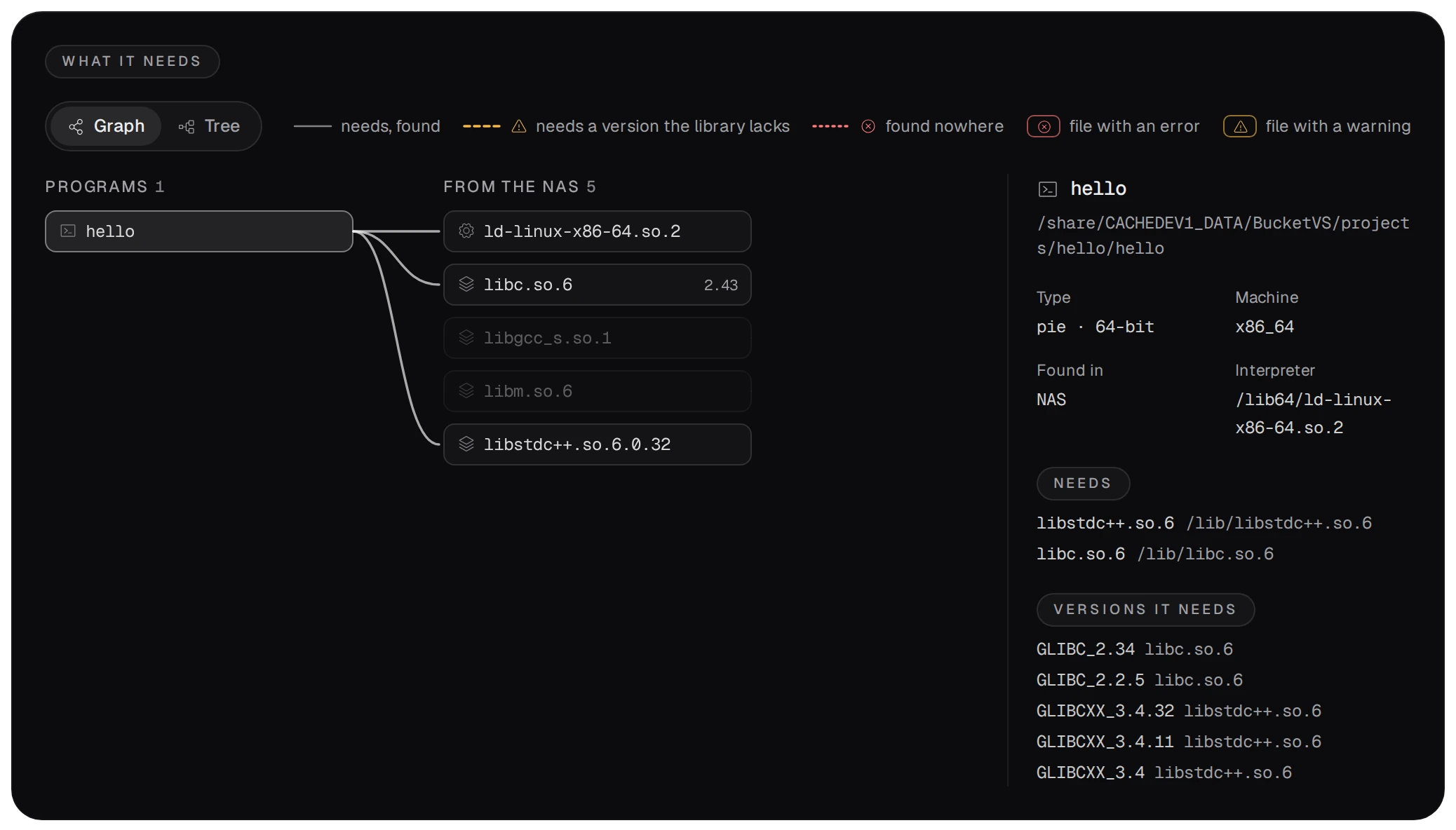
What it needs draws the program, the libraries it loads and where each one is found, with the
versions it asks for. Here the C++ program needs libstdc++.so.6 and libc.so.6,
and this NAS has both in versions they define.
- A missing library, a version a library lacks, or a glibc newer than the target's is a finding with its reason. Choose an environment as the target to see the same program as it would run there.
- On the NAS,
bvs ldd <file>prints the same, andbvs ldd --env <name> <file>for an environment. - For programs you ship, the App Builder does this for every file of every build, and its Dependencies tab offers the fixes.