Radarr, Sonarr, Prowlarr and Seerr with Rtorrent 16
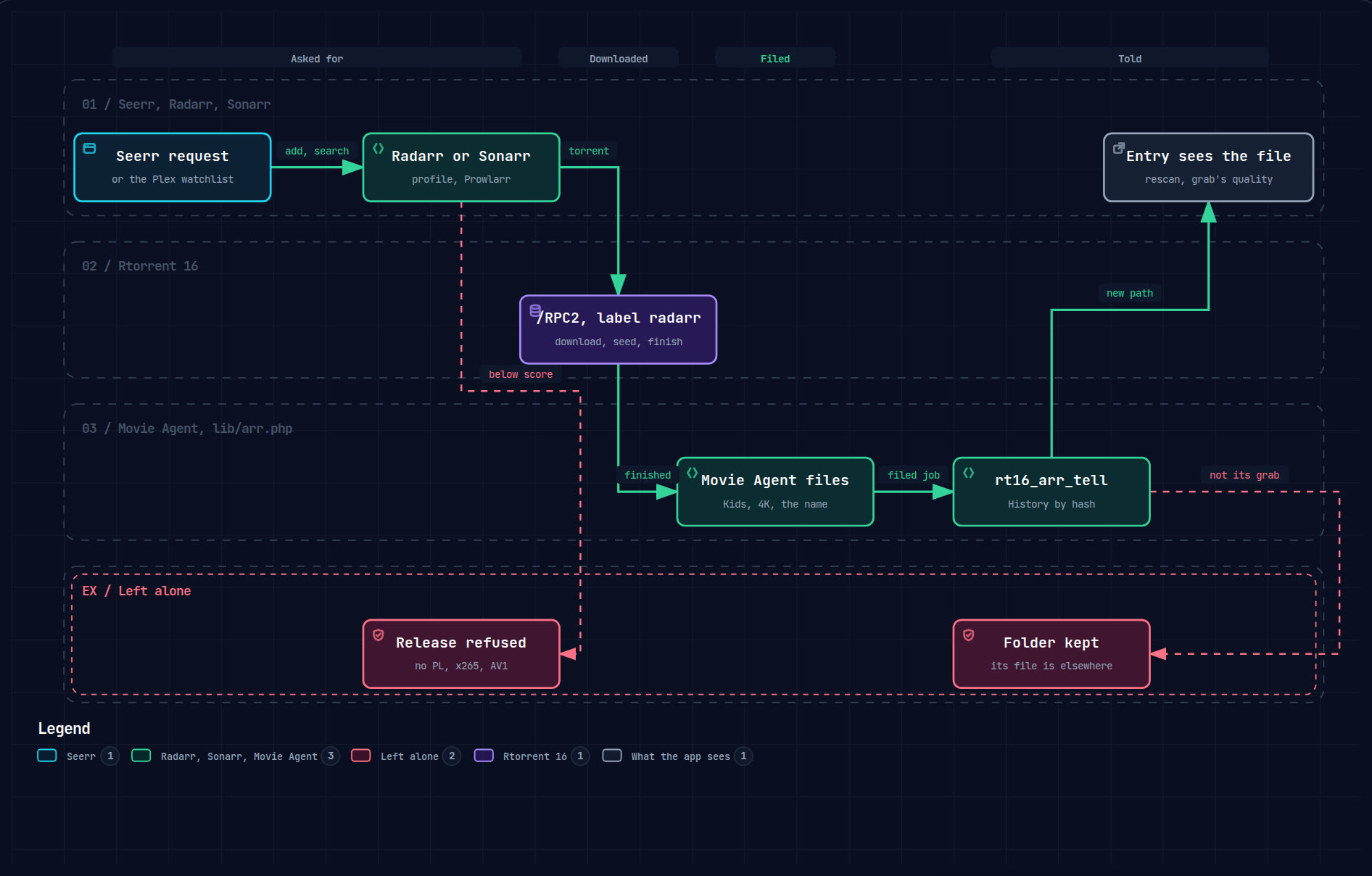
Seerr is where you ask for a film or a series. Radarr and Sonarr search for a release and add its torrent to Rtorrent 16 with a label. Rtorrent 16 downloads and seeds it by its own rules, Movie Agent files it into your library, and Rtorrent 16 then tells Radarr or Sonarr where the file is.
- Installfive packages, one repository
- Rtorrent 16an account, the library on
- Prowlarrthe tracker, the apps
- Radarr, Sonarrthe client, no automatic import
- SeerrPlex and the watchlist
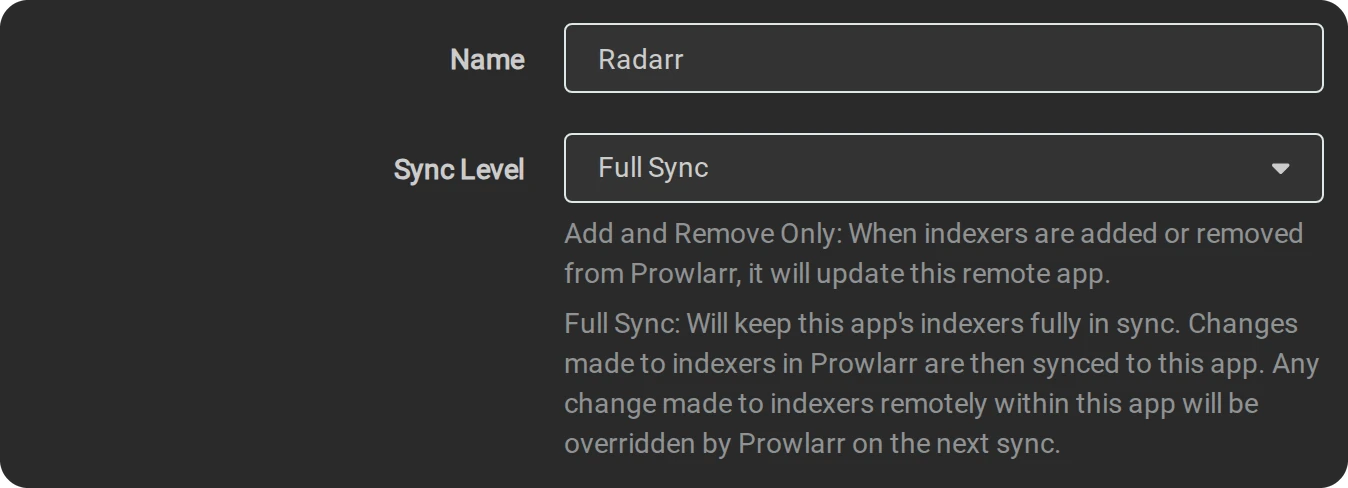
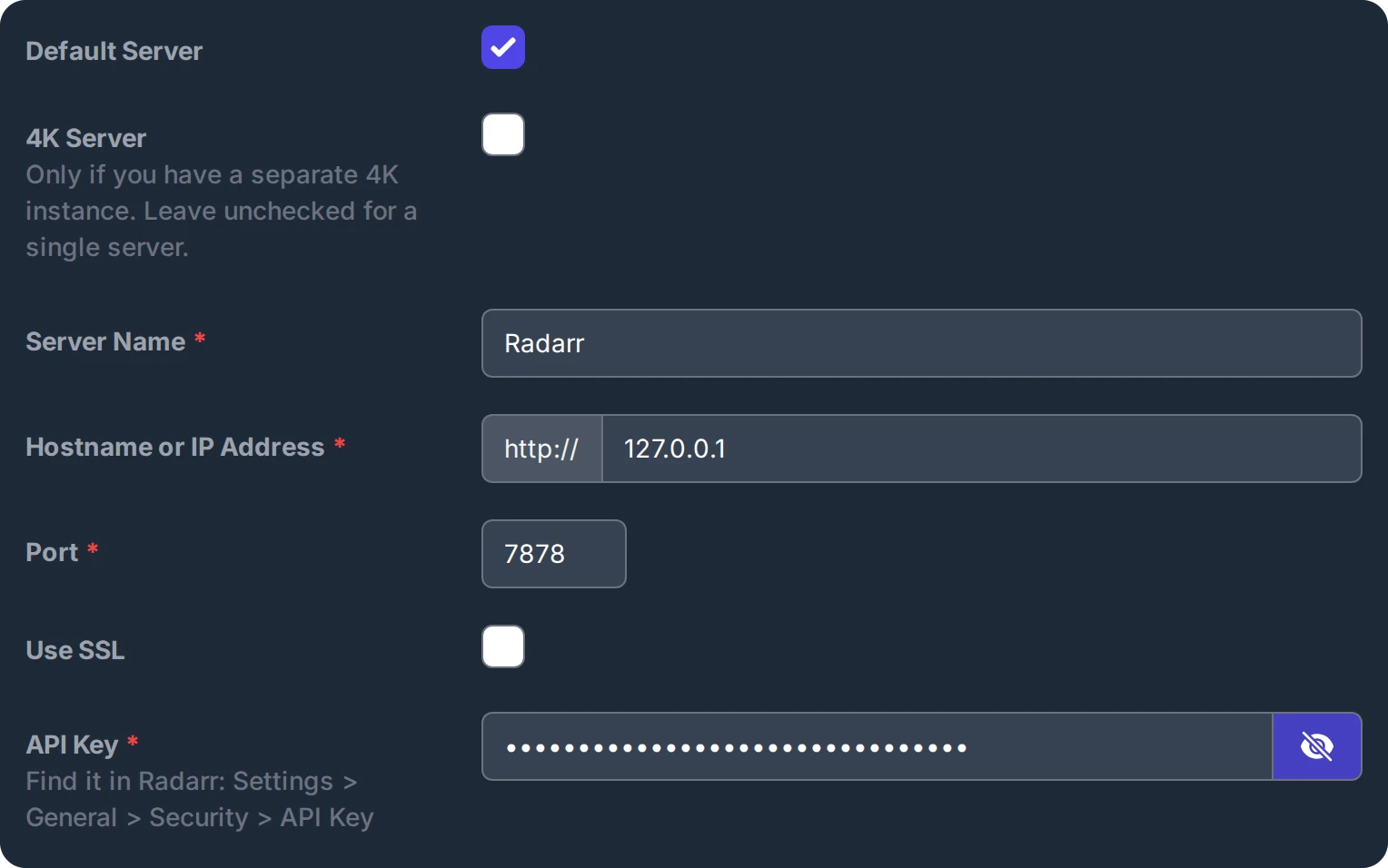
The pictures show each field filled in as this guide describes. PrivateAccess stands for your private tracker, and the API keys in them are examples.
The guide covers two setups: Tracker with MULTi, for a private tracker whose MULTi releases carry Polish audio, and POLiSH only, which leaves Prowlarr's MULTi option out. They differ only in Prowlarr's step 05, where both are shown side by side.
01Who does what
Radarr handles films and Sonarr handles series. With the settings below, they choose a release and add its torrent. Automatic import of completed downloads, renaming and removal are disabled; Movie Agent organises the files. Seeding rules, ratio and stopping a torrent stay with Rtorrent 16. Movie Agent picks the folder and the name: the Kids, Family and 4K branches and the title in your language.
02Install the packages
- Add this site's repository to App Center (the address is on the App Center page).
- Install Rtorrent 16, then Rtorrent 16 Prowlarr, Rtorrent 16 Radarr, Rtorrent 16 Sonarr and Rtorrent 16 Seerr from the same repository, where App Center lists them among the download apps.
- They open on their own ports: Radarr 7878, Sonarr 8989, Prowlarr 9696, Seerr 5055.
03Rtorrent 16: an account and the library
- On the Security page add an account for the apps, for example
arr, with a password of its own, and press Create account. You can remove it there at any time.
- On the Media library page turn on Organise finished downloads into a media
library, and set Library root folder when the library is not under the download folder.

- The Connect another app card in Settings → Media servers shows the port, the URL
path and the account to type into Radarr and Sonarr. Its host is the address you opened the panel with; an
app on the same NAS uses
127.0.0.1.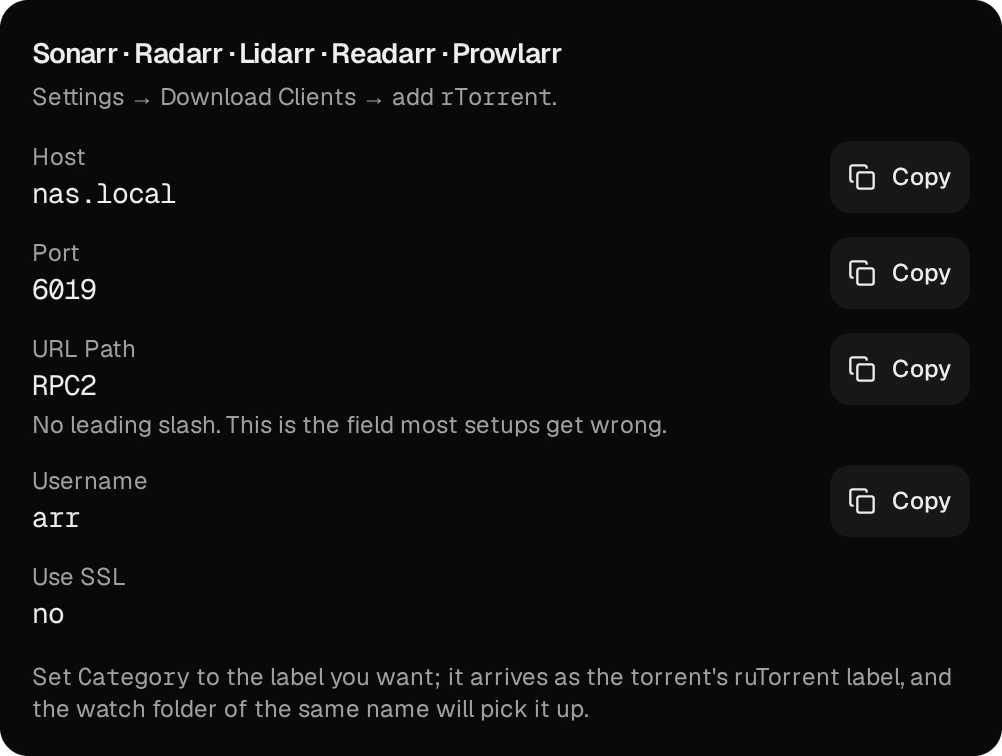
A torrent labelled radarr is filed as a film and one labelled sonarr as a series;
anime from Sonarr is told apart by its name.
04Prowlarr: the tracker and the two apps
- On the Indexers page press Add Indexer, search for your tracker by name and open its
definition.
- Give it a name (here PrivateAccess) and leave Enable ticked.

- Leave Seed Ratio empty, and Seed Time too when it is shown: Rtorrent 16's seeding rules
decide.

- Paste the key from your tracker's account page into APIKey.

When the definition offers Replace MULTi by another language in release name, set it for your setup:
Tracker with MULTi
For a private tracker whose MULTi releases carry Polish audio, such as PrivateAccess.
Tick the box and set Replace MULTi by this language to POLISH. Prowlarr then hands Radarr and Sonarr the name with POLISH in place of MULTi.

POLiSH only
For any other tracker, or when only releases named as Polish should count.
Leave the box unticked. A MULTi release then reaches Radarr and Sonarr as MULTi, a language they do not know, and the 1080p and 4K profiles refuse it.

- Press Test, then Save.
- Settings → Apps: press the + tile and pick Radarr.
- Set Sync Level to Full Sync.
- Prowlarr Server
http://127.0.0.1:9696, Radarr Serverhttp://127.0.0.1:7878, and the API Key from Radarr's Settings → General. Then Test and Save. Add Sonarr the same way, withhttp://127.0.0.1:8989.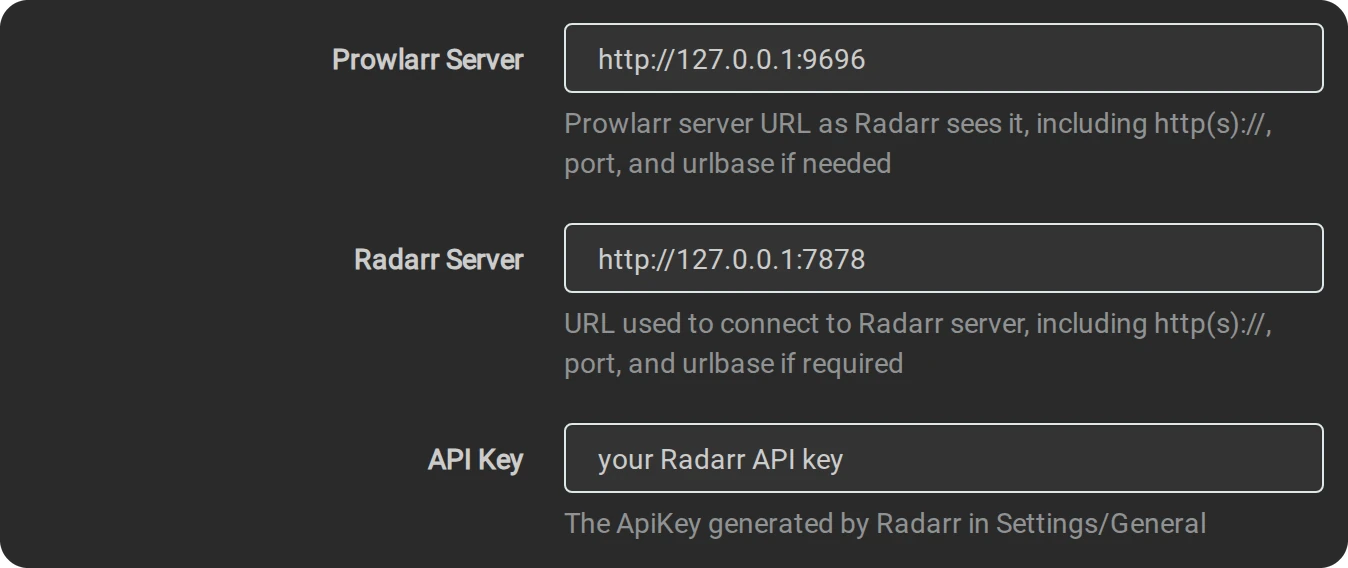
Radarr and Sonarr read POLISH (also written POLiSH), PL and PLDUB in a release name as Polish, and a bare MULTi as an unknown language. LEKTOR or DUBBING alone does not make a release Polish, and PLSUB means Polish subtitles only.
05Radarr and Sonarr: add torrents, disable automatic import
- Press Show Advanced at the top of the settings pages, so every field below is shown.
- Settings → Download Clients: press the + tile and pick rTorrent.

- Host
127.0.0.1, Port6019, Url PathRPC2, and the Username and Password of the account from step 03.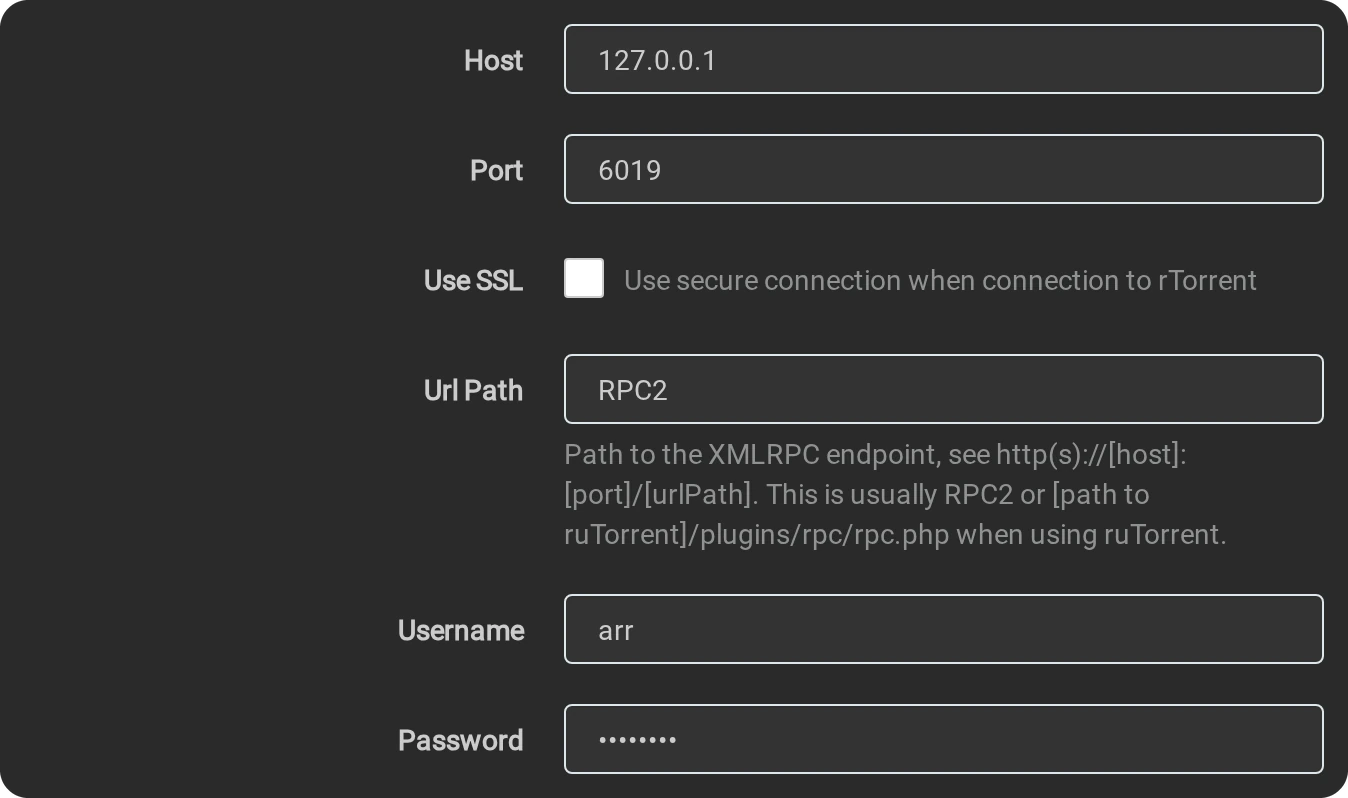
- Category
radarr, in Sonarrsonarr. Leave Post-Import Category and Directory empty.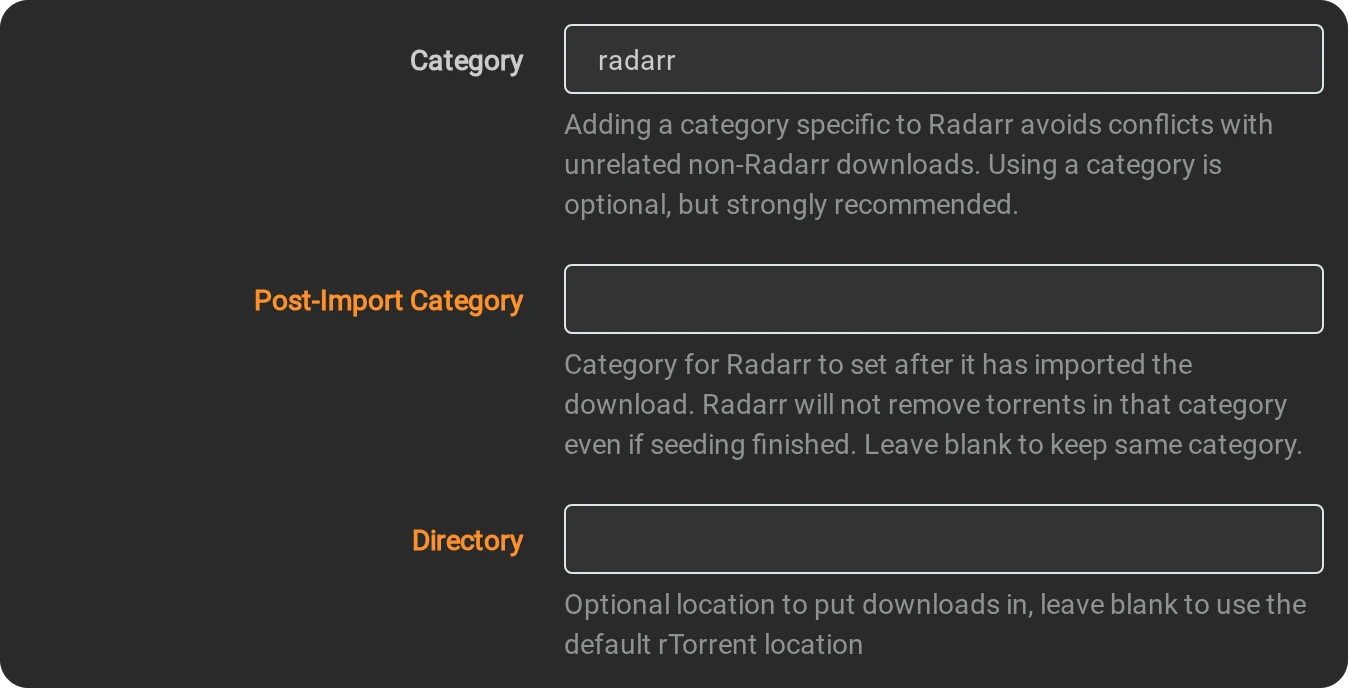

- Untick Remove Completed and Remove Failed, then Test and Save.

- On the same page untick Enable under Completed Download Handling. The apps then show a
health warning about it, which is expected here.

- Settings → Media Management: untick Rename Movies, in Sonarr Rename
Episodes.


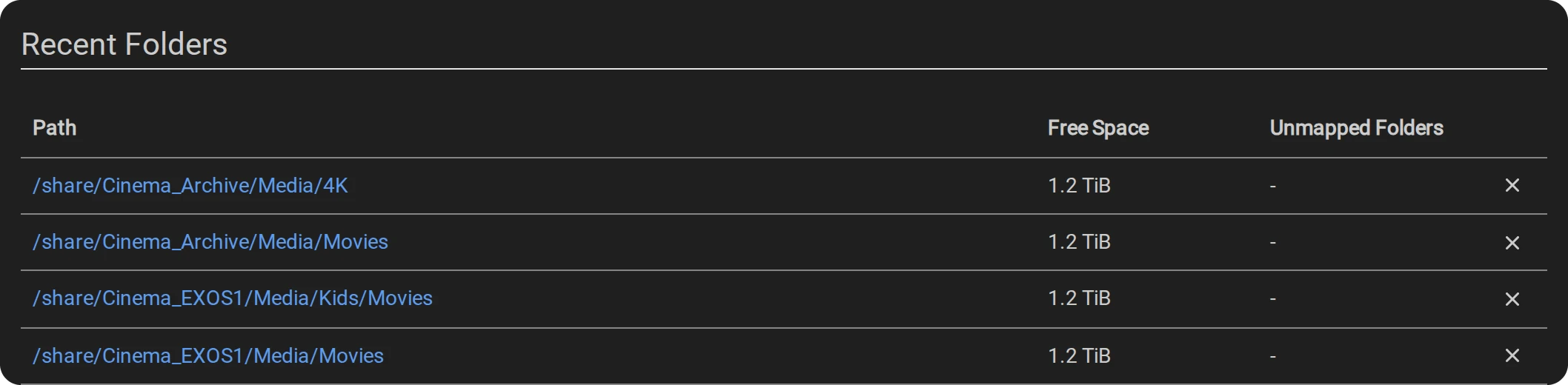
- Under Root Folders press Add Root Folder for every
Moviesfolder of your library, in Sonarr everyTV Showsfolder.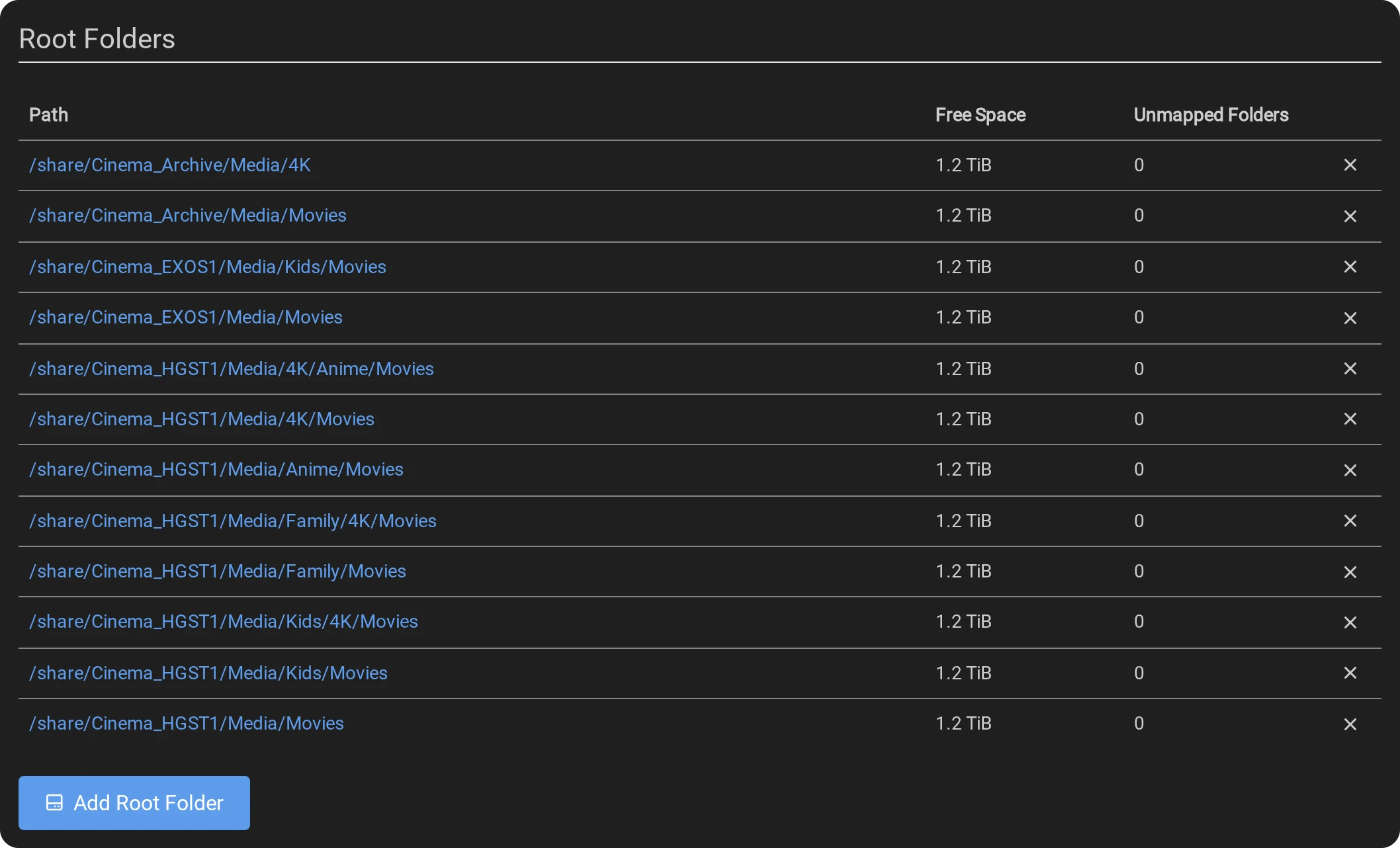
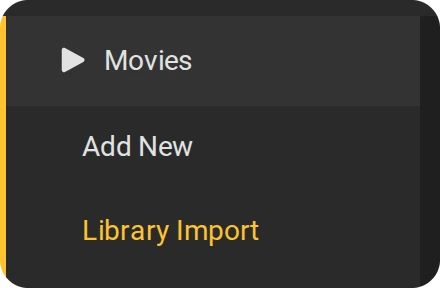
- Import what you already have: Movies → Library Import, one root folder at a time, without
a search. Unmonitor what has no file. Unmonitored missing titles are not downloaded automatically. Monitored titles can still receive upgrades
under their quality profile; use Seerr to request new titles.
- When Movie Agent files a title it puts it where its own rules say, often not where Radarr expected (a
children's film under
Kids/Movies, a 2160p file under4K). Rtorrent 16 finds the entry from the grab, points it at that folder without moving anything, asks for a rescan and gives the file the quality it was grabbed as. Without that, Radarr may classifyTitle (Year).mkvas WEB-DL and look for an upgrade. - A series whose own folder already holds episodes keeps that folder; the episodes filed elsewhere are unmonitored, so Sonarr does not fetch them again.
- An upgrade is filed like any download. The older copy stays where it was until you remove it: nothing in the library is deleted, so Plex lists both versions meanwhile.
- Rtorrent 16 does this only for the Radarr and Sonarr packages installed on the same NAS.
06Quality: formats and profiles
The rules below ask for Polish audio, a Blu-ray rip in H.264 at 1080p, and at 4K H.264 first, then HDR, then
Dolby Vision. Create the formats in Settings → Custom Formats with the + tile (each
regular expression starts with (?i)), then give them their scores in the profiles.
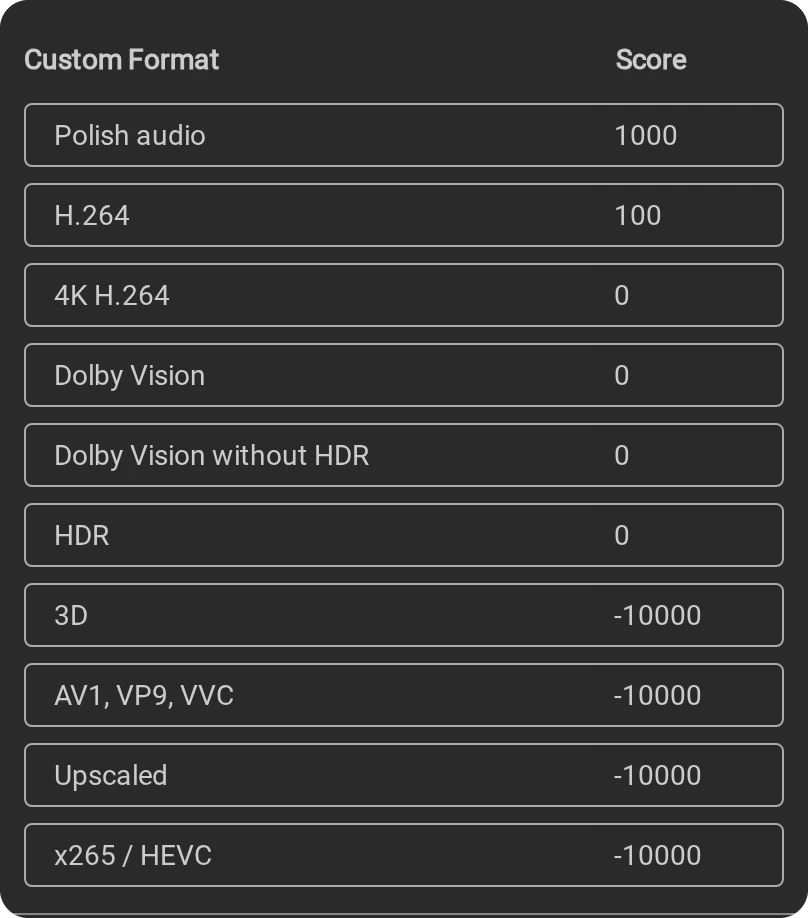
| Format | Condition | 1080p | 4K |
|---|---|---|---|
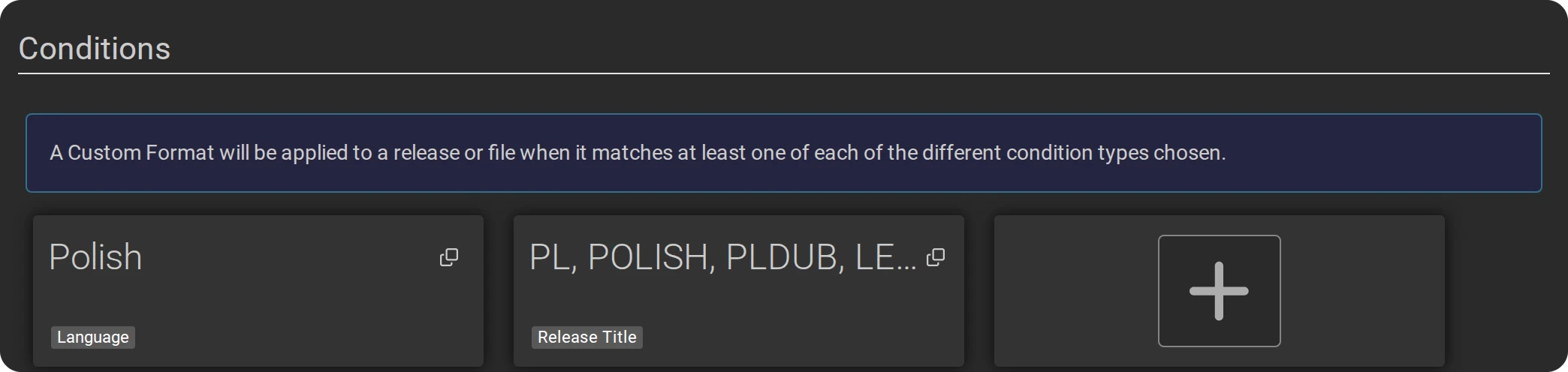
| Polish audio | Language Polish and Release Title \b(POLISH|PL|PLDUB|DUBPL|LEKTOR|DUBBING)\b; both must match | 1000 | 1000 |
| H.264 | \b(x\.?264|h\.?264|AVC)\b | 100 | 0 |
| x265 / HEVC | \b(x\.?265|h\.?265|HEVC)\b | -10000 | 0 |
| AV1, VP9, VVC | \b(AV1|VP9|VVC|h\.?266|x266)\b | -10000 | -10000 |
| 3D, Upscaled | 3D, Half-SBS, MVC; upscaled, regraded | -10000 | -10000 |
| HDR | \b(HDR|HDR10|HDR10\+|HDR10P|HDR10Plus|HLG)\b | 0 | 200 |
| Dolby Vision | \b(DV|DoVi|Dolby[ ._-]?Vision)\b | 0 | -50 |
| Dolby Vision without HDR | the DV expression, and the HDR one negated (both required) | 0 | -10000 |
| 4K H.264 | Resolution 2160p and the H.264 expression (both required) | 0 | 300 |
Tracker with MULTi: a MULTi release reaches Radarr and Sonarr with POLISH in its name and gets the Polish audio score. POLiSH only: a MULTi release gets no Polish audio score, so it stays below the minimum of the 1080p and 4K profiles.
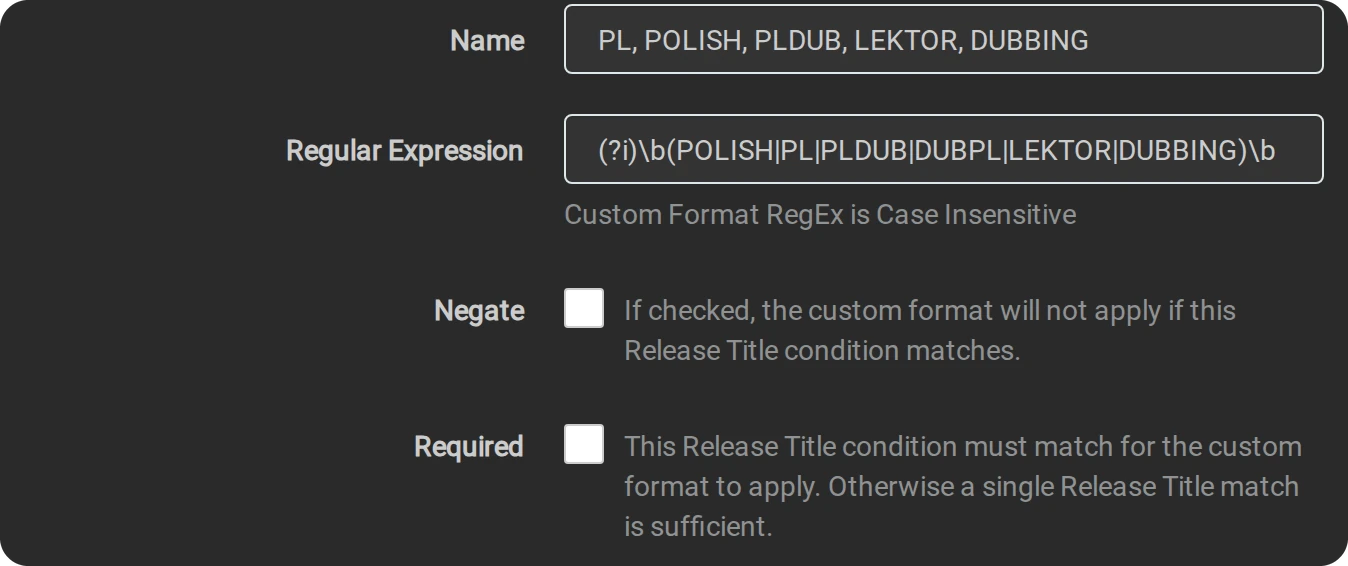
Then Settings → Profiles:
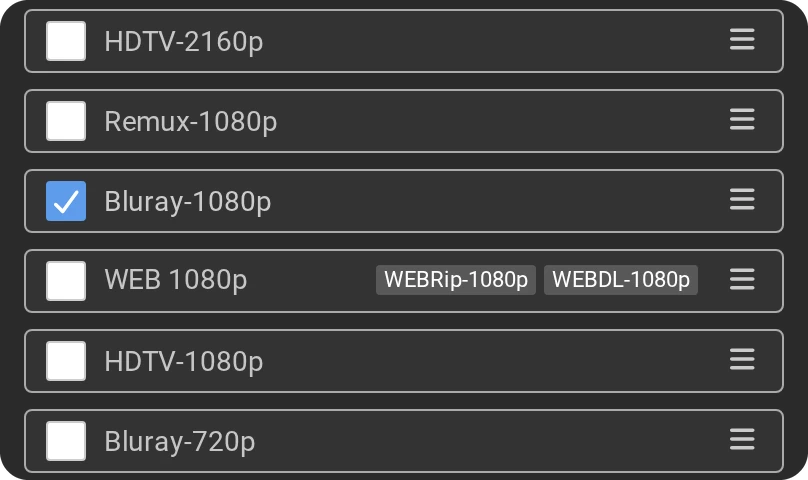
- 1080p BluRay H.264: only Bluray-1080p ticked under Qualities,
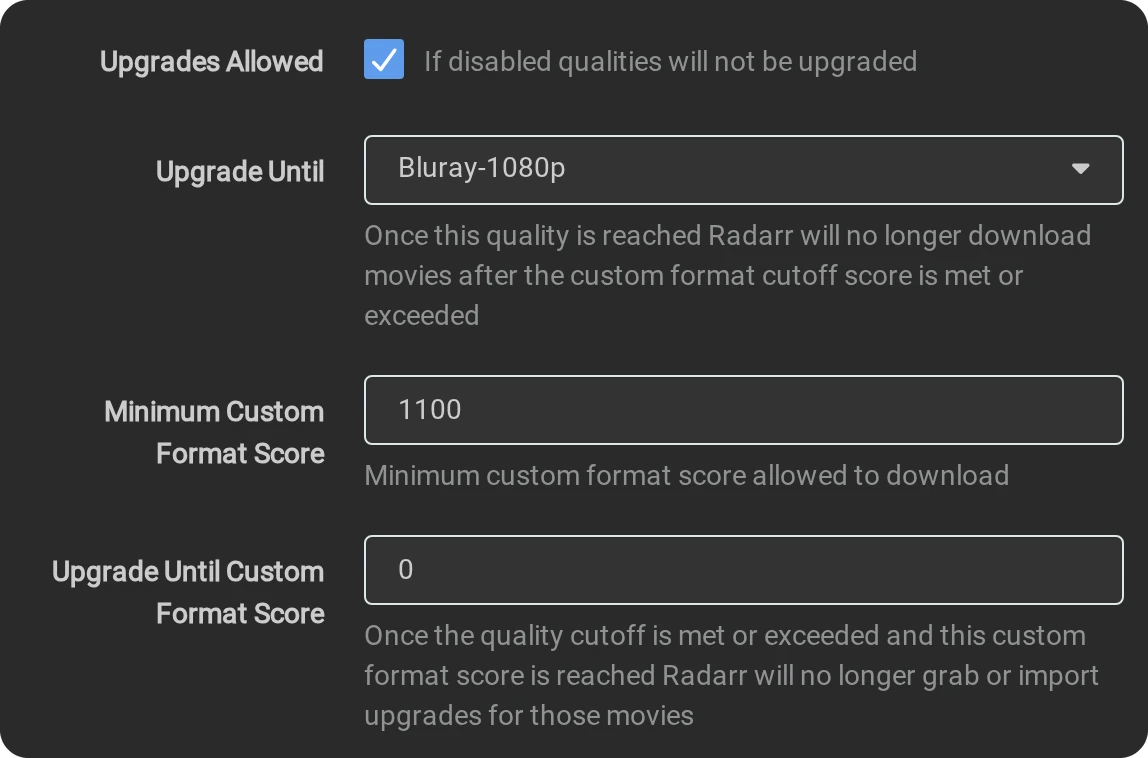
Upgrades Allowed on, Minimum Custom Format Score 1100 (Polish and H.264).
- 4K: WEBDL-2160p, WEBRip-2160p, Bluray-2160p and Remux-2160p, Minimum Custom Format Score 1000, Upgrade Until Bluray-2160p.
- Archive (no upgrades): Upgrades Allowed off, for the shares you keep as they are.
- In both upgrade profiles Upgrade Until Custom Format Score is 0. Files in the library are named
Title (Year).mkvand may score 0. A higher score cutoff can trigger unnecessary upgrades for monitored titles; this setup uses the quality cutoff to decide upgrades. In Radarr set the profile's Language to Any: the default, Original, refuses a Polish release of an English film.
07Seerr: requests and the Plex watchlist
- Open
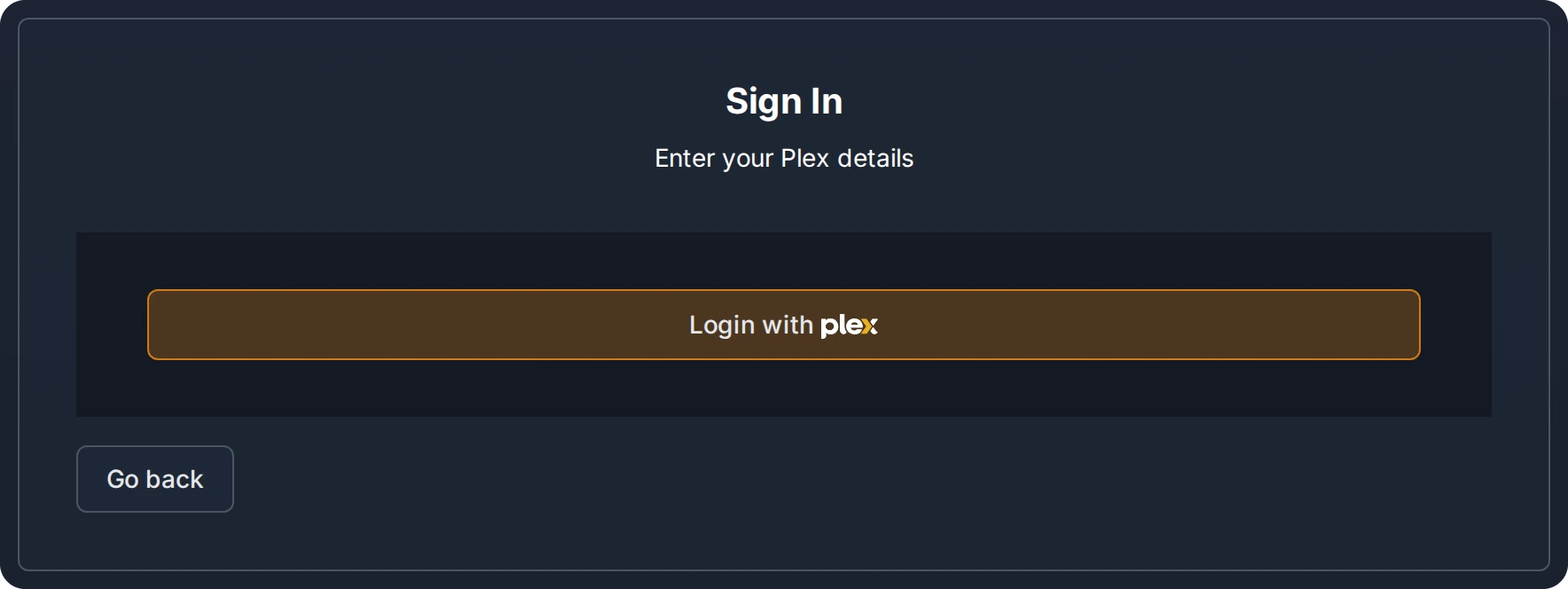
http://<NAS>:5055. Under Choose Server Type press Configure Plex, then Login with Plex, and sign in with your Plex account.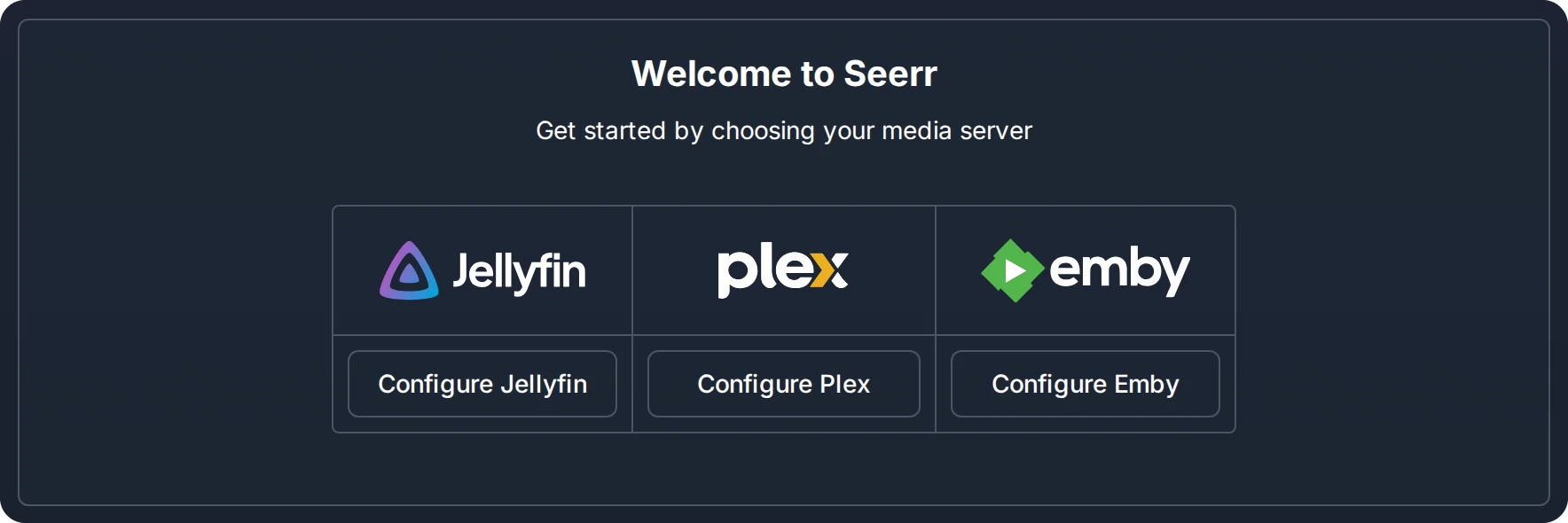
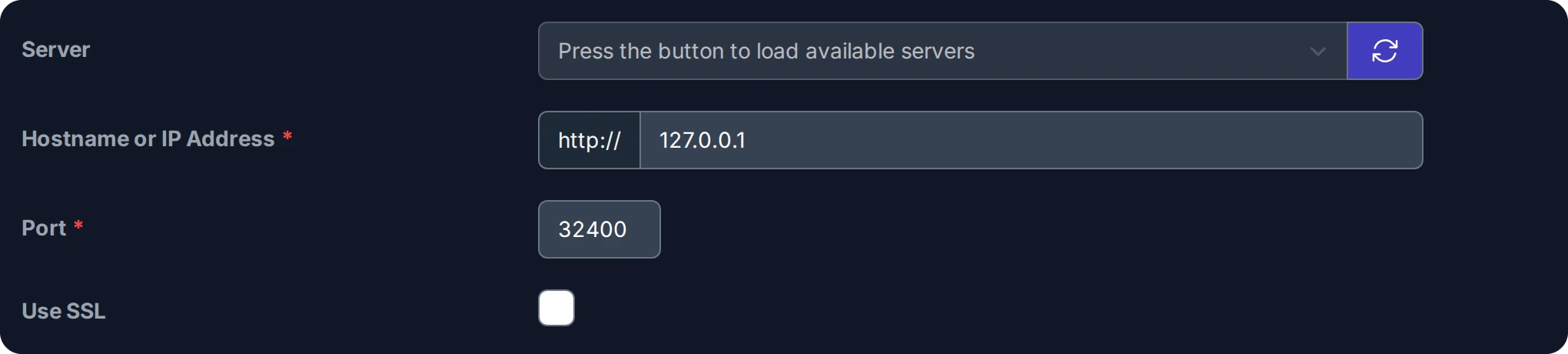
- Configure Plex: pick your server from the list (it fills after the sign-in) or type its address,
press Sync Libraries, tick the film and series libraries and press Continue.

- Configure Services → Add Radarr Server: Default Server ticked, Server
Name Radarr, Hostname or IP Address
127.0.0.1, Port 7878, API Key.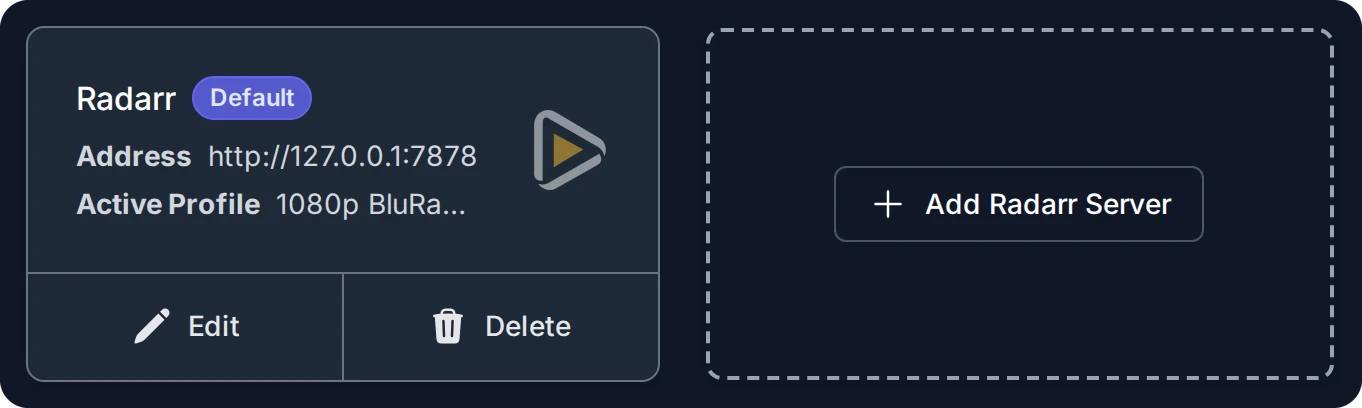
- After the test, Quality Profile 1080p BluRay H.264, Root Folder your library's
Moviesfolder, Minimum Availability Released.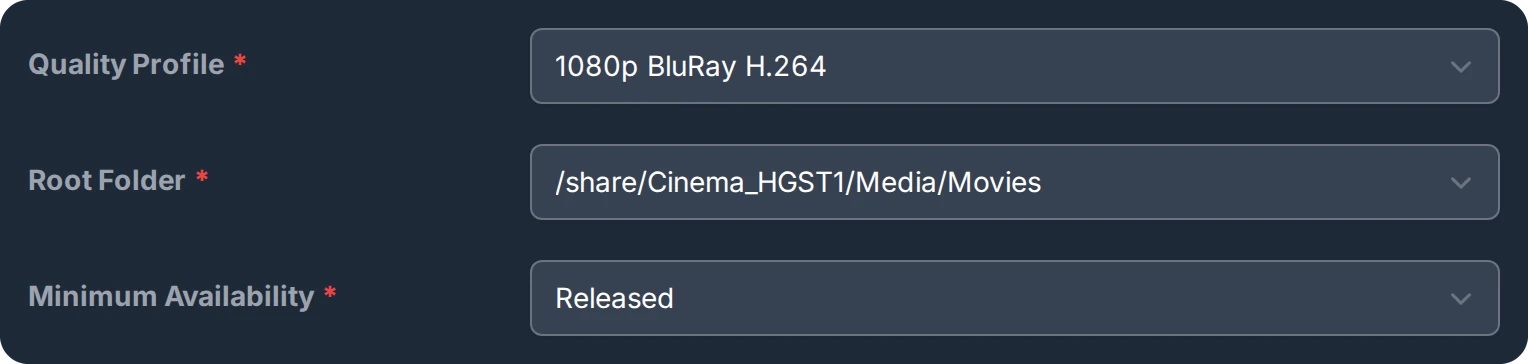
- Add Sonarr Server the same way with port 8989, then Series Type, Anime Series
Type, Anime Root Folder and Season Folders. Finish with Finish Setup.
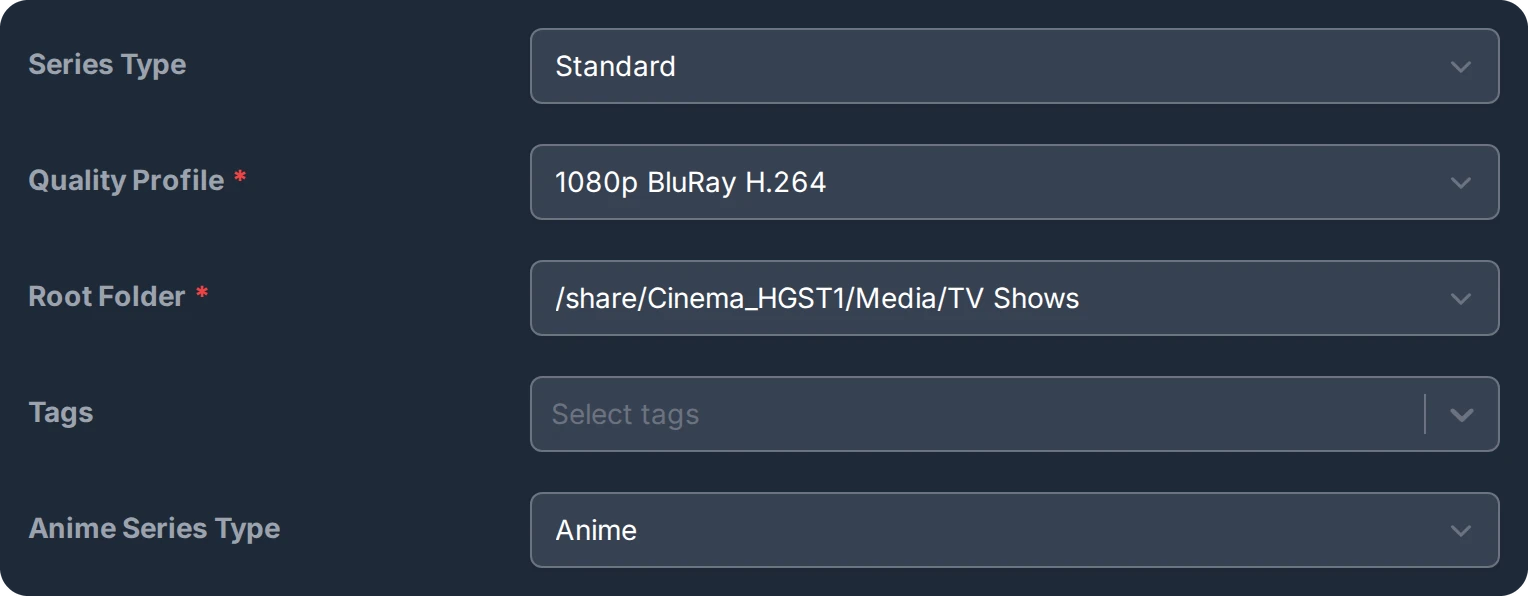
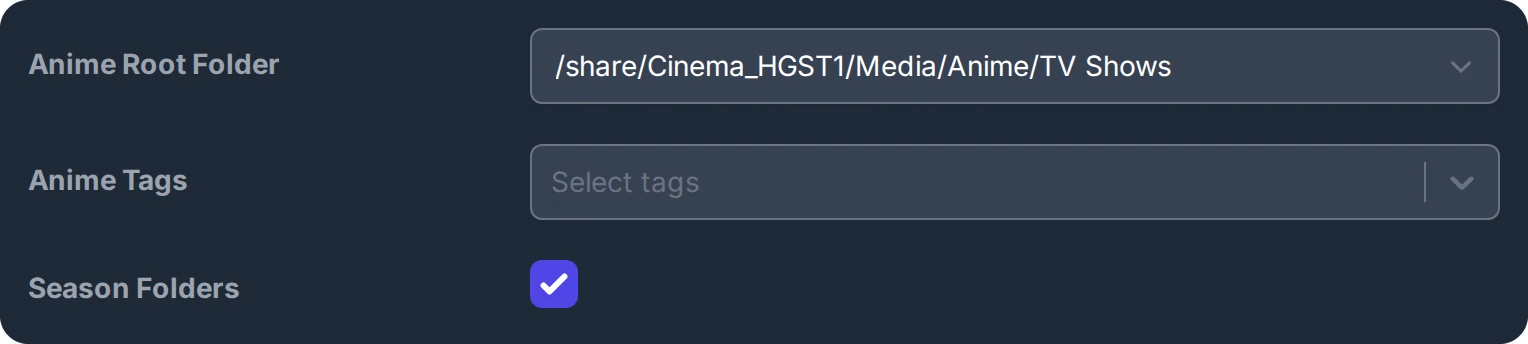
The same fields are under Settings → Plex and Settings → Services after the setup, which is where these pictures come from.
A film or series added to your Plex Watchlist is requested by Seerr's Plex Watchlist Sync, every three minutes, for users with Auto-Request; the account that set Seerr up has every permission. Another user gets it under Users → the user → Permissions.

08How to tell it works
- Rtorrent 16 writes one
ARRline per step to/share/Rdownload16/logs/medialib.log: the folder the entry now points at, the rescan, the quality given to the file. - In Radarr the film shows its file in the library folder Movie Agent chose, with the quality of the grab.
- A release the rules refuse shows why in Radarr's or Sonarr's interactive search: its score below the profile's minimum, or a quality the profile does not want.