Unleash your NAS. Unthrottled and uncompromising. Rtorrent 16 turns your server into an absolute downloading powerhouse — delivering maximum link speeds, auto-tuned storage, and effortless library automation. Zero bloat, pure performance.
No ads, no accounts — 100% private, 100% on-premises.
The dashboard answers the only question that matters: is it working? Monitor live rates, torrent counts, and disk space at a glance. The port check tests the path in order: whether rtorrent is listening, the router's UPnP mapping, a loop-back connection, and a check from the internet, plus IPv6 when the NAS has a global address. Each step reports pass, fail, or could not tell, with the reason, so you know where to look.
For the days when you only want to monitor incoming traffic. Start, stop, play, unpack, or move to trash right from the torrent's row, while a clock counts down the estimated time left. The full ruTorrent interface is still just one click away for advanced management.
Just drop a .torrent file in, and the system takes over. The Add page guesses the category from the name (movie, TV, kids, music, game and more), lets you change it, and saves the data into that category's folder. Files and magnets on the page, .torrent files in a watch folder, RSS through ruTorrent's rules: four inputs, one organized destination.
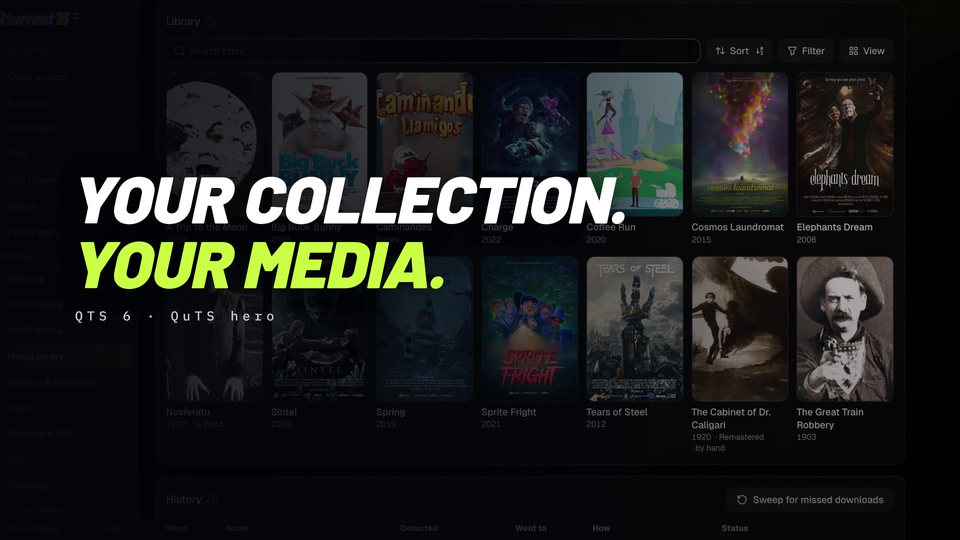
Visually map your file operations from the active queue to your finished archive. Every hop explicitly states its operation: hardlinks on a single volume, cross-volume copies, or requested moves. FileBot (installed and licensed) or the built-in Movie Agent names films and series and fetches their artwork, followed by automated API calls to refresh Plex, Kodi, Jellyfin, or Emby.
Search your private tracker accounts directly, and add the optional Search add-on (Jackett) for public indexers. Ask for latest Stranger Things and the query parser works out that you want the newest episode; over WhatsApp the bot names it and adds it once you reply yes. Tracker logins stay on the NAS, in files only the system can read, and are masked in the panel.
When a download finishes, the message names the film with its rating, runtime, director, cast and plot, or, for a file it cannot identify, lists resolution, HDR, runtime, size and audio tracks; the WhatsApp bots add the poster. It goes out via WhatsApp, Telegram, Discord, Signal, ntfy, Gotify, Matrix, more than a dozen other services, or any webhook. The interactive WhatsApp bot answers commands such as status, searches your trackers and adds the torrents you choose.
Automated daily copies protect your torrent list and your configuration: settings, the panel password, tracker credentials, notification destinations and the certificate. Restoring the torrent list stops rtorrent, puts the copy in place and starts it again; restoring the configuration restarts the services with it. Downloaded data is never touched.
The Performance wizard measures your link and the download volume's disk I/O, weighs the results against the NAS's memory and storage type, and proposes rtorrent settings for you to review and apply. The optional, experimental auto-tuning then adjusts peers, upload slots and piece cache during active transfers, one change at a time, and never touches your rate caps.
Once you switch it on, Rtorrent 16 asks your router for its ports over PCP, NAT-PMP and UPnP and keeps the mappings renewed. If the router refuses a UPnP or NAT-PMP mapping, the panel shows its reply. A trace of the first hops detects double NAT and carrier-grade NAT, and behind two routers the package also asks the outer one over PCP or NAT-PMP.
Configure precise seeding rules based on ratio, upload volume, or time, with distinct policies for public and private trackers. When free space falls below a threshold, the optional storage protection deletes finished torrents and their data, worst ratio first (or oldest first), until enough space is free again.
158 parameters, 11 themes, and 9 languages. Every setting carries its own explanation behind the ? beside it, many with a diagram, and the guides (English and Polish) are built into the panel.
VPN port forwarding
Behind a VPN, rtorrent listens on the port the VPN assigns: automatic for ProtonVPN, entered by hand for other providers.
A certificate that is not self-signed
Let’s Encrypt, taken from QTS or requested through port 80 when the NAS has a public name and port 80 is reachable, renewed on its own.
You pair the phone once, on your home network: scan the QR code on the panel's Phone app page. The phone makes a key and sends the NAS its public half. The NAS answers with a client certificate for that phone and a signed list of its addresses.
The port serves the panel only to a connection that sends its secret server name and a certificate the NAS issued for a paired phone. Anyone else gets the connection closed without a byte: no certificate, no TLS alert. Revoke a phone’s pairing and its open connection ends within seconds.
01The panel's Phone app page shows a QR code. Pairing works from your home network only; the NAS refuses it from the internet.
02The phone makes its key in the Secure Enclave on an iPhone, in StrongBox or the TEE on Android. The private half stays in the phone, and the panel shows where each phone's key lives.
03The NAS gets the public half and issues this phone a client certificate from its own CA.
04The NAS sends a signed list of its addresses: your DDNS name, its public IPv4 and IPv6, and its home-network addresses, with the port and the pin of the port's certificate.
Home networkat once, Wi-Fi only, pinned certificate
Your DDNS name+0.25 s
Public IPv4 and IPv6+0.5 s
Last address that answered+0.75 s
The tries run side by side. The highest-ranked address that shows the NAS's pinned certificate wins, so at home the home network beats the DDNS name. When your network changes, the app looks again behind the open panel.
TLS hello without the secret nameclosed, 0 bytes
Plain text or garbageclosed, 0 bytes
The outside address that triedfail2tor ban, at once
Without a paired phone's key the port sends nothing back, not even a TLS alert, and fail2tor bans the address at once.
Game Agent turns a release name into a folder name you can read.
It takes the title and the year from Steam, from TheGamesDB or, with your own keys, from IGDB. It adds the platform and identifies the type of release alongside the game: an update with its hotfix, a DLC, a trainer or a DLC unlocker. An update gets a folder of its own, beside the game's.
It reads the scene's dotted names and the bracketed ones of repackers and P2P groups.
ReleaseFolder
Duke Nukem 3D (1996)(GT Interactive)[DOS]Duke Nukem 3D (1996) [DOS]
Wolfenstein.3D.(1992).[DOS]Wolfenstein 3D (1992) [DOS]
Commander.Keen.4.Secret.of.the.Oracle.DOSCommander Keen 4 Secret of the Oracle [DOS]
Duke.Nukem.3D.Atomic.Edition.v1.5.DOSDuke Nukem 3D Atomic Edition [DOS] [v1.5]
Files is the Control Center's own file manager: all your NAS's shared folders in two panels, with function keys for common actions. Every copy, move or deletion runs as a background job with a DOS-style log.
Torrents keep seeding after you move or rename their folders: Files tells rtorrent where to find them. On a phone, you see one panel at a time; tap an item to open it, or press and hold for the menu.
Two panelsTwo panels side by side, each showing its path as a row of folders. On a phone, you see one at a time; Left | Right switches between them.
The menuThe most-used actions share a row at the top: Cut, Copy, Rename, Share, Delete. Open, Copy to… and Move to… sit below, followed by grouped actions.
Folder sizesThe status line adds up selected folders' sizes as they are calculated. The calculation uses the lowest disk I/O priority.
Copy to…Copy to… opens at the other panel's folder and shows the exact destination path before anything is copied.
Create link…A symbolic link, a hard link or a replica made of hard links. Types unavailable at the chosen location are greyed out, with a reason.
RenameEdit the name directly in its row. Characters Windows does not allow are removed as you type.
ShareChoose Share, set an expiry, add an optional password and send the link.
In a browserThe recipient can also open the link in a browser and download straight from your NAS, with nothing to install.
Download from linkOr the recipient pastes the link on the LinkDrop page of their own Rtorrent 16. The download starts at once, with its own log and with Pause and Resume.
Create torrentCreate torrent… opens the Create torrent window with the chosen file or folder as its source.
Send a folder with a link, straight from your NAS.
In Files, right-click a file or folder, choose Share and send the link. The recipient opens it in a browser, or pastes it on the LinkDrop page of their own Rtorrent 16, beside Files. The download starts at once, straight from your NAS. The files do not pass through our server.
There is nothing to set up on the router. The two sides find a direct connection on their own, even when your provider does not give you a public address of your own. In Rtorrent 16, Pause keeps everything received and Resume goes on from the last checked piece, even days later, as long as the link is valid.
On some networks, a direct connection is not possible. The download job or page then tells you, and the files are not sent through our server.
How the connection works
Same networkboth NASes in one home
Directthe sending NAS is reachable from the internet
Through both routersboth NASes try to connect at the same time
In a browsera direct connection here too
No direct paththe download job or page tells you
The recipient's NAS tries the first three paths in order and uses the first that works. The Path: line in the download log shows which one it uses.
Add-ons, when you want them
install extensions to extend rtorrent’s functionality
Radarr, Sonarr, Prowlarr and Seerr
Rtorrent 16 extensions
From a request in Seerr to a file in your library.
Rtorrent 16 Seerr, Radarr, Sonarr and Prowlarr come from this site's App Center repository and run on a NAS with an x86_64 processor. Set up as the How-to shows, they choose what to download and read your library; Rtorrent 16 downloads it, seeds it and files it.
SeerrSomeone asks for a film or a series, or adds it to their Plex watchlist.
Radarr and Sonarr, with ProwlarrRadarr takes the films and Sonarr the series. They search your tracker through Prowlarr and add the release your quality profile accepts, labelled radarr or sonarr. They do not import, rename or remove the downloads.
Rtorrent 16Downloads it and seeds it by its own rules. Movie Agent files it into your library, under Movies or TV Shows or in the Kids, Family or 4K branch where it fits, and Rtorrent 16 tells Radarr or Sonarr on the same NAS where the file is.
Rtorrent 16 Seerr on a phone, drawn for this page. A green tick marks a title your library already has, a dash a series you have part of, and the indigo clock a request still on its way.
Frequently asked questions
Getting started
What does it cost?
Nothing. Rtorrent 16 is freeware: no licence key, no paid tier and no nagging messages you cannot dismiss. If you would like to contribute, the support section below lists the options. It is entirely up to you.
Does it run on ARM?
On 64-bit ARM, yes: take the arm_64 build. It needs QTS 6, which QNAP has not released for ARM models yet. 32-bit ARM models are not supported. uname -m over SSH says which one you have.
uname -maarch64→ arm_64
Is ruTorrent still there?
Yes, one click from the launcher, with its plugins. The Control Center covers what ruTorrent was never meant to do: ports and NAT, the certificate, the media library, notifications, performance, backups and the guides.
Open ruTorrent
Torrents, RSS, labels, unpacking, media info.
Is there a phone app?
Rtorrent 16 for Android: download it from the panel's Phone app page, which shows its version, size and a QR code, and pair it on the same page. Rtorrent 16 for iPhone is in testing on Apple's TestFlight: its card on the Phone app page has a Join in TestFlight button. More on the Android app's page and the iPhone app's page.
Usually not by hand. With UPnP and PCP / NAT-PMP on in Settings → Port forwarding & VPN (both are on in a new install), Rtorrent 16 asks your router to forward the BitTorrent port and the DHT port at every start and after a port change, and renews a PCP or NAT-PMP mapping every five minutes. The Network & NAT page shows what the router granted and checks from the internet whether peers can reach you. A forward you make by hand on the router works as well.
Settings›Port forwarding & VPN
UPnP
PCP / NAT-PMP
Network & NAT shows a different port from the one my router forwards. Why?
In Settings → Connection, keep Pick a random port from the range off and enter the router's forwarded port in Listening port (1024-65535), for example 42000. The minus and plus buttons adjust the number. With random selection on, the control becomes Listen port range: forward that whole range. An existing range (50000-50010 in a new install) stays saved until you edit the port. Saving the port applies it at once; changing random selection requires an rtorrent restart.
Then press Check TCP port on Network & NAT. Opening the page reuses a result less than five minutes old; the button always checks again. With Ask the VPN for an incoming port on, rtorrent listens on the VPN's assigned port.
Settings›Connection
Listening port (1024-65535)−42000+
Pick a random port from the range
Network & NAT
Check TCP port
What do the colours on Network & NAT mean?
Mapped as: green, the same port; amber with two numbers, the router gave a different external port (use the same port on both sides); grey, Not mapped.
From the internet: green, open; red, not reachable; grey, unverified, when no checker answered.
The four steps under the port: a green tick means the check passed, a red cross means it failed, and a grey question mark means there was no answer.
A port forward set up by hand may not show in the router's UPnP mapping list, so a red Router mapping list alone does not indicate a fault, and many routers refuse Router loopback. What counts is the last step: the check from the internet.
Mapped assame port50000 → 50123Not mappedFrom the internetopennot reachableunverified
✓Local TCP listener
✕Router mapping list
?Router loopback
✓External IPv4 TCP check
My NAS goes online through a VPN. Can peers still reach it?
Only through a port that your VPN service forwards to you: peers see the VPN's address, so a forward on your own router does not reach the NAS. With the VPN on the NAS, Ask the VPN for an incoming port in Settings → Port forwarding & VPN takes that port, by itself for ProtonVPN or as a number you type for another service, and Bind to interface / IP keeps rtorrent on the tunnel. With the VPN on the router, forward the VPN's port to the NAS there and type the same port in Rtorrent 16.
Settings›Port forwarding & VPN
Ask the VPN for an incoming portProtonVPN: automatic, renewed every 45 s
Settings›Connection
Bind to interface / IPtun0Choose…
Seeding
Can I seed files I downloaded with another program?
Yes. Open the Add torrent page and add the .torrent file or magnet link. Choose the seed category in the queue, then press Browse beside Directory (optional). In Choose a directory, open the folder containing the existing data and press Use this folder; you can also type the path. Press Add 1 with Start now on. rtorrent checks the files, downloads only what is missing and seeds. A torrent in the seed category stays out of the media library and sends no notifications.
Add a torrent
Queue
Big.Buck.Bunny.2008.1080p.torrentmovietvseed
Start now
Add 1
Directory (optional)/share/Example/oldBrowse
Choose a directory
/share›Example›old
↰ ..
Big Buck Bunny (2008)
Use: /share/Example/old
Use this folder
I download some torrents only to seed them. How do I keep them out of the library?
Give them the seed category (upload is the same category under a second name). Such a torrent seeds quietly: no copy in the completed folder, no media library, no Game Agent, no media server refresh and no notification. The QNAP System Logs keep its "Download finished" line, and the seeding rules apply to it as they do to any other torrent.
Add a torrent›Queue
Big.Buck.Bunny.2008.1080p.torrentmovietvkidsseed
What does Super seed do?
It is for a torrent you are the first to share, such as one you made yourself. rtorrent sends each piece to one peer only and offers the next piece once the previous piece has reached a second peer, so the swarm gets its first full copies sooner. Press Super seed on a complete torrent's row in Quick access, or in its details in the Full view; rtorrent ends super-seeding automatically once every piece has been seen at two peers. For data you downloaded earlier, use the seed category instead.
Big.Buck.Bunny.2008.1080p100%
Super seed
Can the seeding rules stop or delete torrents of one category after a few days?
No: there is one rule for public torrents and one for private ones, not one per category. Each rule ends a torrent when the first of its conditions is met — ratio, amount uploaded or days since the download finished — and then does what you chose: Pause, Stop, Remove the task or Delete, data to trash. The public rule is on in a new install; the private rule is off until you switch it on. To exclude one torrent from the rules, tick it in the Full view, press More, then Keep out of the seeding rules.
A private tracker that wants a minimum seeding time counts that time itself. Keep the private rule off, or set its conditions so that none is reached before that time.
Seeding & Retention
End seeding when a target is reached
Apply rule to public torrents
target ratio (%)−200+
days since completion−7+
Public: action when a goal is reachedStop it (default)
MoreKeep out of the seeding rules
Do I have to enter my tracker account in Rtorrent 16?
Not to download or seed: a private .torrent carries your passkey in its tracker addresses. An account on the Trackers page is used only to search that tracker and to fetch the .torrent you pick from the results.
Trackers
Accounts
Username
Password••••••••
Save
Media library
Do I have to buy FileBot?
No. Rtorrent 16 has a Movie Agent of its own, which identifies films and series and names them; games and software stay out of the library: Game Agent (beta) names a finished game's folder instead. We recommend Movie Agent: it needs no account, names folders in your language and saves the poster, backdrop and .nfo with each title. FileBot is an optional alternative: once installed and licensed, it can take over the filing. A FileBot licence costs USD 8 a year.
Organisers
FileBot
Organises the finished downloads
Movie Agent
Organises the finished downloads
Game Agent
On for every download with a game label.
Can Radarr and Sonarr move the files instead of Movie Agent?
Yes. Movie Agent works only when the media library is enabled, and the library is disabled in a new installation. To keep using Movie Agent for other downloads, open Media library and add Radarr's and Sonarr's torrent labels to Labels ignored by Movie Agent and FileBot: radarr and sonarr in our guide, radarr4k and sonarr4k for the two 4K apps. Movie Agent then leaves those downloads alone, and Rtorrent 16 seeds them as usual. In Radarr and Sonarr, turn on Completed Download Handling and renaming (Rename Movies, Rename Episodes) so they import and name the files themselves. Rtorrent 16 leaves those entries in Radarr and Sonarr unchanged: it only updates them after Movie Agent has organised a title. Movie Agent's sorting into Kids, Family and 4K, its folder names in your language and its artwork do not apply to those titles.
Media library
Labels ignored by Movie Agent and FileBotseed, radarr, sonarr
My files are in the downloads and in the library. Do they take twice the space?
Not on one volume. When a download finishes, Rtorrent 16 adds it to the completed folder with a hard link: a second name for the same data, not a second copy. Movie Agent then puts the film or episode into the library under its proper name. For the labels in Labels whose completed copies should be moved (by default movies, tv, kids, anime and mixed) it moves the completed copy into the library. For other labels it follows Operation: by default one more hard link, and the completed copy stays. Either way the data is on the disk once, and the torrent keeps seeding from the download folder. A hard link cannot cross volumes: there the file is copied, so keep the downloads and the library on one volume.
downloads/hardlinkcomplete/movemedialibrary/
ls -i downloads/Film.mkv complete/Film.mkv1572903 downloads/Film.mkv1572903 complete/Film.mkv
A finished download is a pile of .rar files. How do I get the video?
When Unpack archives first is on (Media library page; on by default), Movie Agent unpacks a film or series supplied as video archives, when the volume has room for it, and organises it afterwards; the row shows "Waiting for the archives to unpack". By hand: press Unpack on the torrent's row in Quick access, then press Re-run on the release's row in Scraper history (Media library page), or organise the folder through Organise a folder manually.
Media library
Unpack archives first
Waiting for the archives to unpack
Quick access
Unpack
Movie Agent says "No main video" or "Episodes not recognised". What now?
Movie Agent counts a video as the main one when it is at least half of the release, excluding extras, samples and subtitles. Episode numbers come from the file names only, never from a database. What helps:
Give the torrent its category: movie for a film, tv for a series. It tells Movie Agent what to look for.
Unpack an archive first, then press Re-run in Scraper history.
Use Organise a folder manually with Override detection (kind, audience, 4K, action): Preview shows the result before anything changes.
Re-identify takes a title and year, an IMDb ID, or a TMDB or TheTVDB ID or link.
Scraper history
Concert.2006.1080p.BluRayNo main video
Media library›Organise a folder manually
/share/Example/Concert.2006Browse
⌄ Override detection
movieaudience: detect4K: detectaction: auto
Preview
Speed
The speed chart shows more traffic than my internet connection can carry, or uploads when no torrent is uploading. Why?
The Download and Upload tiles, the coloured areas of the Traffic card, Quick access and the phone app show what Rtorrent 16 itself moves. On the Dashboard the Traffic card also draws a hatched band: all traffic on the network interface Rtorrent 16 uses, including file copies, backups and traffic from other programs on the NAS. That band accounts for upload traffic when no torrent is uploading.
Traffic
Rtorrent 16All traffic on eth0
↓ download
↑ upload
Why is a download slow although my link is fast?
Each peer decides how much it sends you: it serves a few peers at a time, using its own upload bandwidth and network route. A seeder connected to you may be sending to others at that moment, which is why many connected peers can send nothing. A VPN adds its own limit, and a closed port leaves out the peers that cannot accept connections themselves. Check the port on Network & NAT, and measure the link on the Performance page.
A downloading torrent in Rtorrent 16 closes connections to peers that keep it waiting, and when all its download slots are taken and other peers wait, it hands them the slowest slots every 30 seconds.
Network & NAT
Check TCP port
Why so few peers and slots? Can I increase their limits?
Each torrent runs on the Public or the Private connection profile, and each profile has its limits: how many peers a torrent stays connected to, how many it uploads to and downloads from at once, and how many peers it asks each tracker for. Change them in Settings → Connection profiles, or pick your line's speed (1 Gbps, 2.5 Gbps or 10 Gbps) from Link profile in the Peers and their limits card on the Dashboard.
More peers do not always mean more speed. Every connection costs the NAS processor time, memory and buffers, and a few fast peers often move more than hundreds of slow ones. Peer counts and slot counts are different: slots limit how many peers may transfer data at once.
Enable Advanced to edit individual peer and slot limits. The link profile remains available in Basic.
Peers and their limits
1 Gbps
LinkDrop
Do I have to open a port on the router for LinkDrop?
No. The service at link.qnaputilities.com only puts the two ends in touch, and the files travel directly between them. There is nothing to set up on the router. The share window shows how downloads connect: Connection: direct, or Connection: through NAT punching.
Share via LinkDrop
Item:Big Buck Bunny (2008)
Expires:7 days
Password:None
Connection: direct
Create link
Why can't I share the download folder with LinkDrop?
LinkDrop does not share an entire shared folder or volume, the folders Rtorrent 16 uses itself, or a folder that holds one of them. Share what is inside: a file or a folder in the download folder can be shared.
Download/
Big Buck Bunny (2008)/
Share
A LinkDrop link does not open. What now?
On some networks a direct connection is not possible, for example when both ends sit behind routers that assign a separate port to each connection (a VPN, many mobile networks). The download job then ends with "Failed: No direct path between these networks.", and the browser page says "No direct path between your network and the sender." Our server never carries the files. Try another network, such as Wi-Fi in place of mobile data.
Failed: No direct path between these networks.
Add-ons
Where do I find an add-on's first password?
In the QNAP System Logs. An add-on with a login of its own (Gopeed, autobrr, Soulseek, IRC, Linkwarden) writes its first password there when it makes the login, in a line that starts with the add-on's name. That is the intended way to get it. The same login is in first-run.txt in the add-on's var/log folder, and Gopeed's is also on the Add torrent page of Rtorrent 16, in the From your browser card.
Rtorrent16-Gopeed Rtorrent 16 Gopeed first-run login: open … and log in as admin with the password ••••••••
What if I lose an add-on's password?
Each add-on has its own way, over SSH as admin. Gopeed opens with your Rtorrent 16 login or a NAS account (without 2-step verification) too, and /etc/init.d/rtorrent16-gopeed.sh reset-token makes a new password and a new token for the browser extension. Linkwarden: /etc/init.d/linkwarden.sh passwd. IRC: /etc/init.d/irc.sh passwd-web admin for the web client and /etc/init.d/irc.sh passwd admin for the bouncer. autobrr, while it runs: /usr/bin/Rtorrent-autobrr/bin/autobrrctl --config /usr/bin/Rtorrent-autobrr/etc change-password admin. Soulseek: the password line in its slskd.yml, then a restart. Removing an add-on and installing it again also makes a new password, but deletes the add-on's data.
/etc/init.d/rtorrent16-gopeed.sh reset-token
K***QNAP Enterprise User · PolandVerified
NASTS-253D
“I used the default Download Station for years, but it always choked when handling hundreds of active seeds. Migrating to Rtorrent-Pro was a night-and-day difference. Now it fully saturates my gigabit fiber. This is a masterpiece!”
AlexNetwork Engineer · TaiwanVerified
NASTS-464
“This installation saves hours of blind troubleshooting. Easily the most professional BitTorrent implementation available on any NAS with everything preconfigured and ready to go!”
DavidHome Lab Enthusiast · GermanyVerified
NASTVS-1282
“What completely sold me is the media library automation. Dropping a file and having the system automatically categorize it, download it, create hardlinks on the correct volume, and trigger a Plex refresh via FileBot is pure magic. It’s a flawless set-and-forget ecosystem that perfectly manages storage space.”
***Long-term User (Since 2012) · SwedenVerified
NAS2 × TS-2483XU-RP with a custom disk configuration for seeding
“I remember using the original rtorrent++ builds years ago. Today it takes everything that made the original engine rock-solid and modernizes it without introducing any bloatware. This is just brilliant piece of software.”
Measured against the other clients
We ran the tests in the lab on two QNAP TBS-h574TX units connected by a Gigabit network and repeated them. The figures are medians; the private-tracker figures come from one round.
The whole set, second by second Each client's middle run of three, measured one client at a time and replayed side by side at 8× speed.
QTS 6.1 · ext4
rtorrent1656 s
qBittorrent117 s
QuTS hero 6.1 · ZFS
rtorrent1663 s
qBittorrent73 s
Verdict rtorrent16 finishes the whole set first: 56 s on QTS and 63 s on QuTS hero.
Three torrents at once the Ubuntu ISO and two small torrents, one with a single seed reachable over IPv6 only, the other with two seeds · 5.4 GiB in all · three roundsseconds to finish everything · shorter is better
QTS 6.1 · ext4
rtorrent1656 · 3/3
qBittorrent117 · 2/3
QuTS hero 6.1 · ZFS
rtorrent1663 · 3/3
qBittorrent73 · 2/3
Public torrent Ubuntu 24.04.4 server ISO, 3.2 GiB, about 100 seedsseconds to finish · shorter is better
QTS 6.1 · ext4
aria247
rtorrent1660
qBittorrent61
Deluge64
Transmission151
QuTS hero 6.1 · ZFS
rtorrent1654
qBittorrent60
Deluge65
aria270
Transmission126
Resource usage one run of the whole set, median
CPU seconds
private memory, MiB
QTS
hero
QTS
hero
rtorrent16
19
31
31
35
qBittorrent
40
68
39
39
Transmission
31
39
32
35
Deluge
32
51
120
156
aria2
25
32
17
18
Private tracker two Private Tracker releases, 1.0 GB, downloaded beside the public torrent · one roundseconds to finish · shorter is better
QTS 6.1 · ext4
rtorrent1681
qBittorrent96
Deluge146
Transmission171
QuTS hero 6.1 · ZFS
rtorrent1664
qBittorrent87
Transmission101
Deluge164
A DHT from an empty table Nodes known every 10 s after the start, one run on each NAS.
QTS 6.1 · ext4
QuTS hero 6.1 · ZFS
6/6
A seed reachable over IPv6 only
runs in which rtorrent16 reached it itself
How it was measured
rtorrent16 against qBittorrent 5.2.3, Transmission 4.1.3, Deluge 2.2.0 and aria2 1.37.0. One client at a time on the same two units, a QTS 6.1 NAS on ext4 and a QuTS hero 6.1 NAS on ZFS (both TBS-h574TX), connected by a Gigabit network; the same torrents, timed from the moment they are added; every client on its own defaults. Each public-torrent figure is the median of three rounds.
aria2 ran without the private torrents, so its run was lighter.
Private and small-swarm figures depend on a handful of remote peers and change from one minute to the next; the public torrent is the throughput test.
Specifications
Firmware
QTS 6 · QuTS hero 6
Processor
x86_64 · arm_64Intel and AMD, and 64-bit ARM
Engine
Based on rtorrent 0.16built from source
Interfaces
Control Center · ruTorrent
Settings
158
Themes
11
Languages
9English, Polski, Deutsch, Français, Italiano, Nederlands, Svenska, 日本語, 繁體中文
Current build
16.27-11Yfrom the App Center feed
Virus-free
ClamAV 1.5.4 scanned every file of 16.24-05K: no threats found (2026-09-30).
Install
Download Station is gone.
Wanna meet the beast? The pure definition of unthrottled throughput is coming to your NAS. That’s Rtorrent 16. Designed with users. Built for a NAS. Made for you!
Add this site’s repository once. After that Rtorrent 16 installs and updates from
App Center like any other app. App Center never offers an update to a package installed by hand; the panel still says when a new build is out.
App Center → ⚙ Settings → App Repository → Add.
Name it QNAP Utilities, paste https://www.qnaputilities.com/repo.xml, Add.
Open QNAP Utilities in the left rail and install Rtorrent 16.
By hand instead: take the build for your processor, then App Center → Install Manually.
Rtorrent 16 is freeware, with all features available free of charge. I don't expect anything in return. If you would like to contribute, here are the options.
All it takesTake part in the performance rankingRun the benchmark in StorageDiag. A result that passes the checks joins the public CPU and memory rankings.CPU rankingMemory rankingGet StorageDiag
Good to know: support is legal and taxed. If you don't want to contribute, don't. Contributing does not change your access to the apps or the help available on the forum.