When an App Builder build fails: read the log, find the cause, build again
An App Builder app builds programs from recipes, one after another, and one of them can
fail. This guide follows a real failure on a test NAS: TurboShell, an app of 70 recipes, stopped at the seventh,
the Korn shell ksh93.
- Wherethe recipe that failed
- Logits last lines
- Causewhat the error names
- Changea fixed recipe, or the app
- AgainRebuild reuses what passed
The pictures come from Bucket & Code Server IDE 1.0.0-49, before and after the fix.
01Where it failed
A failed build leaves the app as it was. If an earlier build passed, Activate, Download and Export as QPKG still use that build. The sidebar marks the latest build failed, and the app page shows the failure in its pipeline.


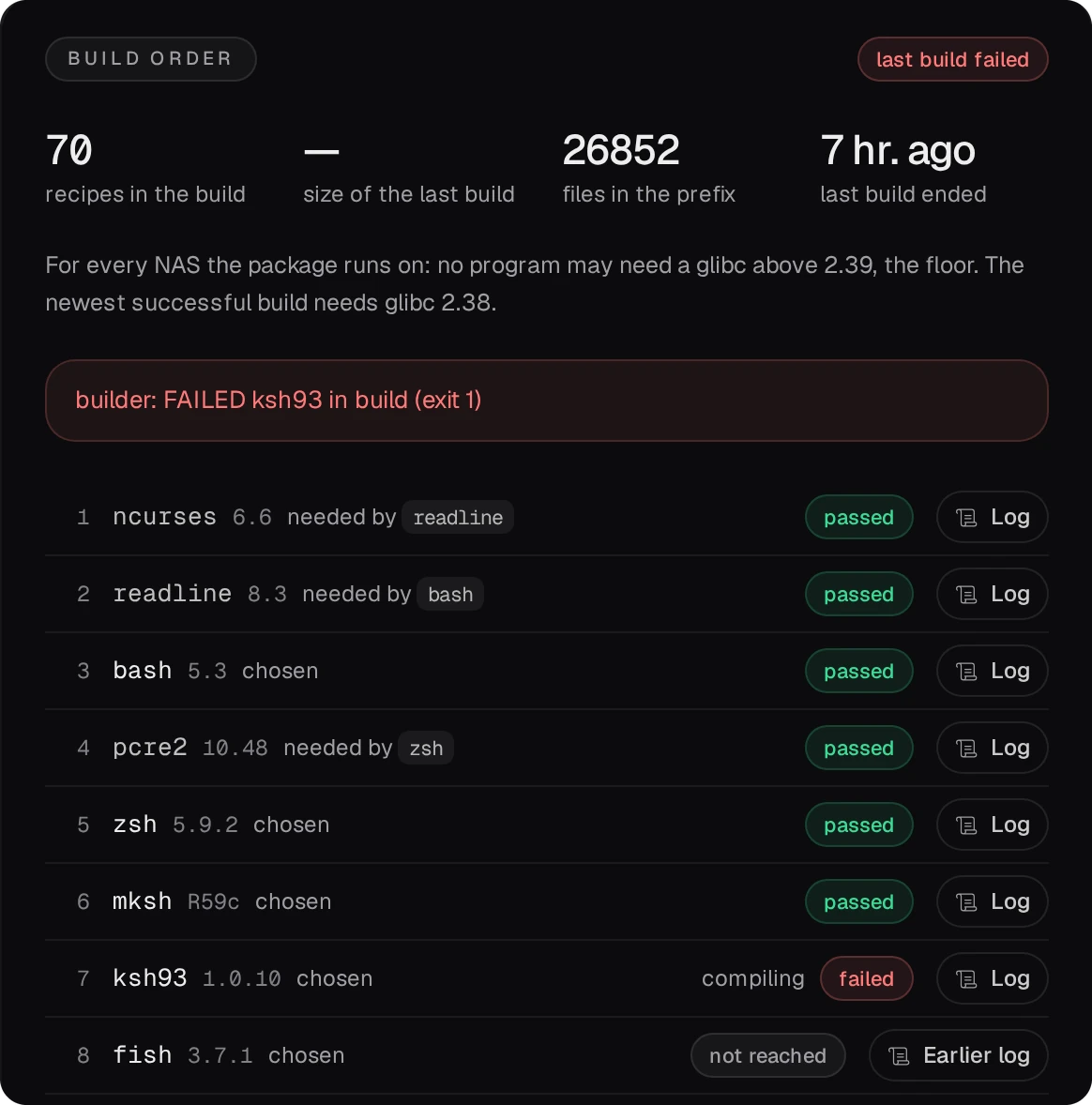
The Build order card names the recipe and the phase it failed in. In this example, every recipe before it shows passed; the ones after it show not reached and keep the log of an earlier build.
02Read the recipe's log
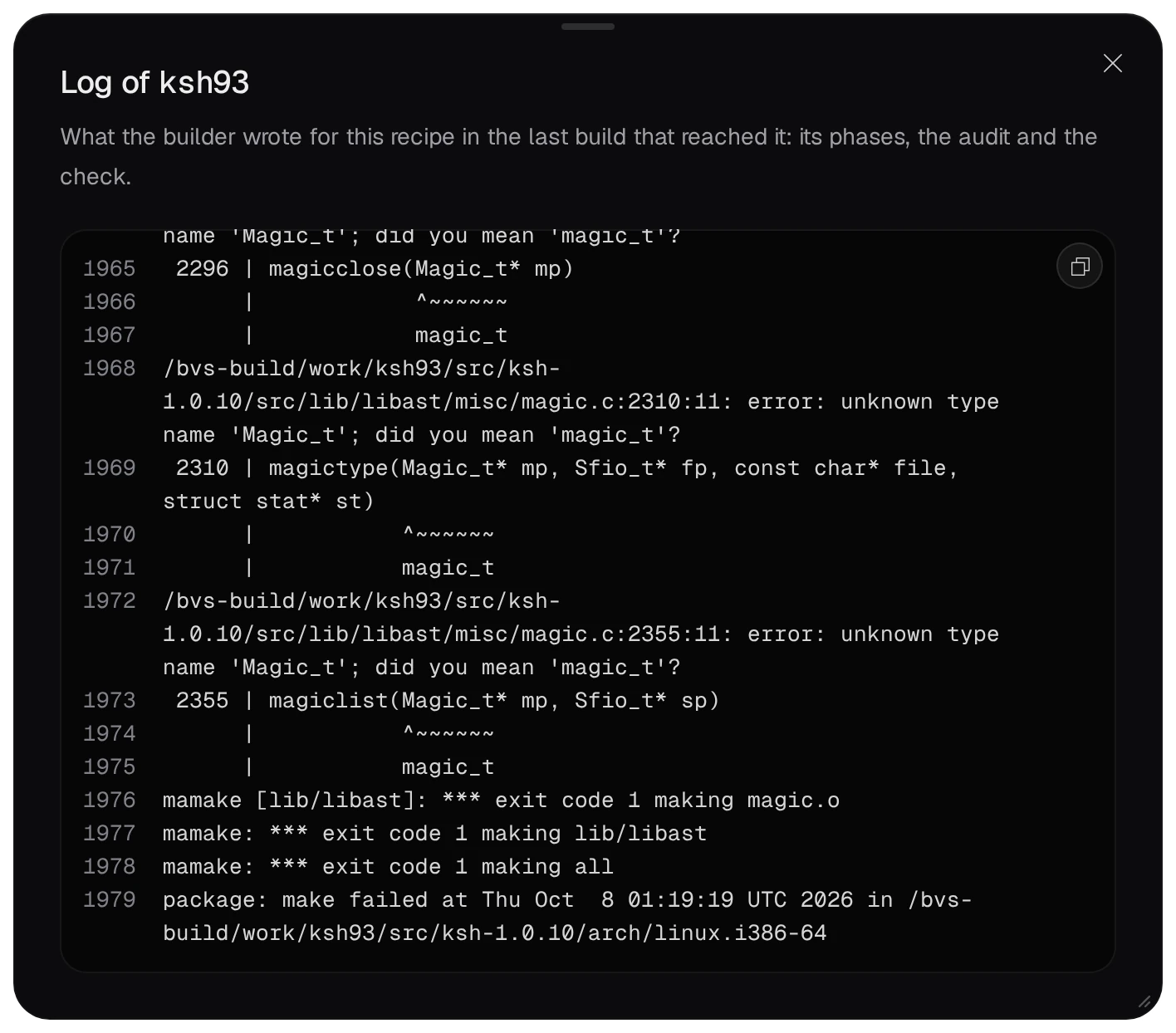
Log in the recipe's row opens what the builder wrote for it: its phases, the compiler's output, the audit and the check. The cause is near the end.
- The build job's own log, under Jobs in the bottom panel (Ctrl+J), ends with the same lines: the builder copies the last 40 lines of the recipe's log into it.
- The failed recipe's build tree stays in the app's build folder until the app's next build:
apps/<app>/build/work/<recipe>in the data folder. Open it in the editor's terminal to look at the sources and the generated files.
03Find the cause
The compiler asks for Magic_t, ksh's own type, and suggests magic_t, the type of
libmagic, the library of the file command. So #include <magic.h> in ksh's
sources found libmagic's header, not ksh's.
TurboShell also builds the recipe file, which installs libmagic's magic.h into the
app's prefix. Every recipe builds with that prefix's include folder on its search path, so its
programs find the libraries built before them. The first build of TurboShell built ksh93 before
file and passed. A later build works in a copy of the last good build, whose prefix already held
libmagic's header, and ksh93 picked it up.
When an error names something, as this one does, trace that name back through the sources, the earlier recipes and the build environment. The log shows where this build stopped; it does not tell you which change will fix it.
04What you can change
- A fixed recipe. Recipes reach the NAS between releases as a signed catalog. The
Recipe library card on the Apps page shows what builds use and when it last
checked; Check for recipe updates checks now. Here the fixed
ksh93recipe came in catalog 2026.10.08-1, which keepsksh93off the prefix's headers.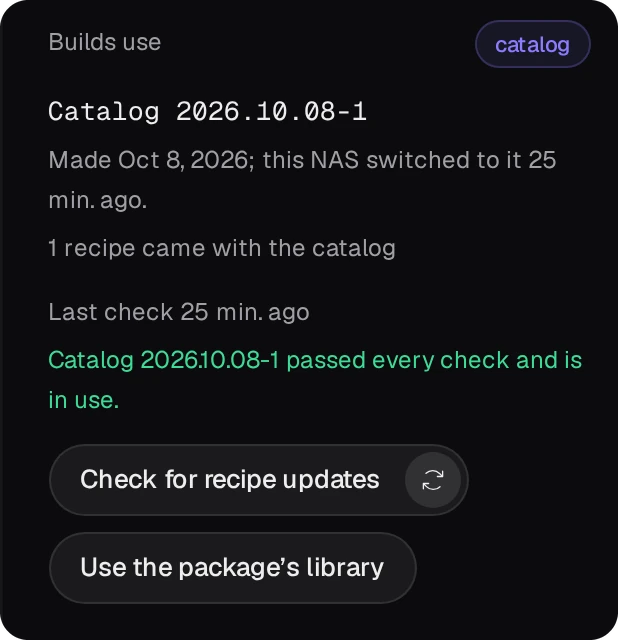
- The app. Change on the app's page takes recipes out or puts them in, and sets the environment and the link mode. A program that clashes with another recipe can go into an app of its own.
- The environment. If a recipe needs a newer compiler or a build tool the environment lacks, pick another environment with Change.
05Change a recipe's source yourself
When no fixed recipe has come yet, or a program has a newer release than the library's recipe builds, a copy
of the recipe can name the new source. The copy goes into the recipes/ folder of any project of
yours, and an app that takes that project's recipes builds the copy in place of the library's recipe. The
library and the other apps stay as they are. In the library of Bucket & Code Server IDE 1.0.0-55, the
tmux recipe builds 3.7c; the copy here builds 3.8.
The build job's log names the library in use on its recipe library: line. The package's own
library is /usr/bin/bucketvs/share/bucketvs/recipes/; a catalog's is
recipes/current/library/ in the data folder. In the editor's terminal, in the project's folder, copy the
recipe's folder from there and take the new archive's sha256:
mkdir -p recipes
cp -r /usr/bin/bucketvs/share/bucketvs/recipes/tmux recipes/
curl -fsSL https://github.com/tmux/tmux/releases/download/3.8/tmux-3.8.tar.gz | sha256sum
e79c699c7e949dccd0a4a125e17b8d1261e311b16979dbc8eb34542f3966d82e  -
In recipes/tmux/recipe.json, three values change: the version, the address and the sha256.
"version": "3.8",
"source": {
  "url": "https://github.com/tmux/tmux/releases/download/3.8/tmux-3.8.tar.gz",
  "sha256": "e79c699c7e949dccd0a4a125e17b8d1261e311b16979dbc8eb34542f3966d82e"
},
- Saving the file checks the project's recipes and lists the findings in the editor's Problems
view;
bvs recipe lint .runs the same check in the terminal. The Recipes card of the Project view marks the copy replaces the library’s 3.7c. A copy with a problem is left out, and the library's recipe does not stand in for it: a build that needstmuxstops before it starts, with the reason. - On the app's page, Change shows Recipes from a project once a project holds a
recipe. Choose the project, Save the change, then Rebuild. The build job's log lists the
recipes it read from the project and says
tmux replaces the library's tmux 3.7c in this app. - A release that builds the same way needs only these three values. One that needs other configure options
or a patch needs its
build.shchanged as well; Your first own recipe explains that file. - The copy replaces the library's recipe by name, whatever the versions. When the library's recipe moves past the copy, the app still builds the copy: set Recipes from a project back to None: the library only, or delete the copy.
06Build again
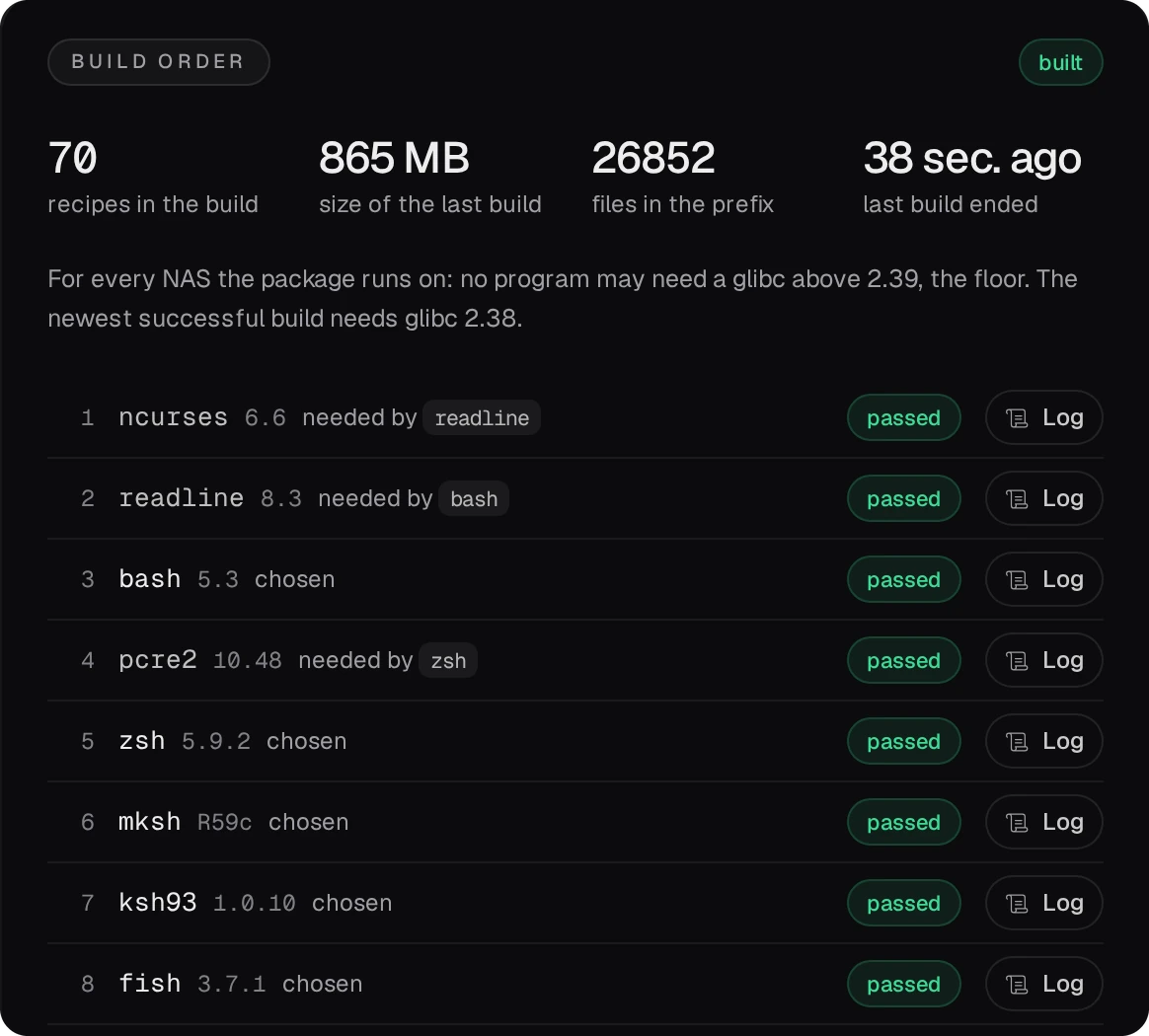
Rebuild on the app's page starts a new build job. If the app's files have not changed since the failed build, it continues from where that build stopped: the recipes the failed build had finished are reused, and the
failed recipe is built again, here ksh93 with the fixed recipe from the catalog.

07When the build passes but a program does not start
Every build checks its result before it replaces the app: each recipe's own check, and an analysis that reads
every program and library without running them. The app's Dependencies tab lists what that analysis found: a
missing library, a version a library does not define, a RUNPATH that points outside the app, or a program that
needs a newer glibc than the app is for. The panel offers a suggested action for supported findings, often as a button:
Add … and build, Switch to … and build, Patch the RUNPATH, Choose another
environment or Build for this NAS only. On the NAS, bvs deps <app> prints the
same list.