 BitchMyQnap
: IRC on your QNAP
Clients, a bot, a server with services, a bouncer and FTP.
BitchMyQnap puts a whole IRC setup on the NAS: the clients irssi and BitchX, the Eggdrop bot with Tcl, the UnrealIRCd server with Anope services, the ZNC bouncer and Pure-FTPd.
The package holds the programs. The Editor project in Bucket & Code Server IDE adds a wizard that asks for the names and your passwords, writes the configurations and starts a small network.
./irc.sh start
unrealircd: started
anope: started
znc: started
eggdrop: started
ftp: started
./irc.sh status
unrealircd: running (pid 10590)
anope: running (pid 10619)
znc: running (pid 10651)
eggdrop: running (pid 10683)
ftp: running (pid 10713)
What is inside
The recipe list names these programs, and the build adds the libraries they need.
Clients
- irssi
- the terminal IRC client, with TLS
- BitchX
- the classic terminal client, with TLS
Bot
- eggdrop
- Eggdrop 1.10, the IRC bot
- tclsh
- Tcl 8.6, the bot's scripting language
Server and services
- unrealircd
- UnrealIRCd 6, the IRC server, with unrealircdctl
- services
- Anope 2.0: NickServ, ChanServ, OperServ and the others
Bouncer
- znc
- ZNC 1.9 with its web panel; no Perl, Python or Tcl modules
FTP
- pure-ftpd
- Pure-FTPd with TLS
- pure-pw
- its own user database
Tools
- busybox
- chpst starts each program as its own user
- screen
- keeps a client running after the terminal closes
How it looks
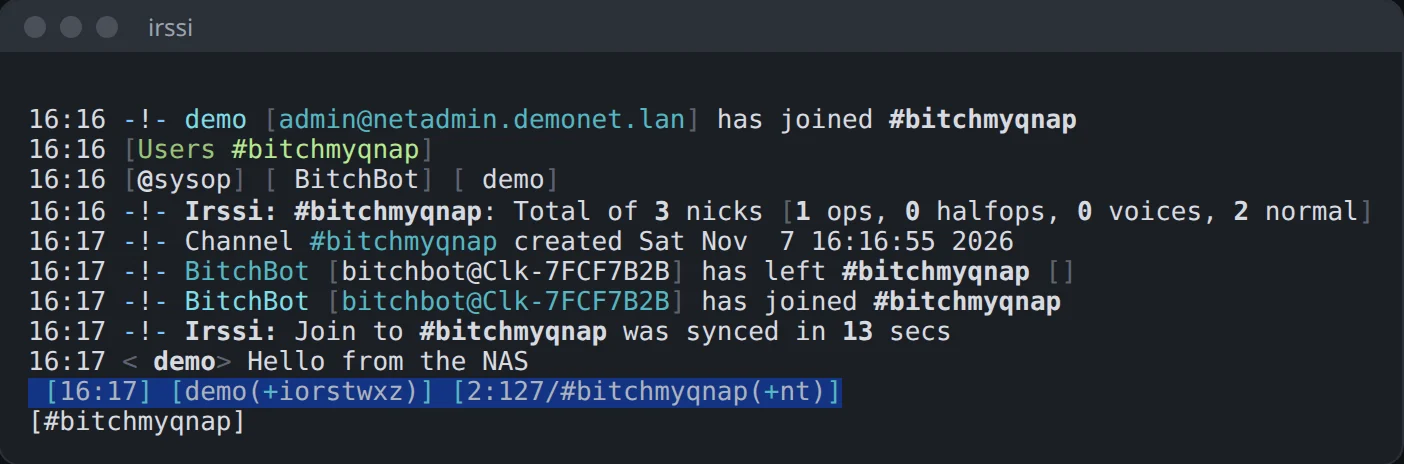
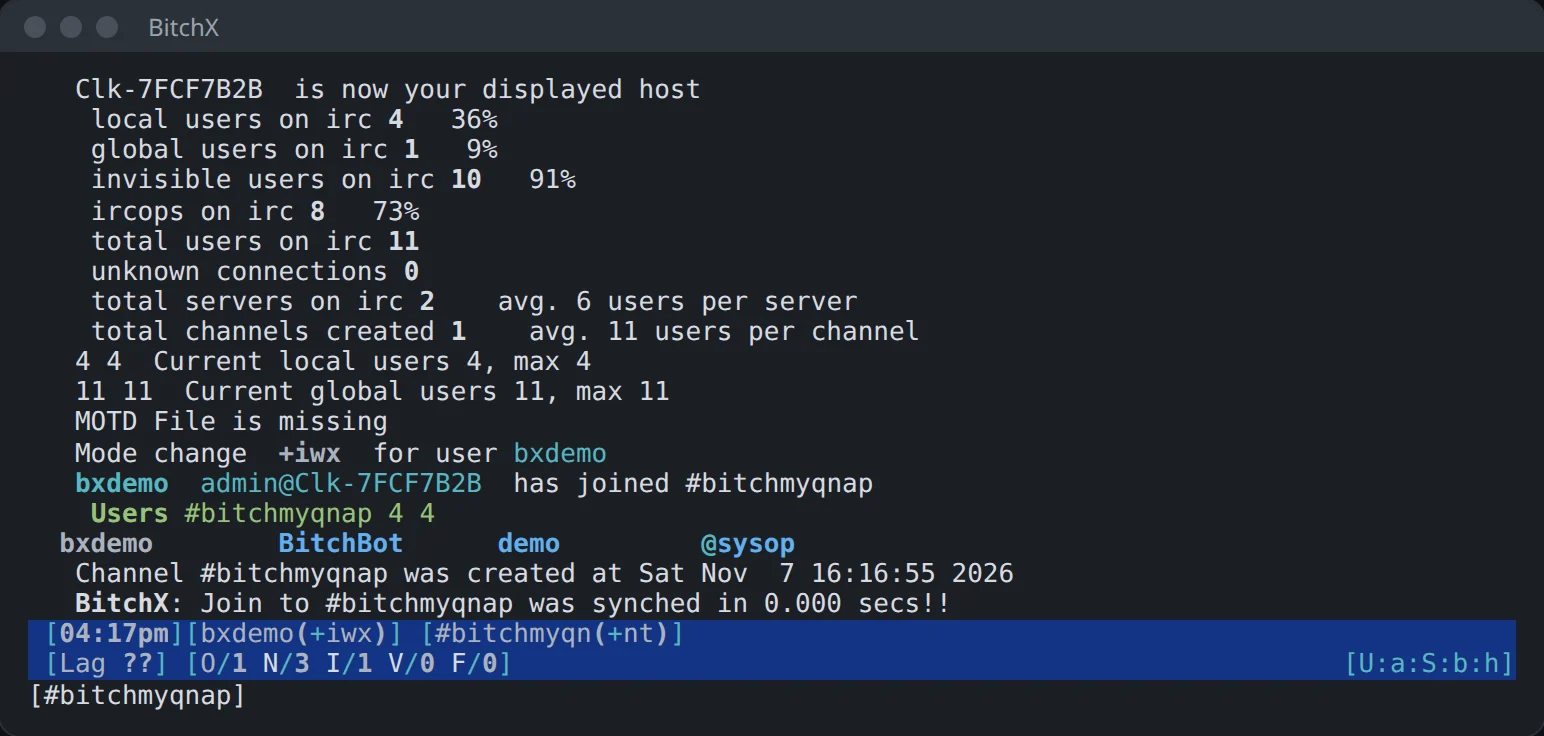
Real screens from a small test network on a QNAP NAS: the wizard's channel, its bot, and two clients.
Who it helps
You want a chat of your own
UnrealIRCd and Anope give you registered nicks and channels on a server you run yourself, for friends or a team.
You stay on IRC all day
ZNC stays connected while your computer sleeps, and irssi keeps running in screen after the terminal closes.
You like bots
Eggdrop sits in your channel, and you extend it with Tcl scripts.
Install it
- Add this site's repository to App Center once: the three steps.
- In the repository's list find (example) BitchMyQnap and press Install.
- Turn on SSH in Control Panel › Network & File Services › Telnet / SSH.
Start it
BitchMyQnap has no window of its own: you run it from a terminal. Sign in over SSH as admin and start a client. For a network of your own, use the project below.
ssh admin@192.0.2.10                      # your NAS's address
irssi -c irc.example.com -p 6697 --tls    # any IRC server over TLS
A network in three commands
The package holds the programs, and the wizard and the runner stay in the Editor project BitchMyQnap, so this part needs Bucket & Code. Build and activate the app as shown below, then run this in the Editor's terminal:
make setup       # the wizard: names, your passwords, the network folder
make start       # starts the network's programs
make irc-status  # which of them run
The wizard asks for the network's name, the server's and the services' names, the channel, your nick, the bot's nick and whether to set up FTP. It keeps your passwords only as hashes. The link password between UnrealIRCd and Anope and the cloak keys are random.
Each program runs as the user 65534, and irc.sh signals a program only when /proc shows its own binary running as that user.
Ports of the running network
| Port | What listens |
|---|---|
| 6667 | UnrealIRCd, IRC, on every address |
| 6697 | UnrealIRCd, IRC over TLS, on every address |
| 9669 | UnrealIRCd, the services' link, on 127.0.0.1 only |
| 9667 | ZNC, IRC over TLS and the web panel, on every address |
| 9021, 9022-9031 | Pure-FTPd, control and passive ports, on every address |
After the start
- Connect a client to port 6697, and
/operwith your nick and password makes you an IRC operator. /msg NickServ REGISTERregisters your nick. Anope makes that nick the services' root./msgthe bothello: the first person to say hello becomes its owner.- ZNC's web panel is on port 9667 over HTTPS, and an IRC client connects to the same port with TLS.
Good to know
- UnrealIRCd, ZNC and Eggdrop refuse to run as root. To start them from the package alone, you write their configurations and pick a user yourself.
- The network's programs stop when the NAS restarts.
make startstarts them again. - On QuTS hero a folder inside a share can be closed to the user 65534 by the share's ACL. The wizard checks this at the end and names the folder if it is closed. A folder on the app's own volume works.
- BitchX opens each line with two 8-bit marks that a UTF-8 terminal cannot draw. The picture above leaves them blank.
Change it and build it again, whenever you want
BitchMyQnap is an example from Bucket & Code Server IDE, our free development environment for QNAP. It compiles each program from source on your own NAS and packs the result as a QPKG.
From the panel
- In Bucket & Code open Apps, then the Examples tab. Add Ubuntu 24.04 builder (full) if you have no builder environment yet.
- Press Use this example on BitchMyQnap (geek set 3). The app appears with its recipes, and nothing is built yet.
- Press Build, then Activate. Export makes a QPKG once a QDK toolchain is installed.
From a terminal
The Editor project BitchMyQnap holds the same list in recipes.txt. Take a line out or add a recipe from the library, then run this in the Editor's terminal:
make app        # makes the app from recipes.txt
make build      # builds it and follows the job
make activate   # /usr/app/BitchMyQnap now points to the build
make qpkg       # exports a QPKG (needs a QDK toolchain)
The QPKG holds the app's programs. setup.sh and irc.sh stay in the project.
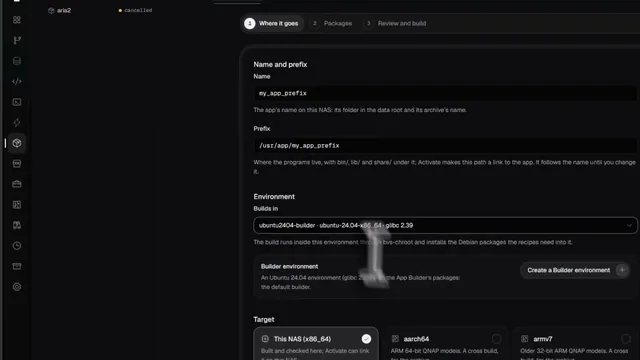 See it done in Bucket & Code
Compile Any App You Need Without Linux Skills: Build QPKG & Deploy Easily (Freeware)
8 min on YouTube