 Edge
Edge
 Chrome
 Firefox
 Safari
│
PLENFRCSIT中
│
⬇ Download QPKG
v1.6.10037 · sdlv.qpkg
Edge
Chrome
Firefox
Safari
│
PLENFRCSIT中
│
⬇ Download QPKG
v1.6.10037 · sdlv.qpkg
Safari
│
PLENFRCSIT中
│
⬇ Download QPKG
v1.6.10037 · sdlv.qpkg
Edge
Chrome
Firefox
Safari
│
PLENFRCSIT中
│
⬇ Download QPKG
v1.6.10037 · sdlv.qpkg
A real support case, start to finish: diagnostic bundle → Dr. Trace verdict → a memory test on the customer’s NAS — and the twist the logs were hiding. The video starts muted — click the speaker to hear the narration.
► Interactive version (EN·PL·FR·CS·IT·ZH) · ► Step-by-step (74 clips) · Online manual (EN) — the primary User Guide lives in the app itself (User Guide on the desktop)
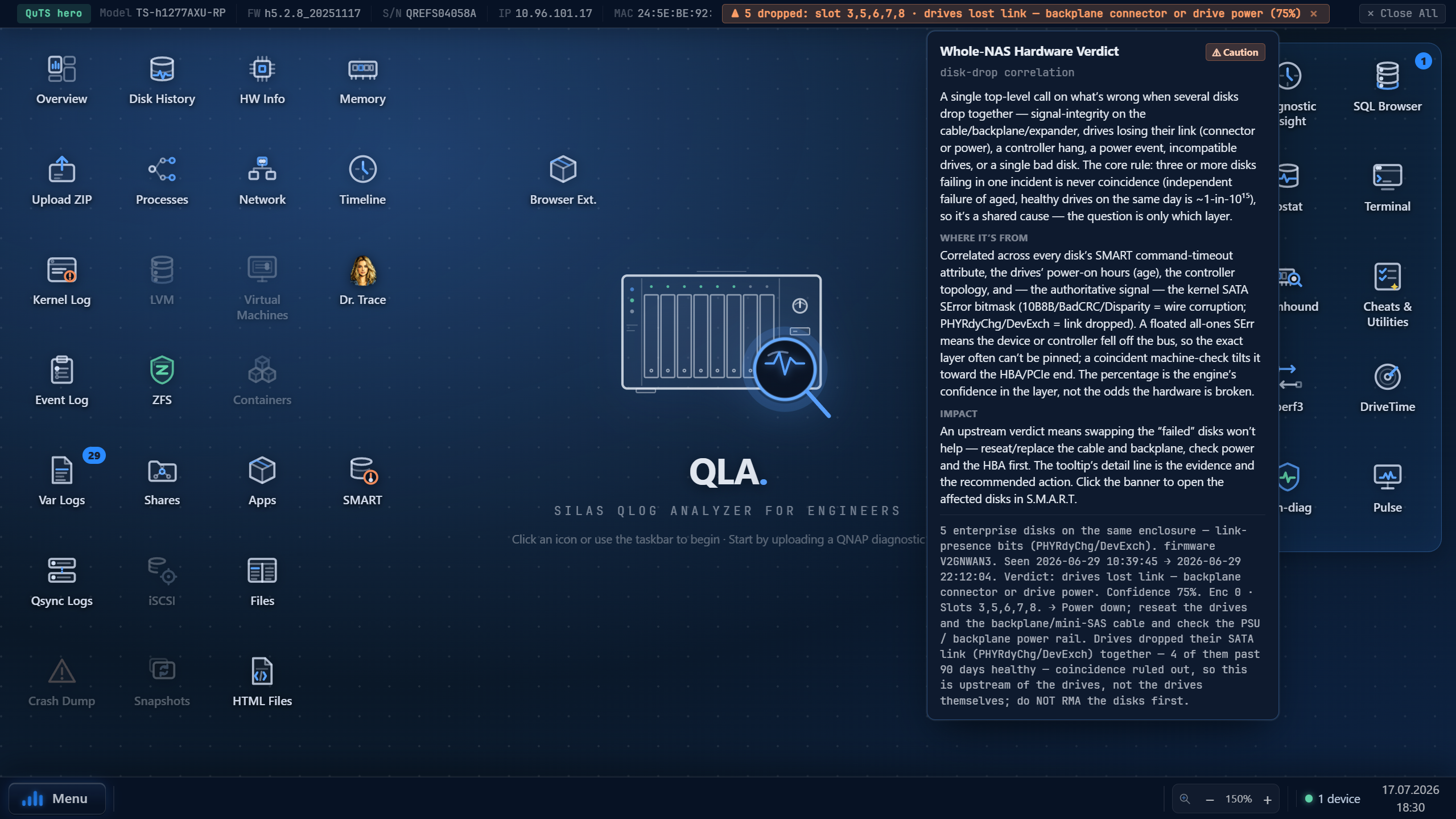
StorageDiagLV is a web tool that turns a QNAP NAS diagnostic bundle into a readable, prioritized health picture. You upload the bundle (from a support case or a customer); the tool extracts it, recognizes the logs inside, and opens a set of windowed viewers that colour-code what matters, flag known problems, and correlate events across the whole system into a plain-language verdict.
Built for QNAP support engineers and supervisors — people who need to read a NAS's logs quickly and reach a defensible conclusion, without hand-grepping multi-megabyte kernel dumps. Beyond passive analysis of an uploaded bundle, the Workbench can also run live diagnostics against a connected NAS (I/O benchmark, RAM test, network throughput…).
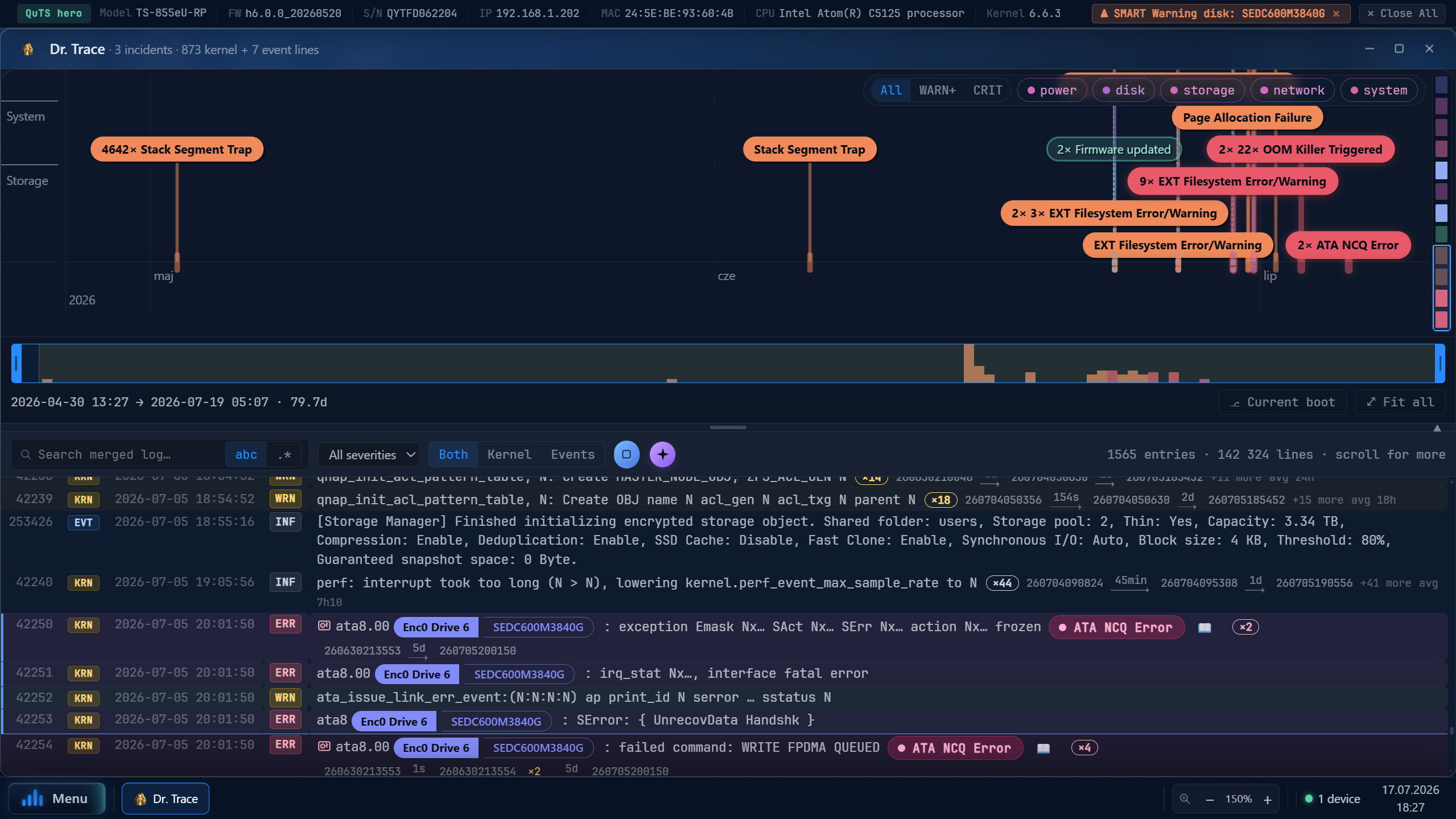
Correlates the kernel log and the event log into ranked incidents with a likely cause and a "how to recover" path. Read the verdict, then confirm in the detail views.
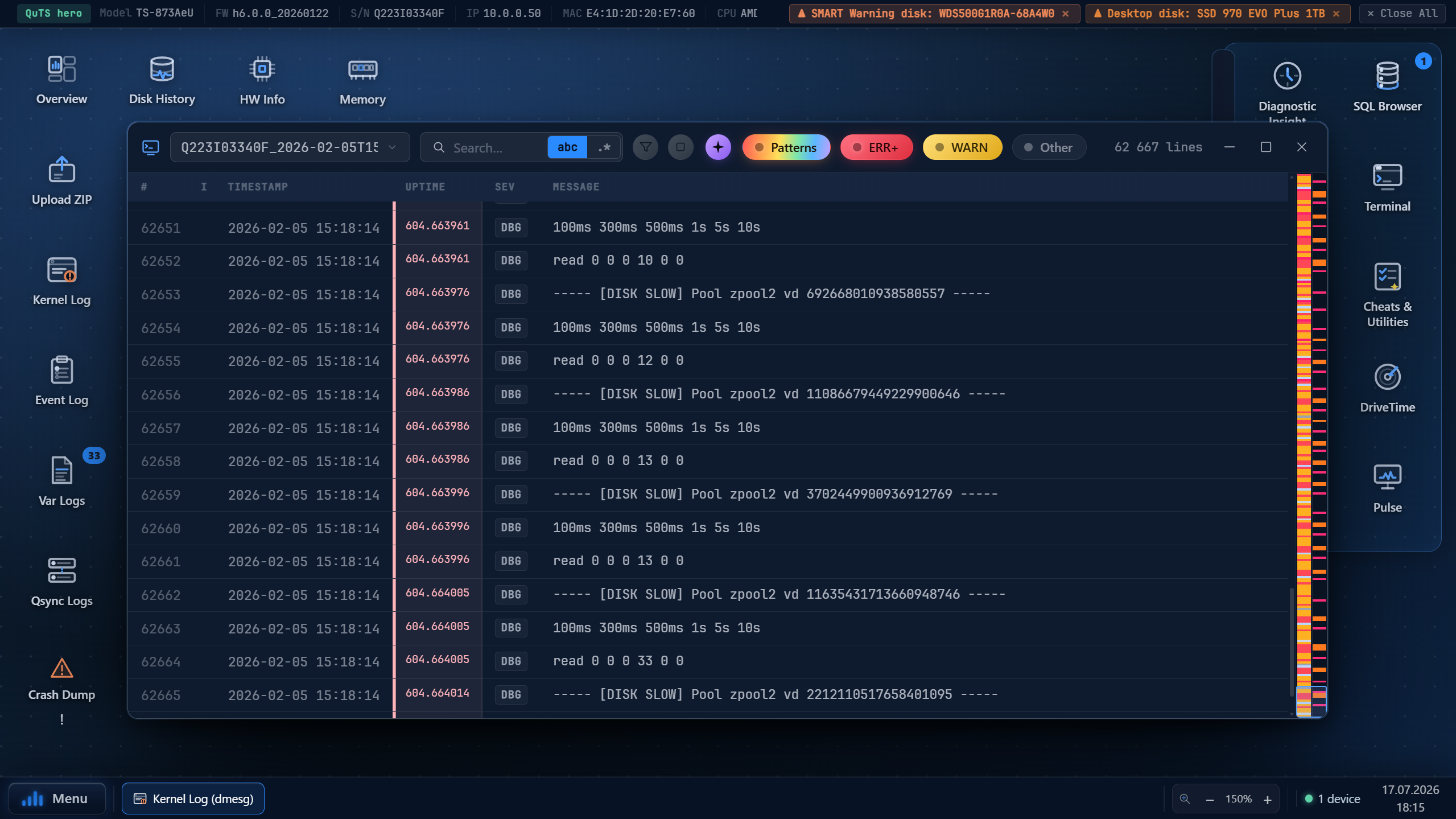
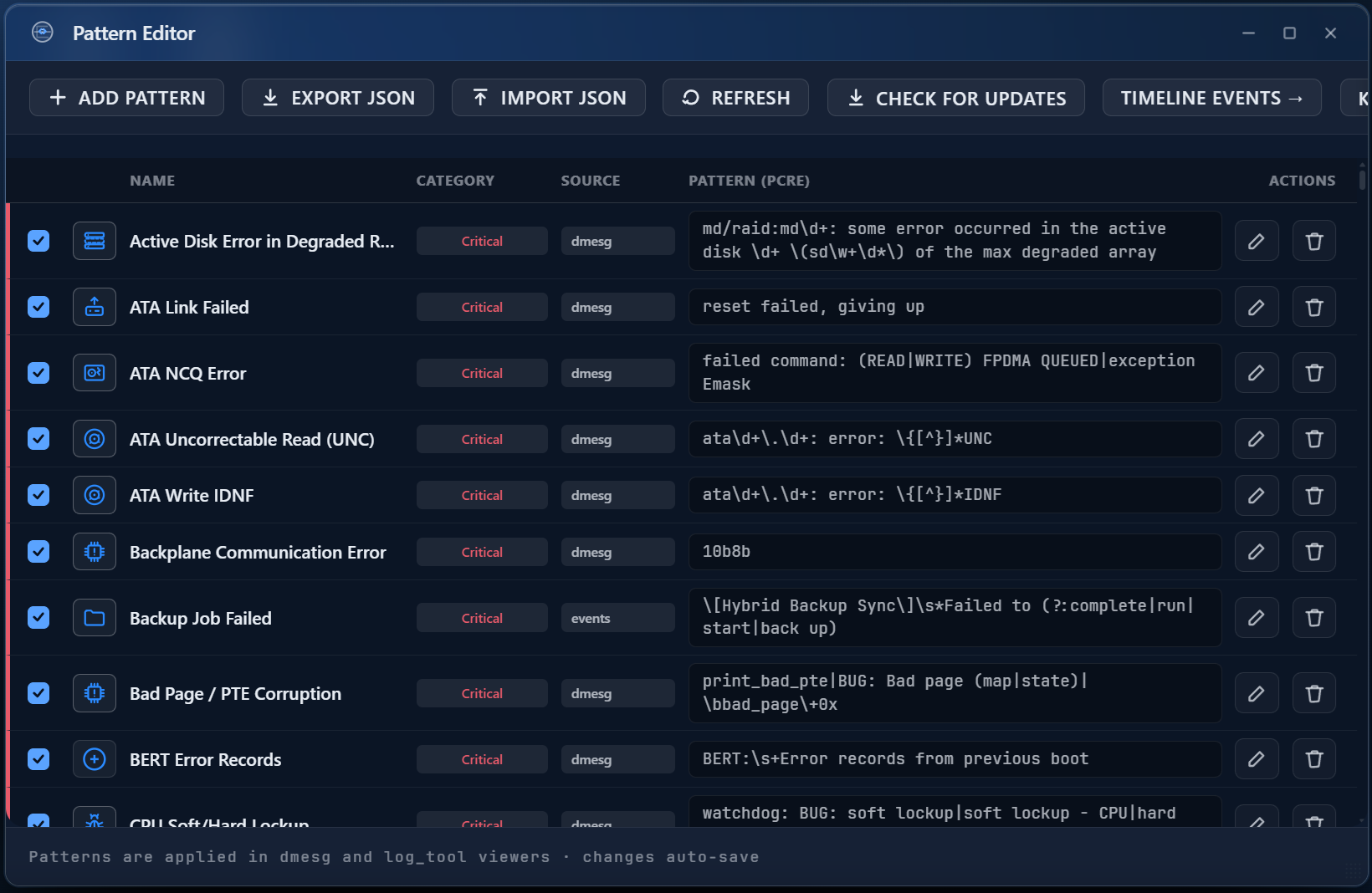
Signatures for known problems (critical/warning/info) with coloured pills and a 📖 link to a KB article. A Pattern Editor + Regex Helper let you author your own.
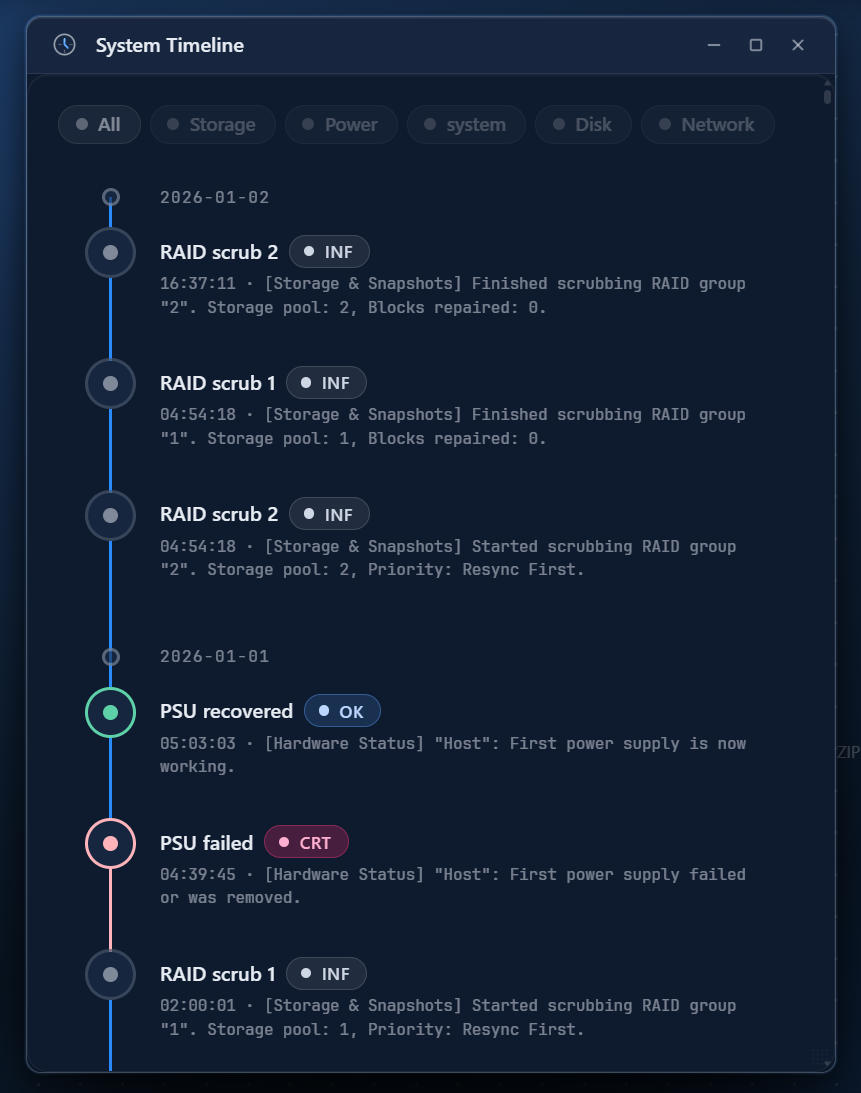
Kernel Log (dmesg), Event Log, SMART, LVM/RAID/DRBD, ZFS, Memory/OOM/crashdump, Network, Timeline, Disk Presence History, Processes, iSCSI, SMB, Snapshots, VMs, Containers, HBS 3, SQL Browser, Hardware/DMI/sensors.
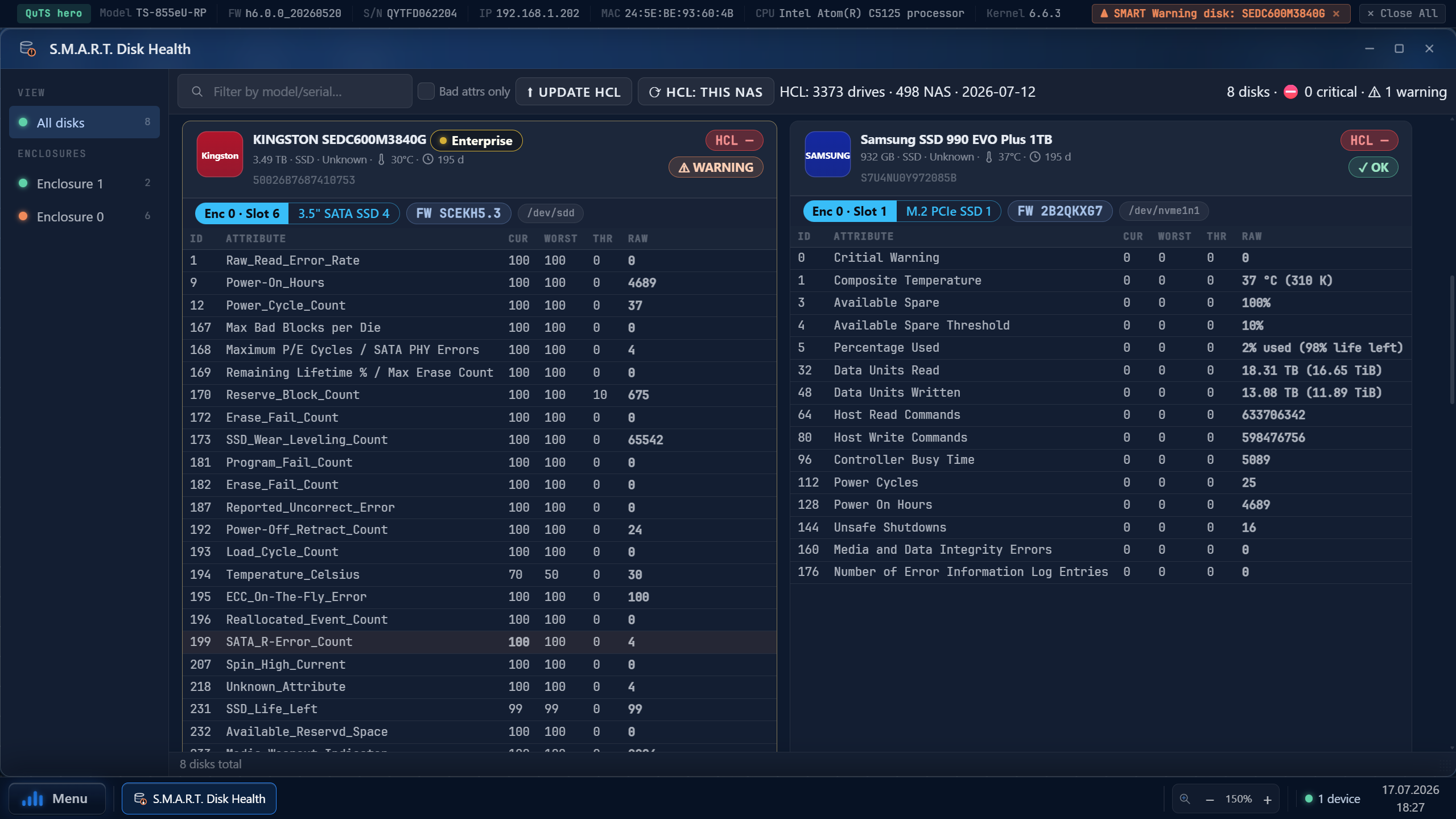
S.M.A.R.T. cards with human-readable attributes and a verdict, plus DriveTime — hourly history of SMART/FARM attributes (see a trend before it trips a limit).
The full live toolset: Pulse (cockpit + packet analyzer), memhound, iostat (+Disk Health Scan), Pool & Disk (live disk table, pool-metadata check, graceful hot-unplug/re-add), MCE Decoder, iperf3, vpn-diag, root Terminal, Cheats — the same tools as the StorageDiag Utilities package.
Pulls the diagnostic bundle straight from a QNAP Salesforce case — one click, no manual download.
| Platform | QNAP QTS / QuTS hero 5.2+ (installed from the sdlv.qpkg package; its own Apache + PHP-FPM, no Web Station dependency) |
| Architectures | x86_64 · ARMv7 (armhf) · ARMv8 (aarch64) |
| Input | a QNAP diagnostic bundle (ZIP) — from Salesforce (extension) or manual; one session = one bundle (private, expires) |
| Roles | whole-app login + roles: admin (QNAP) / operator / user |
| Privacy | nothing to the QNAP cloud, no AI by default; an optional AI analyzer is opt-in and admin-configured |
Provided “AS IS”, without warranty. Findings come from heuristic pattern-matching and may be wrong — treat every verdict as a lead to verify. Not a QNAP product — not made, supported or endorsed by QNAP; “QNAP”, “QTS”, “QuTS hero” are marks of QNAP Systems, Inc. Licensed, not sold. The live-tools daemon runs as root — use Safe mode and don't expose it without HTTPS/credentials/firewall. Liability is limited to the maximum extent permitted by law.